| TL;DR – Patent tracking is getting harder as filings rise, USPTO timelines stretch, and updates scatter across PAIR, email, and internal systems. The risk: missed deadlines, unclear status, wasted spend. This guide compares nine patent tracking software, including the TIP Tool™, highlighting solutions with USPTO syncing, centralized visibility, and scalable portfolio control. |
Patent tracking matters because every application carries deadlines, decisions, and costs. Miss a deadline, and rights can be lost. Prosecute the wrong case, and the budget is quietly wasted.
This challenge has intensified as prosecutions slow. At the USPTO, first office actions often take close to 20 months, and total pendency can exceed two years. As a result, prosecution events arrive unevenly across portfolios, breaking predictable sequencing. Some applications suddenly require urgent attention when an action is issued, while others remain inactive yet continue to incur costs.
In this environment, visibility is critical. IP teams need clear insight into application status, prosecution stage, and next required actions. The problem isn’t a lack of options, but rather knowing which patent tracking software truly supports oversight and decision-making.
This guide compares nine patent tracking software options, including the TIP Tool™, and begins with key questions to help teams choose effectively.
Don’t Buy Patent Tracking Software Until You Ask These Questions
Let’s be honest for a moment.
Most patent tracking software looks great in a demo.
The problem is that demos don’t show how things change once portfolios grow, timelines stretch, and accuracy really matters. That’s why this section looks past feature lists. It focuses on the core capabilities that actually matter in real-world patent tracking. These are the capabilities that decide whether a system scales with you—or quietly creates work you never planned for.
For each area, we’ll show you what a solid, scalable answer looks like. And we’ll point out the red flags. The small signs that often turn into big problems at scale.
So let’s start with the part that matters most.
1. USPTO Data Source & Sync
Question: How does the system retrieve and update USPTO patent status data?
What to expect in a good response:
- Clear mention of USPTO data sources (Public PAIR and/or Private PAIR)
- Explanation of automatic syncing (not manual entry)
- Update frequency defined (near-real-time or scheduled)
- Confirmation that status changes propagate automatically
🚩 Red flag: “Users manually update statuses” or “weekly spreadsheet uploads.”
2. Prosecution Event Coverage
Question: What prosecution events does the system track beyond basic status?
What to expect in a good response:
- Explicit list of tracked events:
- Filing
- Non-Final / Final Office Actions
- Responses
- Examiner Interviews
- Notices of Allowance
- Abandonment
- Ability to view full prosecution history, not just current state
🚩 Red flag: Only “Pending / Granted / Abandoned.”
3. Application Timeline Visibility
Question: Can users see a chronological timeline of prosecution activity for each application?
What to expect in a good response:
- Visual, chronological timeline
- Ability to drill into individual events
- Linked documents (Office Actions, responses, notices)
- Support for simplified vs detailed views (optional but strong)
🚩 Red flag: Event history buried in notes or PDFs.
4. Foreign Jurisdiction Tracking
Question: How does the system track non-US (foreign) patent applications?
What to expect in a good response:
- Support for foreign applications as first-class records
- Explanation that foreign updates come via:
- Docketing system sync or
- Structured bulk updates
- Unified portfolio view across jurisdictions
🚩 Red flag: “We only track US patents well.”
5. Docketing System Integration
Question: Can the system integrate with our existing IP docketing software?
What to expect in a good response:
- Explicit support for major docketing systems
- Ability to import via Excel/CSV without strict reformatting
- Field-mapping capability
- Incremental updates (not full reloads every time)
- Sync logs or error reporting
🚩 Red flag: “Just export your docket and upload it manually every time.”
6. Status Accuracy & Change Handling
Question: What happens when a patent’s status changes at the patent office?
What to expect in a good response:
- Automatic update in the system
- Status reflected across all views (portfolio, application, reports)
- Historical data preserved (no overwriting history)
🚩 Red flag: Status overwrites without an audit trail.
7. Portfolio-Level Status Overview
Question: Can we see portfolio-wide status distribution at a glance?
What to expect in a good response:
- Portfolio dashboards showing:
- Pending
- Granted
- Abandoned
- Expired
- Ability to filter or drill down from the summary to cases
🚩 Red flag: Must export data to Excel to understand portfolio health.
8. Filtering & Search at Scale
Question: How do users filter and search large patent portfolios?
What to expect in a good response:
- Multi-filter search (status, jurisdiction, tags, examiner, etc.)
- Tagging system for classification
- Advanced search combining multiple criteria
🚩 Red flag: Linear lists with limited filters
9. Bulk Import & Export
Question: Can we bulk-import our existing portfolio and export data when needed?
What to expect in a good response:
- Bulk import support (Excel/CSV)
- Clear template or mapping assistance
- Export with selectable fields
- Exports suitable for audits and reviews
🚩 Red flag: Manual entry required for legacy portfolios.
10. Application-Level Detail Depth
Question: What information is available when viewing a single application?
What to expect in a good response:
- Bibliographic data
- Current status and sub-status
- Prosecution history
- Examiner and art unit information (if available)
- Uploaded documents
- Timeline view
🚩 Red flag: Only high-level metadata shown.
11. Multi-Portfolio & Access Control
Question: Can different teams or counsel access different subsets of the portfolio?
What to expect in a good response:
- Portfolio-level access control
- Role-based permissions
- External counsel access without full portfolio exposure
🚩 Red flag: “Everyone sees everything.”
12. Auditability & Data Governance
Question: Is prosecution and status data preserved for audit and review purposes?
What to expect in a good response:
- Historical prosecution data retained
- No loss of events during updates
- Admin-controlled configuration and access
🚩 Red flag: No explanation of data retention.
13. Scalability & Performance
Question: How does the system perform with hundreds or thousands of applications?
What to expect in a good response:
- Designed for large portfolios
- Bulk operations supported
- Filtering and dashboards remain performant
🚩 Red flag: “Works best for small portfolios.”
14. System Boundaries (Important Honesty Test)
Question: What does this system not do compared to a full docketing system?
What to expect in a good response:
- Clear distinction between:
- Tracking & visibility vs
- Deadline compliance & reminders
- Positioning as a complement, not a replacement, if applicable
🚩 Red flag: Claims to “replace everything” without explanation.
Now that you know what to look for and what to be skeptical about, it’s time to see how leading tools measure up. Let’s check the tool comparison we did next.
Nine Best Patent Tracking Software IP Teams Are Turning to in 2026
Patent tracking isn’t one-size-fits-all. Some tools stand out for deep prosecution visibility and USPTO-driven insights. Others focus on enterprise control and compliance, while some are built around docketing precision, renewals, or institutional workflows. That’s why IP teams don’t look for a single “best” tool—they choose what best fits how they work.
In this list, we cover a range of platforms IP teams commonly evaluate, including:
- The TIP ToolTM
- Anaqua AQX
- AppColl
- DIAMS iQ
- Questel Equinox
- Foundation IP
- Alt Legal
- Decipher IP
- Sophia
For each tool, we review core capabilities, pricing transparency, and demo or trial availability to help teams understand where each option fits best. Let’s go through them one by one.
1. The TIP ToolTM
As patent applications move through filing and examination, status information often becomes scattered across USPTO portals, emails, spreadsheets, or docketing tools. The TIP ToolTM by Triangle IP is a patent tracking software designed to consolidate that information into a single, reliable view. It helps organizations maintain accurate, ongoing visibility into patent prosecution.
Once applications become active, the TIP Tool™ provides the current prosecution status, highlights recent activity, and shows how each case fits within the broader portfolio. This allows IP teams to understand where patents stand at any moment, without manually assembling updates from multiple sources.
Key Benefits and Supporting Features
The following benefits show how the TIP Tool™ supports reliable patent tracking as portfolios grow and prosecution becomes more complex.
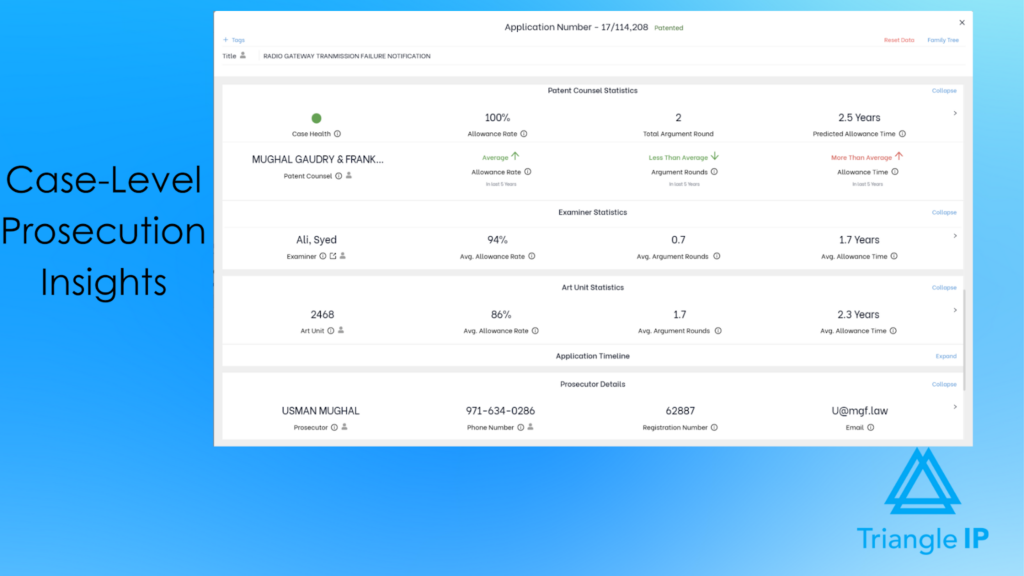
Provides Centralized Prosecution Insights at the Case Level
Each application is maintained as a structured record where teams can manage key fields (such as docket number and counsel details) and store prosecution-related documents in context with the case.
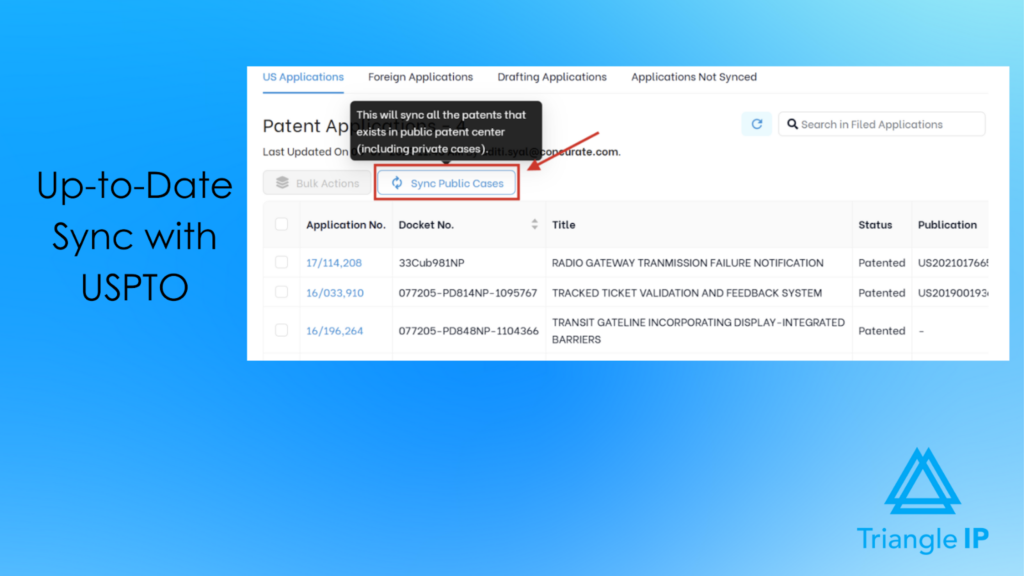
Maintains Authoritative U.S. Patent Status via USPTO Syncing (Including Unpublished Cases)
The TIP Tool™ supports syncing the U.S. application data from the USPTO, including importing unpublished applications through Private PAIR with credential-based access.
Related: Patent Application Status: 8 Best Tools Worth Considering
Visualizes Application Timelines for Prosecution Review
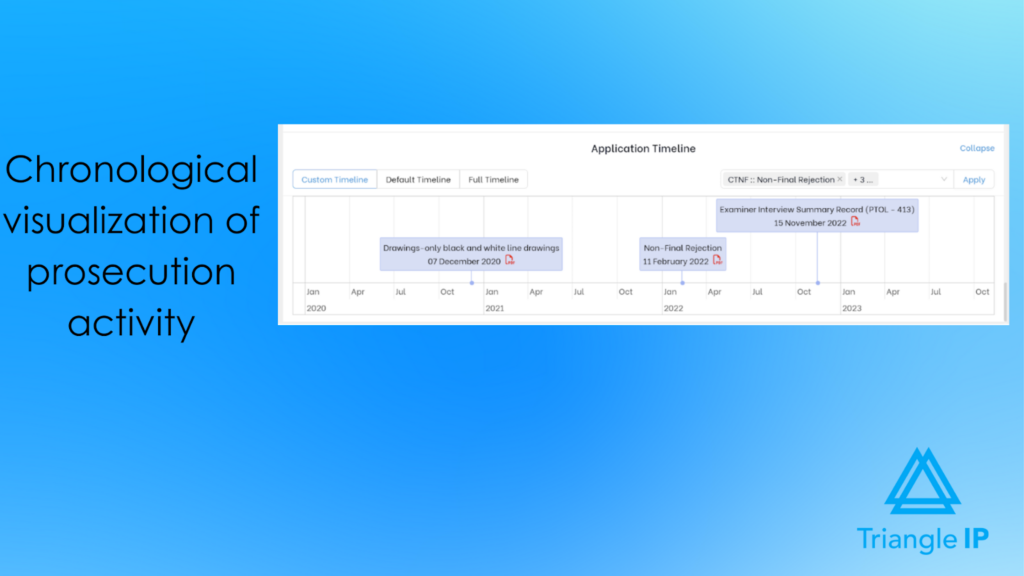
Application’s statistical details include an Application Timeline that shows chronological prosecution events. It provides access to official USPTO documents (e.g., office actions, filing receipts, responses, notices of allowance) where available.
Organizes Patents Across Multiple Portfolios and Jurisdictions
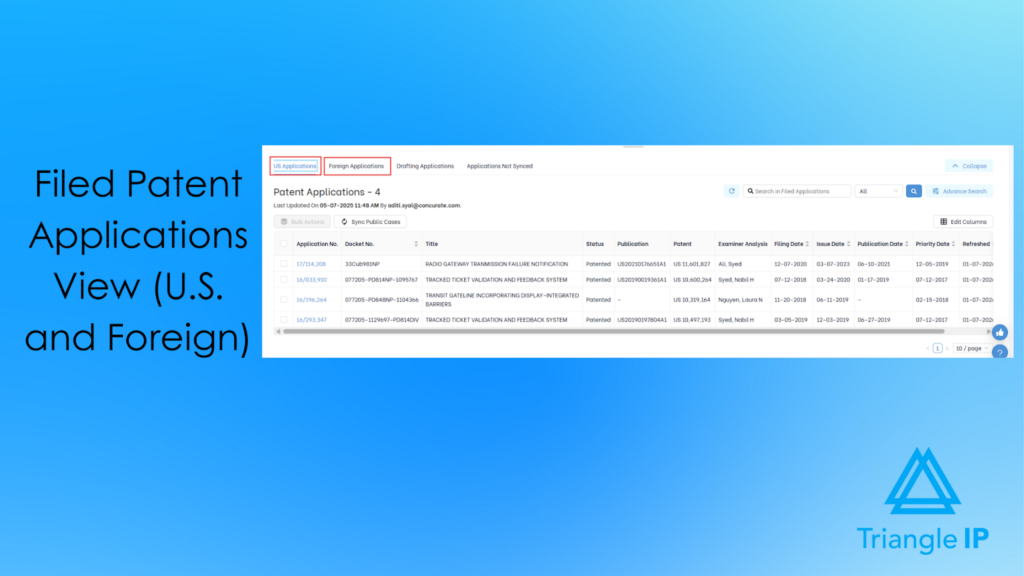
The TIP ToolTM provides a unified structure for managing the U.S. and foreign patent activity across portfolios. The U.S. cases update automatically through USPTO syncing, while foreign filings are consolidated via docketing imports or structured uploads. This enables centralized global tracking without parallel spreadsheets.
Easily Integrates With Your Docketing System to Bring all Patent Info to One Place
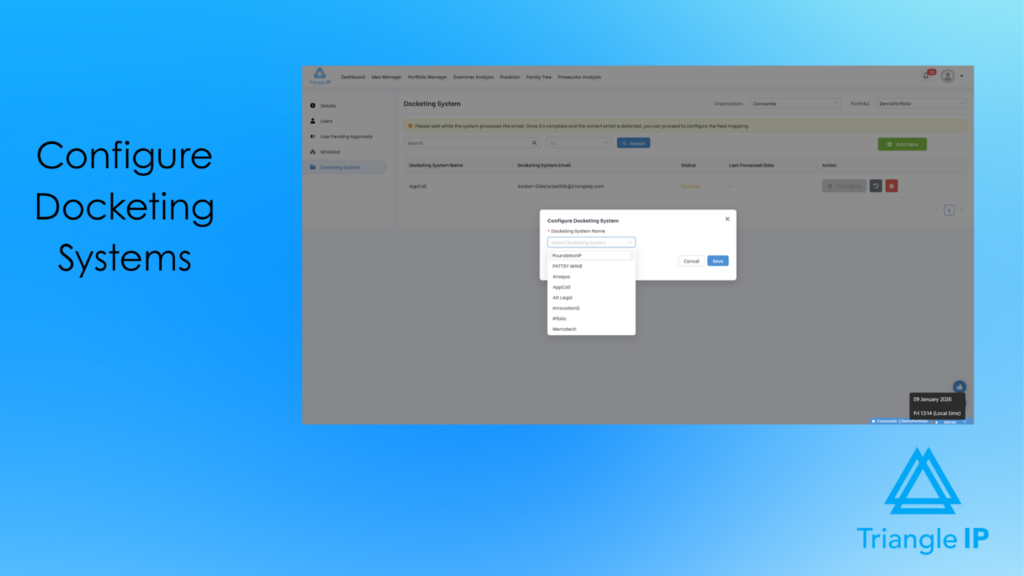
The TIP ToolTM is designed to complement formal docketing systems used for deadline compliance. It can import and sync application data from those systems, allowing organizations to retain established docketing workflows while using the TIP ToolTM for tracking, analytics, and portfolio oversight.
Monitors Patent Status Changes and Delivers Periodic Update Notifications
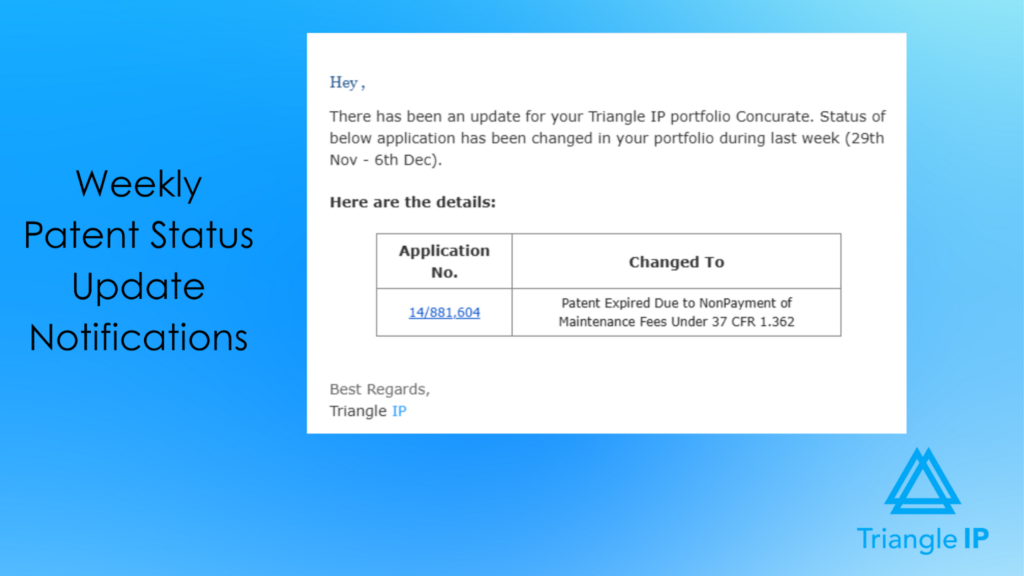
The platform tracks prosecution status changes as they occur and provides periodic summary notifications (e.g., weekly updates) highlighting what has changed across the portfolio. This keeps users informed of developments without requiring continuous manual review, while avoiding compliance-style deadline alerts.
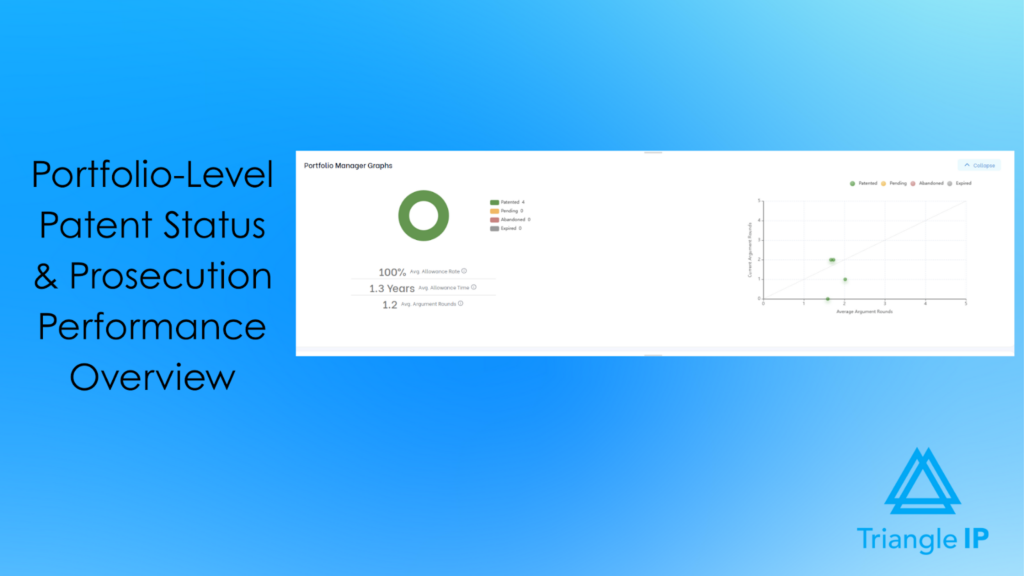
Provides Portfolio-Level Visibility Without Manual Reporting
Built-in dashboards and portfolio-level graphs summarize patent status, prosecution progress, and effort across the portfolio. This allows IP leaders to quickly understand where cases stand, where prosecution effort is concentrated, and how the portfolio is progressing. All without exporting data or manually compiling reports.
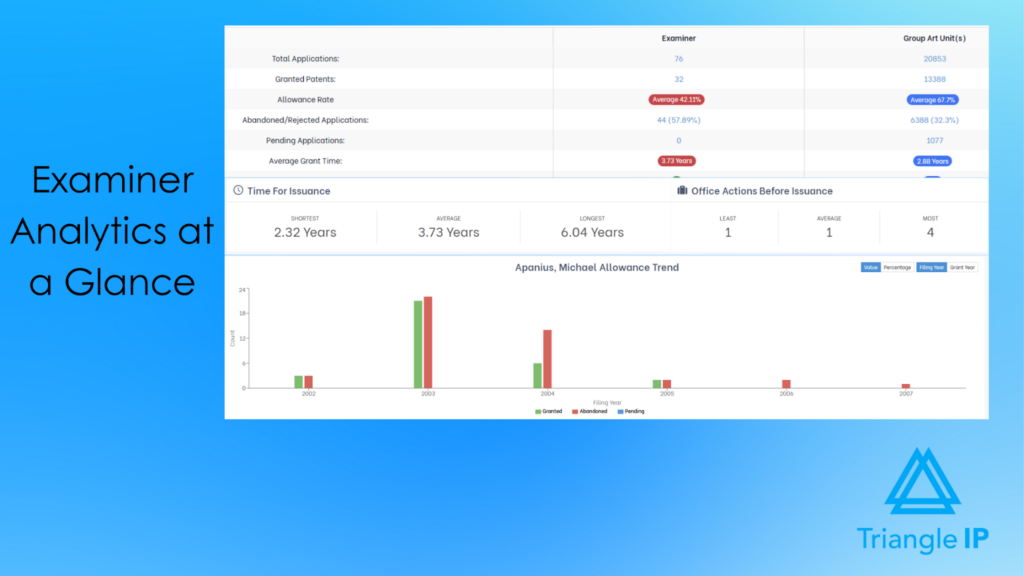
Surfaces Examiner-Related Prosecution Effort and Timing Risk
Examiner analytics reveal historical allowance behavior, expected prosecution timelines, and effort patterns. This helps teams anticipate which cases may require extended prosecution or additional resources and plan accordingly.
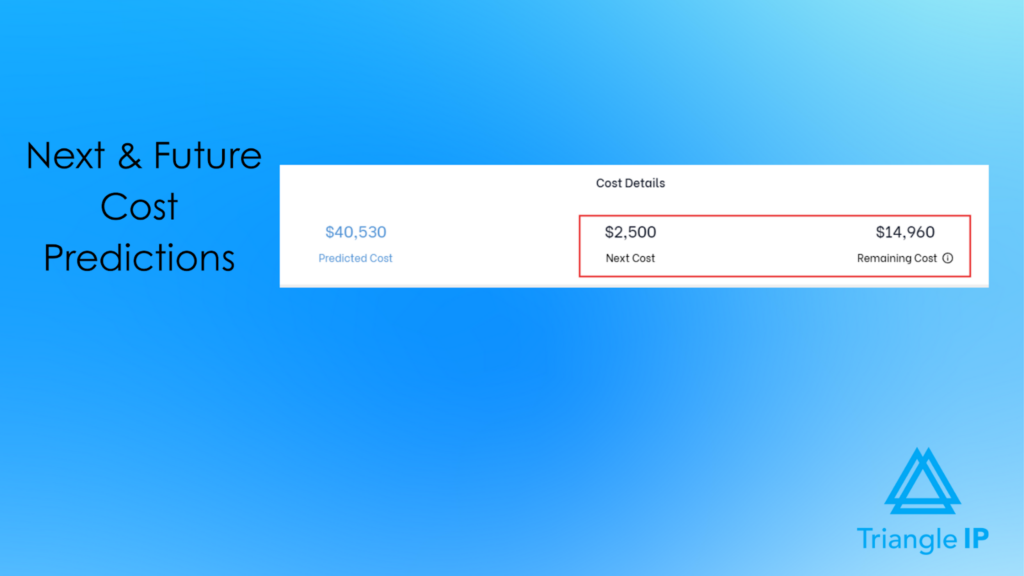
Connects Prosecution Progress to Forward-Looking Cost Exposure
The TIP ToolTM links case status with projected cost data, enabling users to view expected future expenses alongside prosecution progress at both the individual case and portfolio level. This supports more informed budgeting as cases advance.
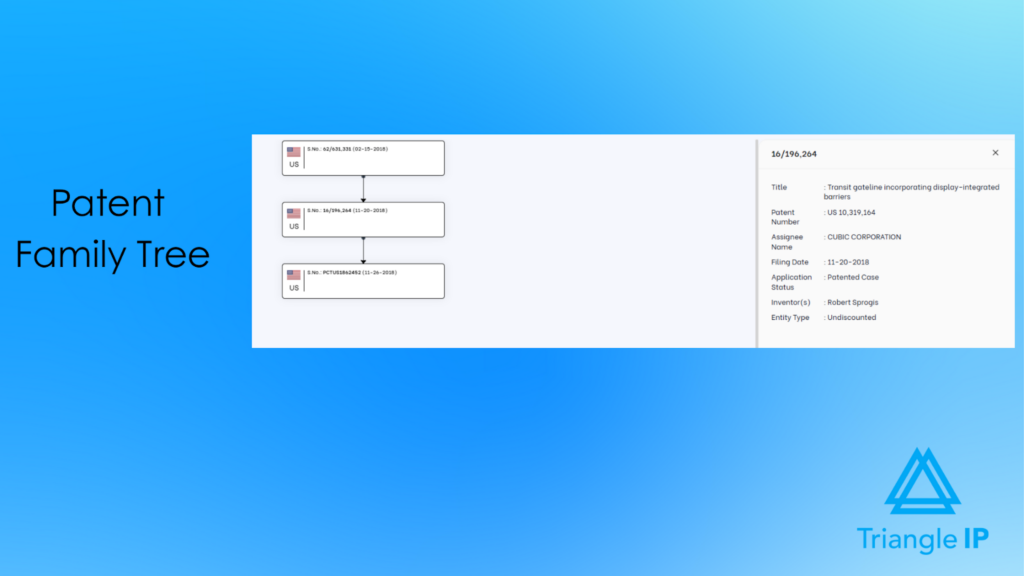
Visualizes Patent Family Relationships Across Related Filings
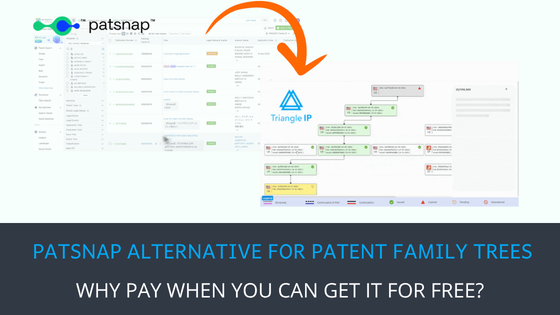
The TIP ToolTM provides a clear family tree view that shows relationships between related applications and patents, including parent, continuation, divisional, and foreign counterparts. This helps users understand how individual cases fit within a broader filing family without requiring manual cross-referencing.
Explore the patent family tree generator here.
Applies Role- and Portfolio-Based Access Controls
Defined user roles and portfolio-level permissions determine who can view, edit, or manage patent information. Access is aligned with responsibilities, enabling collaboration without exposing unnecessary or sensitive data.
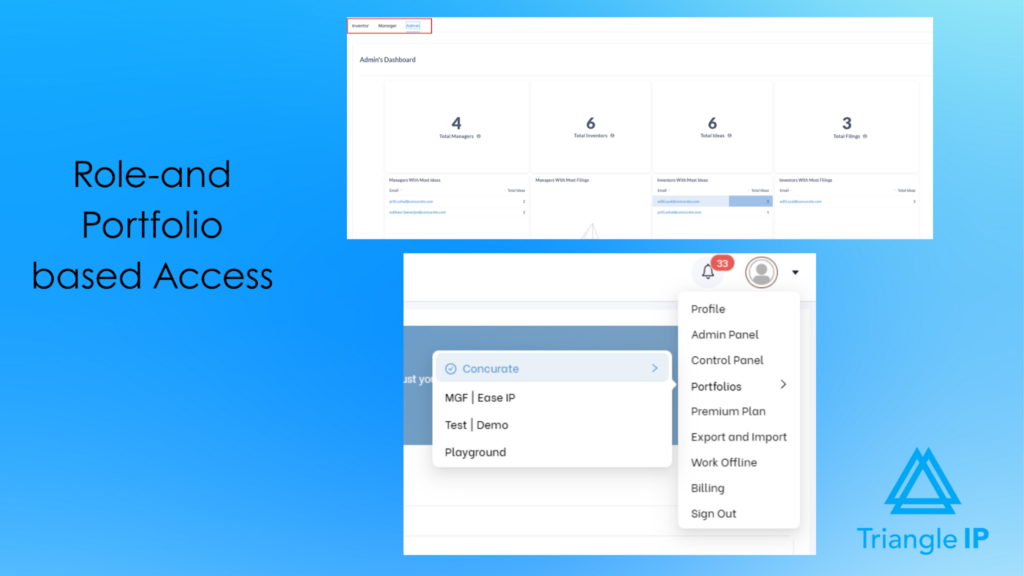
This structure is especially important for organizations running patent incentive programs that span multiple teams, roles, and decision-makers.

Best For
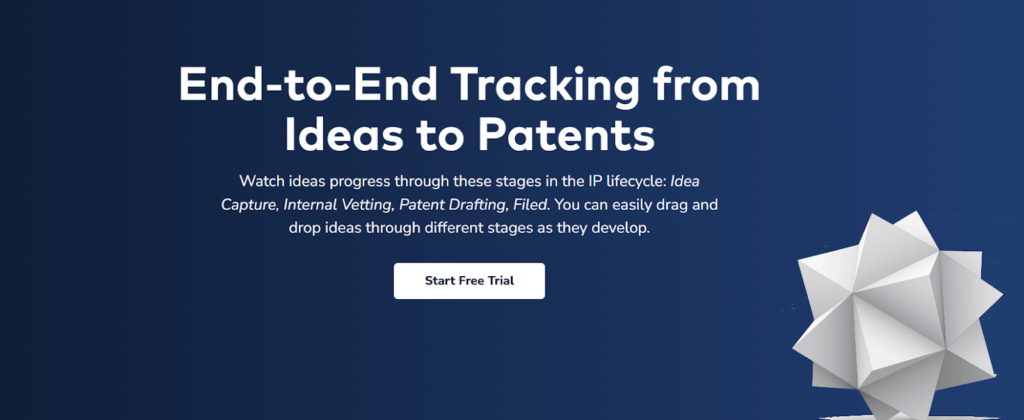
The TIP Tool™ is built for teams that need reliable patent tracking at scale, from startups to global enterprises. It supports in-house IP teams, patent attorneys, and outside counsel with a clear, structured, and data-driven way to track application status and prosecution progress from drafting through allowance.
Pricing
The TIP Tool™ offers flexible pricing designed for teams of all sizes:
- Free Plan: Ideal for getting started with up to 10 users.
- Premium Plan: Affordable monthly pricing for growing teams that need more users and storage.
- Custom Plan: Tailored options for large enterprises with advanced requirements. Contact the team to create your plan.
You can also purchase standalone add-on tools like Examiner Analysis, Art Unit Predictor, or the Patent Family Tree Generator.
For complete details, visit our full pricing page.
User Rating
The TIP Tool™ is well received by users, earning an average rating of nearly 5 on G2.
Pros
- Clear end-to-end patent tracking from invention disclosure through filing and prosecution.
- Intuitive, visual workflow that replaces spreadsheets and email chains.
- Strong collaboration across inventors, legal teams, and decision-makers.
- Automatic USPTO updates, including Private PAIR for unpublished cases.
- Useful analytics for prioritization, patentability assessment, and cost awareness.
- Low onboarding friction, even for non-IP users.
Cons
- A learning curve for teams new to structured IP workflows. To support new users, the TIP Tool™ provides a comprehensive knowledge base. This includes step-by-step helpdesk articles and short walkthrough videos. These resources make onboarding faster and reduce reliance on trial and error.
Demo and Trial Availability
You can request an interactive demo of the TIP Tool™ and explore its features firsthand. A free trial is also available upon signup.
2. Anaqua AQX
Anaqua’s AQX Patent Management is an enterprise-grade patent tracking and management system built for IP teams that need absolute control over complex, global patent portfolios. It goes far beyond basic docketing. It combines automated patent office integrations, AI-driven document processing, prosecution analytics, and portfolio intelligence in a single platform.

Source: Anaqua Homepage
This is not a lightweight tracker. AQX is designed to replace fragmented tools, spreadsheets, and manual follow-ups with a unified system that supports the full patent lifecycle.
Best For
Large in-house IP teams and IP law firms managing high-volume multi-jurisdiction patent portfolios.
Key Benefits and Supporting Features
These benefits highlight how AQX supports large, global patent portfolios with automation, analytics, and compliance-focused tracking.
Reduces the Risk of Missed Deadlines Across Global Portfolios
AQX integrates with major patent offices and applies country-specific legal rules through the Anaqua Law Engine, triggering workflow prompts when deadlines or conditions are met.
Cuts Hours of Manual Docketing and Data Entry Each Week
AI-powered Document Auto-Processing extracts and processes data from over 850 patent office forms and correspondence documents using Microsoft Azure AI Document Intelligence.
Improves Prosecution Quality and Response Strategy
Built-in Prosecution Analytics Reports analyze examiner, art unit, law firm, and company behavior to provide historical context that supports more informed office action responses.
Makes IDS Management More Reliable and Less Error-Prone
AI-driven processing identifies and dockets Information Disclosure Statements (IDS) from examiner communications, reducing the risk of missed or incorrect filings.
Gives Portfolio Managers Real-Time Visibility Into Portfolio Health and Costs
Custom dashboards and reporting tools track KPIs such as filing activity, outside counsel performance, IP spend versus budget, and portfolio composition by technology or geography.
Supports Smarter Patent Pruning and Renewal Decisions
Annuity Decision Reports combine comparative analysis, patent scoring, and historical trends to guide decisions on whether to maintain, abandon, or divest patents.
Enables Deeper Competitive and Landscape Analysis Without Leaving the System
Native integration with AcclaimIP™ provides access to analytics across more than 150 million patent documents from over 100 countries, including competitive benchmarking and AI-generated summaries.
Pricing
Anaqua does not publish pricing for AQX Patent Management.
User Rating
It has a rating of 4.4 / 5 on G2.
Pros
- Handles large, complex, multi-jurisdiction patent portfolios well.
- Reliable docketing and deadline tracking aligned with local patent laws.
- Strong reporting, analytics, and data visualization.
- Highly configurable workflows and processes.
- Responsive, knowledgeable customer support.
Cons
- Steep learning curve due to platform complexity.
- UI can feel cluttered or dated.
- Higher cost compared to simpler patent tracking tools.
- Overkill for small teams or low-volume portfolios.
Demo and Trial Availability
Not disclosed on the website.
3. AppColl
AppColl is a cloud-based intellectual property management and patent tracking software built for both law firms and corporate IP teams. Its core strength lies in simplifying patent prosecution, docketing, and portfolio oversight without the complexity or cost of heavyweight enterprise systems. AppColl positions itself as an end-to-end, start-to-finish IP management platform that teams can actually adopt and use day to day.

Source: AppColl Homepage
For patent tracking specifically, AppColl focuses on clarity, usability, and operational efficiency. It covers matters, deadlines, documents, prior art, reporting, and finances in a single system.
Best For
Law firms and corporate IP teams that want reliable patent tracking and docketing with strong reporting and billing support.
Key Benefits and Supporting Features
These benefits highlight how AppColl Prosecution Manager combines docketing, financial tracking, and collaboration into a single, unified platform.
Keeps Patent Prosecution and Docketing Organized in One System
AppColl Prosecution Manager centralizes matters, tasks, deadlines, documents, prior art, contacts, and reports within a single cloud-based platform.
Reduces Docketing Effort for the U.S. Patents and Trademarks
Automated docketing workflows and integrations manage deadline tracking and task generation for the U.S. patent and trademark matters.
Improves Visibility Into IP Spend and Financial Planning
The Finances module supports budgeting, legal spend tracking, invoice management with approvals, and forecasting of future expenses.
Makes Reporting Accessible Without Custom Development
Built-in real-time reporting tools allow users to generate workflow, portfolio, and financial reports without external BI tools.
Accelerates Adoption Across Teams and Clients
A consistent, email-like interface and standardized modules reduce training time and simplify daily patent tracking.
Simplifies Collaboration Between Corporations and Outside Counsel
AppColl® Tandem™ provides corporate clients with a no-cost portal that syncs data from outside counsel and enables transparent portfolio updates.
Pricing
AppColl uses subscription-based, monthly pricing with no long-term contracts.
User Rating
Users rated it 4.7 / 5 on G2.
Pros
- Reliable USPTO integration and automated docketing that keep deadlines updated daily.
- Highly configurable workflows for tasks, emails, and firm-specific processes.
- Strong billing and invoicing module, especially valued by law firms.
- Easy to use and quick to adopt with a relatively low learning curve.
- Exceptional customer support, frequently cited as best-in-class.
Cons
- UI feels dated or visually cluttered for some users.
- Advanced customization can be difficult for non-technical users.
- Occasional performance lag (e.g., screen delays, minor bugs).
- Foreign docketing and advanced enterprise needs may require additional setup or workarounds.
Demo and Trial Availability
A free trial is available upon signup, and a product demo can be scheduled on request.
4. DIAMS iQ
DIAMS iQ is a full-lifecycle IP management and patent tracking platform from Dennemeyer, built for both corporate IP teams and IP law firms. Positioned as a “digital IP office,” it combines classic IP docketing with a built-in law engine, workflow automation, CRM-style collaboration, and analytics. It is aimed at organizations managing global, multi-jurisdiction portfolios that need structure, scale, and compliance baked in.

Source: DIAMS iQ Product Page
Best For
Corporations and law firms managing international patent portfolios that require jurisdiction-aware deadlines, bulk processing, and secure collaboration with external partners.
Key Benefits and Supporting Features
These benefits show how DIAMS iQ supports large, global patent portfolios with jurisdiction-aware automation, centralized data management, and secure collaboration.
Prevents Missed Deadlines Across Global Jurisdictions
An integrated country law engine automatically calculates over 5,000 due dates across 220 jurisdictions, guiding users through worldwide IP processes.
Accelerates Portfolio Updates and Large-Scale Changes
Bulk record creation and bulk update capabilities allow teams to process high volumes of IP data efficiently without one-by-one edits.
Centralizes All Patent Data and Related Work in One System
DIAMS iQ stores IP records, documents, tasks, costs, correspondence, and relationships in a single, connected repository.
Improves Visibility Into Portfolio Status, Costs, and Strategy
Live dashboards and reporting tools surface real-time KPIs related to portfolio health, spend, competition, and ongoing projects.
Reduces Back-and-Forth With Stakeholders
Workflow automation, correspondence portals, and secure file exchange reduce repetitive status requests from internal teams and external partners.
Enables Secure Collaboration Without Compromising Data Control
A role-based digital workspace provides continuous portfolio access while maintaining strong security for external collaboration.
Pricing
DIAMS iQ does not publish public pricing.
User Rating
Pros
- Approachable for new or less tech-savvy users, according to reviewers.
- Strong foundation for structured IP management with built-in guidance.
- Integrated country law engine and automation highlighted in product positioning.
Cons
- Navigation can feel confusing, with users getting lost in menus.
- Learning curve is still present, despite positioning as user-friendly.
- Too few reviews to assess long-term usability or performance at scale.
Demo and Trial Availability
A product demo is available. No free trial is offered.
5. Questel Equinox
Questel’s Equinox IP Management Software is a business-oriented patent tracking and IP management suite designed for corporate IP teams and law firms managing portfolios at scale. The Equinox suite covers the full patent lifecycle: docketing, prosecution, renewals, cost forecasting, and reporting. This is backed by Questel’s proprietary law engine and direct integrations with national patent and trademark offices.
Source: Questel Equinox landing page
Unlike lightweight docketing tools, Equinox is built to keep patent assets aligned with corporate strategy, combining operational tracking with analytics, services, and cost intelligence.
Best For
Designed for mid-to-large corporate IP teams and law firms needing jurisdiction-aware patent tracking and automated renewals.
Key Benefits and Supporting Features
These benefits show how Equinox supports accurate patent tracking, scalable operations, and strategic portfolio management across corporate and law firm environments.
Ensures Accurate, Up-to-Date Patent Deadlines With Minimal Manual Effort
Equinox uses a first-class law engine and direct links to national patent and trademark offices to automatically generate prosecution due dates and reminders.
Reduces Administrative Workload Across Patent Operations
Automated docketing, renewal workflows, and data verification replace manual entry and spreadsheet-driven processes.
Aligns Patent Portfolios With Business and Cost Strategy
KPI-driven dashboards and customizable reports help teams forecast costs, manage budgets, and evaluate portfolio performance against strategic goals.
Improves Invention Capture and Early-Stage Visibility
Equinox Invention streamlines invention disclosures, review, decision-making, and filing instructions within a collaborative workflow.
Integrates Software With IP Services for End-to-End Execution
Built-in access to Questel’s renewals, annuities, translations, foreign filings, and cost management services reduces handoffs and vendor fragmentation.
Pricing
Questel does not publish public pricing.
User Rating
No publicly available user ratings.
Pros
No verified pros have been published on major public review platforms.
Cons
No verified cons have been published on major public review platforms.
Demo and Trial Availability
Not publicly disclosed on the website.
6. FoundationIP
FoundationIP is a cloud-based patent tracking and IP practice management platform from Clarivate, purpose-built for IP law firms. Positioned as one of the earliest cloud IPMS solutions, it focuses on helping firms manage patents (alongside trademarks and other IP) with strong docketing, data accuracy, automation, and reporting—while integrating deeply with Clarivate’s IP data and services.
Source: FoundationIP
Key Benefits and Supporting Features
These benefits illustrate how FoundationIP supports deadline accuracy, operational efficiency, and portfolio insight for patent teams and law firms.
Reduces the Risk of Missed Patent Deadlines
Advanced task management features, including one-click docketing, task dashboards, and automated email reminders, help teams stay on top of prosecution deadlines.
Keeps Patent Data Accurate and Up to Date Across Jurisdictions
FoundationIP provides automatic law updates and deadline recalculations three times a year across more than 300 jurisdictions, supported by Clarivate’s IP data.
Improves Visibility Into Firm and Portfolio Performance
A powerful report builder enables role-based reports, custom charts, and dashboards to track KPIs, workload, and client portfolio health.
Automates Repetitive Prosecution and Portfolio Tasks
Automation tracks priority lineage, terminal disclaimers, and patent family relationships, reducing manual oversight and errors.
Enhances the Client Experience With Actionable Insights
Built-in tools and integrations—such as PatentScout and other Clarivate solutions—allow firms to share higher-level insights with clients, beyond basic status updates.
Simplifies Patent Renewals and Maintenance Workflows
Integrated renewal decision processing automatically opens, closes, and manages renewal events, reducing administrative overhead.
Pricing
FoundationIP does not publish public pricing.
User Rating
Users rated it 4/5 on G2.
Pros
- Comprehensive “one-stop” IP docketing for patents, trademarks, and prosecution.
- Strong reporting and workflow capabilities are valued by attorneys and paralegals.
- Cloud-based and accessible, with real-time docket visibility.
- Customizable templates, tags, and categories to match firm workflows.
- Regular rule updates aligned with country law changes.
- Backed by Clarivate IP data and integrations.
Cons
- Implementation and onboarding can be slow, especially post-Clarivate acquisition.
- Reporting has a learning curve; building reports from scratch is not intuitive.
- There are search limitations, including the inability to search by some common identifiers.
- Perceived as expensive, particularly for smaller firms.
- Customer support and delivery consistency are cited as issues by some users.
7. Alt Legal
Alt Legal is a modern IP docketing and portfolio management platform best known for its trademark-first approach, with growing support for patents and other IP assets. Built for speed, automation, and usability, Alt Legal focuses on eliminating manual docketing work. It gives legal teams clean visibility into deadlines, filings, and portfolio status across jurisdictions.
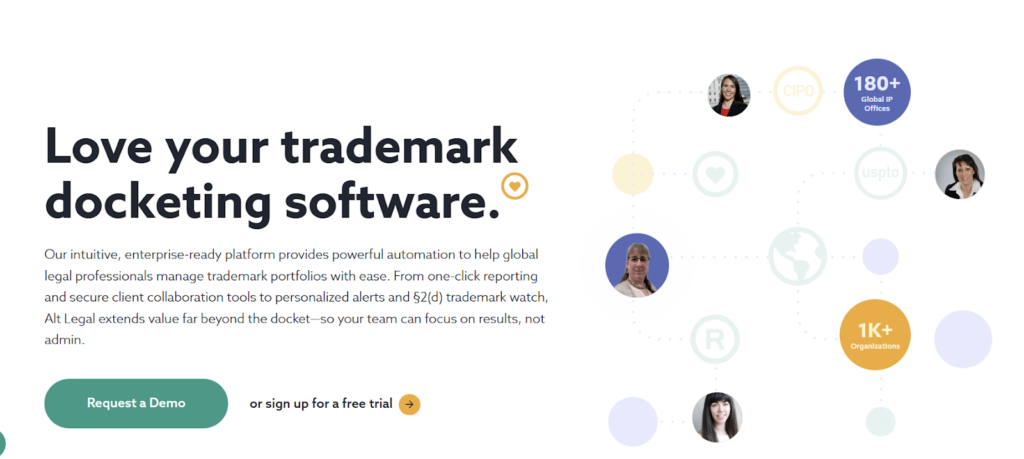
Source: Alt Legal Homepage
While it is not a full enterprise IPMS, Alt Legal deliberately positions itself as a highly automated, easy-to-adopt alternative to legacy docketing systems. It is particularly well-suited for teams that prioritize trademark management and global deadline tracking.
Best For
Law firms and in-house legal teams that manage trademark-heavy portfolios and want fast, automated docketing, strong reporting, and client collaboration.
Key Benefits and Supporting Features
These benefits highlight how Alt Legal streamlines trademark tracking, deadline management, and collaboration as portfolios grow in size and complexity.
Eliminates Manual Docketing for Global Trademark Portfolios
Alt Legal automatically identifies, dockets, and updates trademark filings and deadlines directly from the USPTO and CIPO, with international deadlines supported via trusted third-party data sources across 180+ jurisdictions.
Reduces the Risk of Missed Deadlines
Personalized email alerts, calendar sync, and automated deadline tracking help teams stay ahead of renewals, use filings, and prosecution events.
Speeds Up Reporting and Portfolio Visibility
One-click reporting tools enable users to generate detailed, shareable reports for internal teams, clients, or leadership in minutes.
Improves Collaboration With Clients and Stakeholders
Secure client portals, shared access, and smart email templates streamline communication without relying on spreadsheets or ad hoc updates.
Supports Trademark Risk Monitoring and Dispute
Built-in §2(d) Trademark Watch helps teams identify potential conflicts early, while dispute workflows simplify TTAB docketing and tracking.
Keeps the Platform Intuitive Even as Portfolios Grow
Pre-configured dashboards populate with docket data on first login, reducing setup time and accelerating user adoption.
Pricing
Alt Legal uses simple, docket-size–based pricing, starting at $60 per month for up to 50 matters.
User Rating
It has an average rating of 4.8/ 5 on G2.
Pros
- Excellent trademark docketing automation.
- Very easy to use with fast onboarding.
- Strong alerts, reporting, and collaboration tools.
- Scales well for global trademark portfolios.
Cons
- Patent management is not the core focus.
- Not a full replacement for enterprise IP lifecycle platforms.
- Advanced IP analytics and cost forecasting are limited.
Demo and Trial Availability
Alt Legal offers guided demos and a free trial, allowing teams to explore automated docketing, alerts, and reporting before committing.
8. Decipher IP
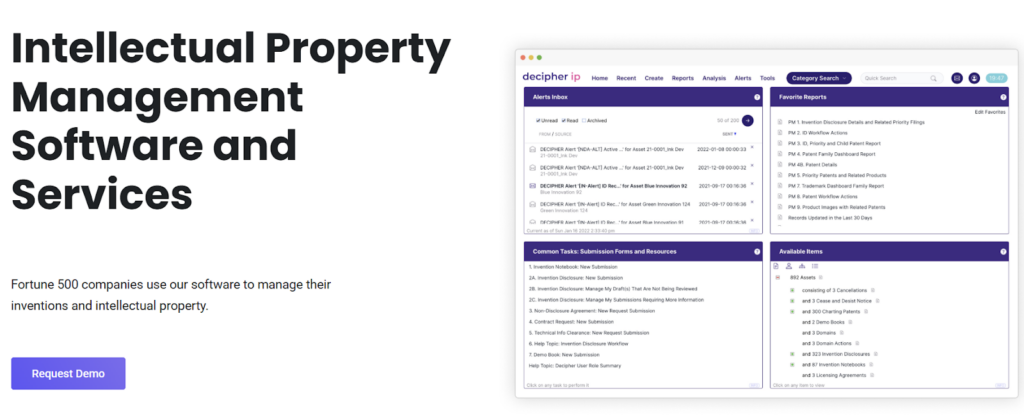
Decipher IP is an enterprise-focused intellectual property management platform designed to help organizations manage inventions and IP assets from disclosure through portfolio oversight. It is used by Fortune 500 companies and emphasizes real-time visibility and structured workflows. The platform also supports cost forecasting across the IP lifecycle and combines software capabilities with optional IP management services.
Source: Decipher IP Homepage
Rather than positioning itself as a lightweight docketing tool, Decipher IP targets organizations that want centralized control and strategic insight into their IP operations.
Best For
Large enterprises and innovation-driven organizations that need invention intake, IP asset tracking, and portfolio-level visibility in one unified system.
Key Benefits and Supporting Features
These benefits highlight how Decipher IP supports structured invention management, portfolio visibility, and cost-aware decision-making at the enterprise level.
Improves Portfolio Visibility for Faster Decision-Making
Decipher IP provides a real-time snapshot of the entire IP portfolio, allowing administrators and portfolio managers to quickly assess status, progress, and asset distribution.
Strengthens Invention Quality at the Source
Structured invention management workflows make it easier for inventors to submit accurate disclosures while enabling feedback and collaboration from multiple stakeholders.
Reduces Administrative Effort Through Automation
Automatic document archiving from email communications ensures IP records and correspondence are captured without manual filing.
Enables More Accurate IP Cost Planning
Built-in cost forecasting tools allow teams to project prosecution costs by department or business unit, supporting budgeting and prioritization decisions.
Improves Collaboration Across IP Stakeholders
Role-based access and automated routing ensure the right decision-makers are notified as disclosures move through review and approval stages.
Pricing
Decipher IP does not publish public pricing.
User Rating
No publicly available user ratings.
Pros
No verified pros have been published on major public review platforms.
Cons
No verified cons have been published on major public review platforms.
Demo and Trial Availability
Demo is available.
9. Sophia
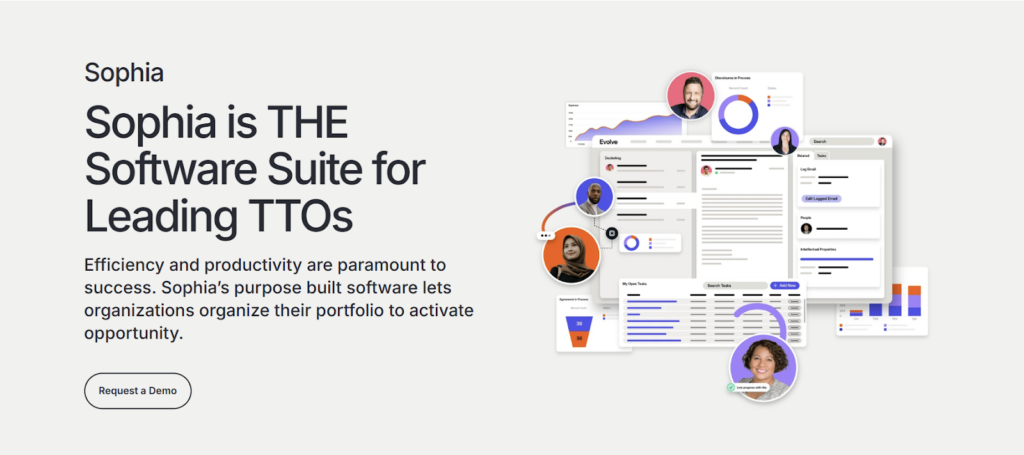
Sophia is Wellspring’s flagship technology transfer and IP management platform. It is built specifically for Technology Transfer Offices (TTOs) at academic, government, and research institutions. Unlike general-purpose patent tracking software, Sophia is designed around the full technology transfer lifecycle. This includes invention disclosure, docketing, licensing, compliance, and renewals within a single, institution-grade system.
Source: Sophia landing page
Best For
Designed for university and government Technology Transfer Offices, research institutions, and innovation hubs. It supports end-to-end visibility across inventions, patents, contracts, startups, and renewals—not just deadline tracking.
Key Benefits and Supporting Features
These benefits show how Sophia supports academic, government, and research organizations with end-to-end visibility, automation, and compliance across the full technology transfer lifecycle.
Reduces Operational Risk Across the Full Tech Transfer Lifecycle
Sophia centralizes disclosures, IP records, contracts, docketing, and compliance obligations in a single system, reducing reliance on spreadsheets and manual tracking that increase error risk.
Automates Patent Docketing and Contract Obligations
Purpose-built workflows automate docketing, deadline calculations, and contract milestone tracking, ensuring obligations are identified and acted on consistently.
Improves Disclosure Intake and Inventor Engagement
Integrated disclosure portals allow inventors to submit disclosures using institutional credentials, while automated notifications keep staff and inventors aligned on status.
Strengthens Reporting and Stakeholder Visibility
Custom dashboards and unlimited reporting enable TTOs to track portfolio performance, activity volume, commercialization progress, and economic impact metrics.
Scales With Institutional Growth and Complexity
A modular design allows offices to add functionality—such as venture program tracking or online commercialization—without migrating to a new system.
Integrates IP Renewals Into the Broader Portfolio View
Through the Astria integration, Sophia synchronizes renewal due dates, pricing, and status daily, enabling teams to manage renewals directly within the platform.
Pricing
Sophia does not publish public pricing.
User Rating
It has an average rating of 4.7 / 5 on Capterra.
Pros
- Purpose-built for tech transfer workflows, covering disclosures, IP, agreements, and financials in one system.
- Highly intuitive interface with logical connections across modules.
- Strong automation for reminders and docketing, reducing deadline risk.
- Extremely flexible configuration, allowing admins to adapt workflows without vendor intervention.
- Excellent customer support and training are frequently highlighted in reviews.
Cons
- Performance can be slow when searching or querying large datasets.
- Global search and title-based search are limited, according to users.
- Custom field creation and advanced querying could be easier for non-technical users.
Demo and Trial Availability
A product demo is available. A free trial is not offered.
That’s a wrap of our list of software option comparison.
Now, if you’ve made it this far, you’ve probably noticed something. Most patent tracking tools are built around systems: docketing rules, renewal machinery, or institution-specific workflows. They’re powerful, but they can also feel heavy.
The TIP Tool™ comes at the problem from a different angle. It doesn’t try to replace your docketing system or turn patent tracking into a compliance exercise. Instead, it focuses on what teams struggle with day to day: knowing what’s actually happening in prosecution right now, across cases, and across the portfolio.
In the section below, we take a closer look at the TIP Tool™: what it does differently, and why teams that value clarity and momentum often gravitate toward it.
Why is the TIP ToolTM the Patent Tracking Software IP Firms Trust?
When patent data is scattered across spreadsheets, emails, and disconnected systems, teams struggle to see what’s moving, what’s stalled, and which cases are worth pursuing.
The TIP Tool™ was built to close that gap. A leading Silicon Valley technology company adopted the TIP Tool™ to address uncertainty around allowance likelihood, prosecution cost, and examiner and counsel performance. As a result, the company achieved a 30% increase in patent allowance rates along with lower prosecution costs.
Unlike tools that begin tracking only after filing, the TIP Tool™ strengthens patent tracking before prosecution.
At the idea and evaluation stage, teams use the Idea Manager to:
- Capture invention disclosures in a consistent format.
- Collaborate with context, attachments, and feedback.
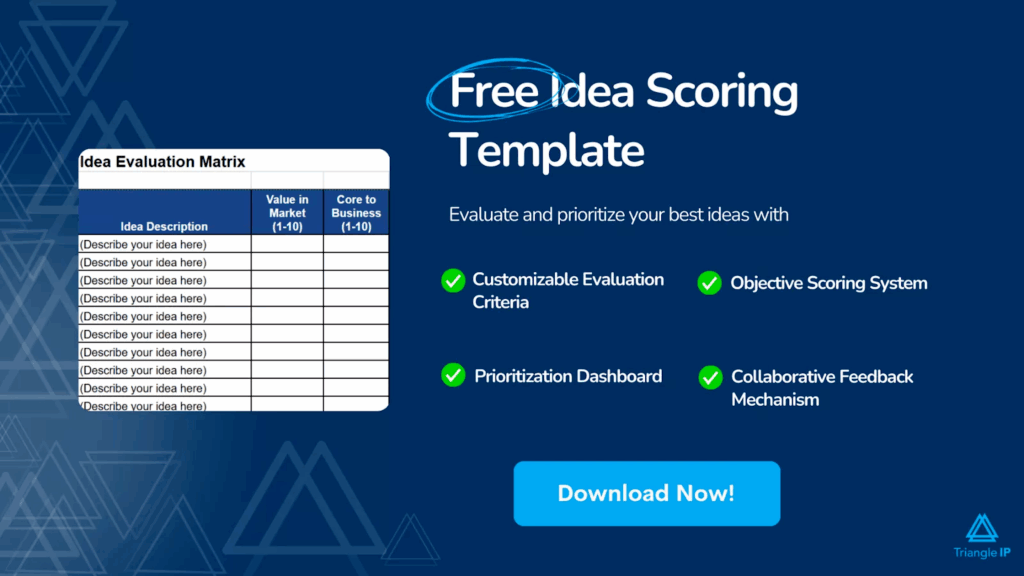
- Score ideas on patentability and business value.
- Use tags to organize ideas by technology, product line, team, or strategy.
- Maintain traceability as ideas become applications.
As ideas move toward filing, the Art Unit Predictor provides early insight into likely art unit assignment and prosecution effort, helping teams anticipate risk and cost.
The TIP Tool™ doesn’t just track patents. It helps teams enter prosecution with clear priorities, informed expectations, and fewer surprises. If you want patent tracking software that improves outcomes before costs and complexity escalate, the TIP Tool™ is built for teams like yours.
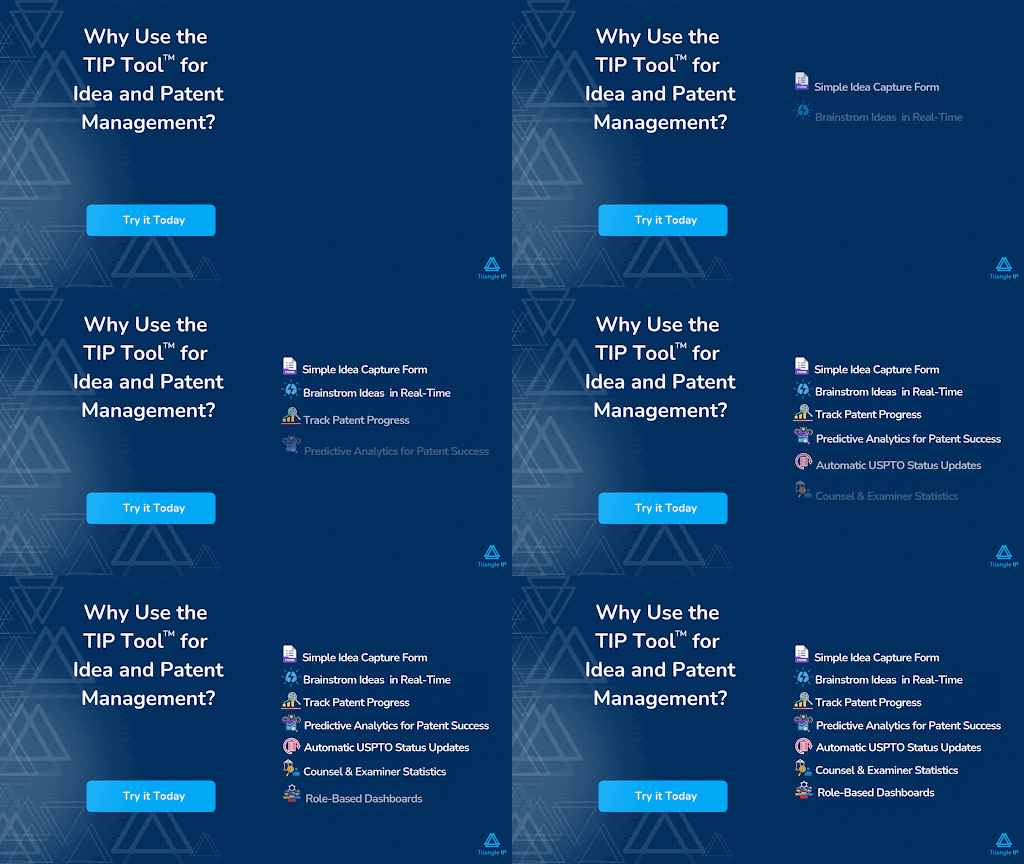
Get started and experience patent tracking that extends beyond status updates.
Disclaimer: The information in this article/review is sourced from the internet and may not be entirely accurate or up-to-date. We recommend visiting the respective software websites for the most current and reliable information. The opinions expressed here are those of the author and may not reflect the views of Triangle IP. We are not liable for any consequences that may arise from relying on the information provided in this article/review.
FAQs
1. How Much Manual Effort Is Still Required After Patent Tracking Software Syncs Prosecution Data From the USPTO?
When patent tracking software syncs prosecution data from the USPTO, it removes the need to manually check patent office portals for status updates, office actions, and formal prosecution events. However, manual effort is still required to review synced data for timing gaps, corrections, and accuracy.
Teams must also manually add information the USPTO does not capture, including business priority, ownership, internal assessments, strategy notes, and links between related filings. Foreign prosecution updates, examiner interviews, draft exchanges, and internal law-firm communications also require user input or docketing-system imports.
Tools like the TIP Tool™ are built for this exact workflow. They automate USPTO data syncing and docketing imports. They also provide structured fields and portfolio views so teams can consistently add context and make informed prosecution decisions without reverting to spreadsheets.
Related read: How to Check the Status of Your Published and Unpublished Patent Applications at USPTO for Free?
2. What Are the Failure Points With Patent Tracking Software?
Patent tracking software commonly fails due to delayed or incomplete patent office data, which may miss examiner interviews, informal activity, or recent status changes. Corrections or reclassifications can later invalidate analytics and forecasts. Over-automation can create false confidence, reducing human review and strategic judgment. Many tools also lack true portfolio context, forcing teams back to spreadsheets for analysis.
The TIP Tool™ addresses these gaps by combining USPTO syncing with docketing imports, visual prosecution timelines, portfolio-level graphs, and user-added strategic context—helping IP teams see accurate status alongside meaningful portfolio insight.
Related read: Everything You Should Know About USPTO Patent Center
3. What Trade-Offs Exist Between Tools That Prioritize Strategic Visibility (Like Analytics and Forecasting) Versus Those Focused Primarily on Compliance and Deadlines?
| Dimension | Strategic Visibility Tools (Analytics & Forecasting) | Compliance & Deadline-Focused Tools |
| Primary Goal | Support better business and IP investment decisions | Prevent missed deadlines and procedural errors |
| Core Question Answered | “Should we pursue, continue, or abandon this patent?” | “What must be filed, and by when?” |
| Data Orientation | Predictive and analytical (allowance rates, cost forecasts, examiner behavior) | Transactional and event-driven (dates, forms, statutory actions) |
| Time Focus | Forward-looking (what is likely to happen) | Backward- and present-looking (what happened and what’s due) |
| Decision Support | High – enables portfolio pruning, prioritization, and budgeting | Low – treats most cases uniformly |
| Risk Profile | Relies on probabilistic insights; requires human judgment | Highly deterministic; optimized for certainty |
| User Base | Legal leadership, innovation managers, executives, R&D | Paralegals, docketing teams, operations |
| Usability | Visual dashboards and summaries for cross-functional teams | Detailed, rules-driven interfaces for specialists |
| Cost Management | Cost awareness and ROI-driven decisions | Cost tracking without strategic context |
| Key Limitation | Forecasts are not guarantees | Limited insight into value or strategy |
| Best Use Case | Strategic planning and portfolio optimization | Regulatory compliance and deadline assurance |