| TL;DR– Patent prosecution is getting harder as filings grow and deadlines spread across emails, spreadsheets, and disconnected tools. This guide compares 12 leading patent prosecution software platforms for 2026, including the TIP Tool™, so you can quickly see which ones actually improve Office Action handling, examiner strategy, and portfolio visibility. By the end, you’ll know exactly which tool fits your workflow and gives your team clearer, faster, and more predictable prosecution. |
Patent prosecution has become a time sink for both external and in-house patent counsels in an enterprise. Deadlines slip through emails, office actions take too long to coordinate, and every USPTO interaction adds to the bill. The more a portfolio grows, the harder it becomes to track filings, examiner history, IDS updates, and what your counsel is actually doing.
This is why many teams start looking for patent prosecution software. It’s something that centralizes the work, cuts repetitive attorney hours, and gives clear visibility across every case.
The problem is that the market is crowded. Dozens of tools claim to streamline prosecution, but only a few truly solve the day-to-day pain.
We’ve already done the hard work for you by lining up the 12 best patent prosecution software for 2026. Before going to that list, let’s look at the key criteria for evaluating these tools.
Key Questions to Ask When Evaluating Patent Prosecution Software
When teams start evaluating a prosecution platform, everything tends to sound the same: dashboards, automation, analytics, deadlines. But the tools that truly make a difference show it in the details: how they track Office Actions, how they sync with the USPTO, how they help you stay ahead rather than constantly catching up.
To cut through the noise, here are the core questions that actually reveal whether a platform can handle real-world prosecution workloads:
1. How are Office Actions Captured, Tracked, and Displayed Within the System?
The goal is to ensure that every Office Action(OA) is stored in a central, organized location with clear visibility into deadlines, response requirements, and linked documents. Strong OA tracking reduces risk and helps teams stay ahead of critical prosecution milestones.
Recommended Read: Nine Top Patent Tracking Software Picks to Prevent Missed Deadlines and Portfolio Blind Spots
2. How are Examiner Statistics and Art-Unit Trends Presented for Prosecution Planning?
Examiner and art-unit insights help teams anticipate difficulty levels, plan strategies, estimate argument rounds, and understand historical allowance behavior. Clear presentation of these trends supports more informed decision-making.
3. How is the Entire Prosecution Timeline Structured and Displayed, From Initial Filing to Final Disposition?
A well-structured timeline makes it easy to review filing dates, office actions, amendments, interviews, allowances, and other events in sequence. This improves portfolio reviews and helps stakeholders quickly assess case status.
4. How are Application Statuses Updated When New Prosecution Events Occur?
Efficient software should update statuses automatically as new actions are issued or decisions are made. This reduces manual work and ensures accurate, real-time prosecution tracking.
5. How is Collaboration Handled Among Inventors, Managers, and Legal Teams During Prosecution?
Collaboration features should support shared access, comments, document exchange, and structured communication among all participants. Smooth collaboration ensures faster reviews and fewer communication gaps.
6. How Do Integrations With Docketing Systems Bring Prosecution Updates Into the Platform?
Docketing integrations should allow exported data to be imported or synced into the system without extensive formatting work. This ensures prosecution information stays accurate and consistent across platforms.
7. How are Large Portfolios Imported and Maintained at Scale?
Bulk import and batch update capabilities allow teams to manage hundreds or thousands of filings efficiently. Strong portfolio-handling features reduce setup time and simplify long-term data maintenance.
8. How Customizable are Prosecution-Related Fields, Forms, and Portfolio Configurations?
Customization enables teams to tailor fields, forms, tags, layouts, and portfolio structures to match internal workflows. Flexible configuration supports alignment with organizational processes.
9. How are Prosecution Metrics, Deadlines, Costs, and Overall Portfolio Status Reported?
Comprehensive reporting should cover status distribution, cost projections, deadlines, argument history, and performance summaries. Clear reporting supports strategic planning and budgeting.
10. How is Prosecution Data Secured, and How is Access Controlled Across User Roles?
Strong security measures protect confidential filings, drafts, and correspondence. Role-based access ensures that only authorized users can view, edit, or manage sensitive prosecution information.
All right. Now that we know what really matters, let’s get into the tools that actually deliver.
Here are the 12 tools leading the future of patent prosecution in 2026.
12 Best Patent Prosecution Software Leading the Future of IP Workflow in 2026
With prosecution workloads rising, the right patent prosecution software is now essential for cutting manual effort and keeping every case on track.
Different tools solve different parts of the prosecution challenge The TIP ToolTM focuses on clarity through examiner analytics, art unit prediction, and real-time timelines. Tools such as ClaimMaster or Solve Intelligence focus more on drafting accuracy and faster Office Action responses. Together, these platforms cover the full spectrum of prosecution needs.
With that in mind, we evaluated a wide set of tools and selected the ones that meaningfully improve prosecution workflows. Here is the final shortlist of the twelve platforms we will review in this guide:
- The TIP Tool™
- Anaqua
- AppColl
- FoundationIP
- PatSnap
- PatSeer
- Octimine
- ClaimMaster
- Patent Bots
- Solve Intelligence
- BlackHills AI
- DeepIP
Let’s kick start with the TIP ToolTM .
The TIP ToolTM
The TIP Tool™ by Triangle IP, built for enterprises that want a smarter, more unified approach to patent prosecution, brings clarity, consistency, and control to a process that’s traditionally slow, opaque, and attorney-dependent.
While attorneys execute the legal work, enterprises still carry the responsibility of strategy, budget, and tracking outcomes. The TIP Tool™ fills that gap by giving organizations a central platform to follow every application, understand prosecution progress, and make informed decisions without relying on scattered email updates or siloed docketing reports.
Key Benefits and Supporting Features
Patent prosecution is usually a complex process. Every examiner behaves differently, and every art unit has its own challenges. Most importantly, every filing consumes time, budget, and attention. The TIP Tool™ brings clarity to this process with data, predictions, and real-time insights, enabling teams to make faster, smarter, and more cost-effective prosecution decisions.
Below are the core prosecution benefits explained through the capabilities that power them.
1. Make Smarter Prosecution Decisions With Deep Examiner Insight
Understanding examiner behavior is the key to shaping a winning prosecution strategy. Detailed examiner analysis helps teams see exactly what they are up against. Insights include allowance rates, the average number of Office Actions, average time to grant, and the impact of Requests for Continued Examination (RCEs). Interview success rates and full decision-tree histories provide additional clarity.
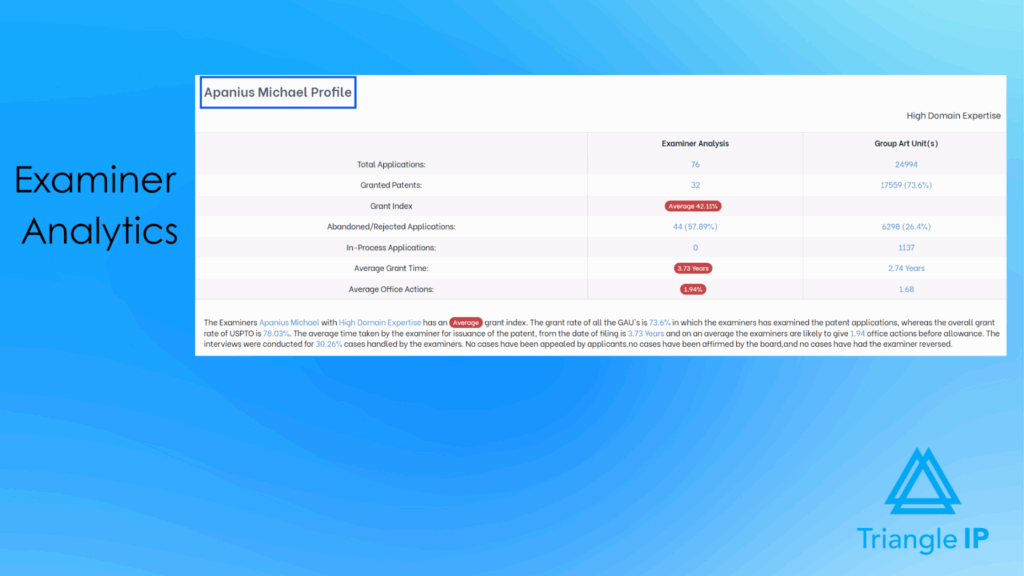
With this level of insight, teams can anticipate examiner difficulty more accurately. They can reduce unnecessary back-and-forth, prepare stronger arguments, and tailor responses for the best possible outcomes.
2. Improve Filing Outcomes Through Accurate Art Unit Prediction
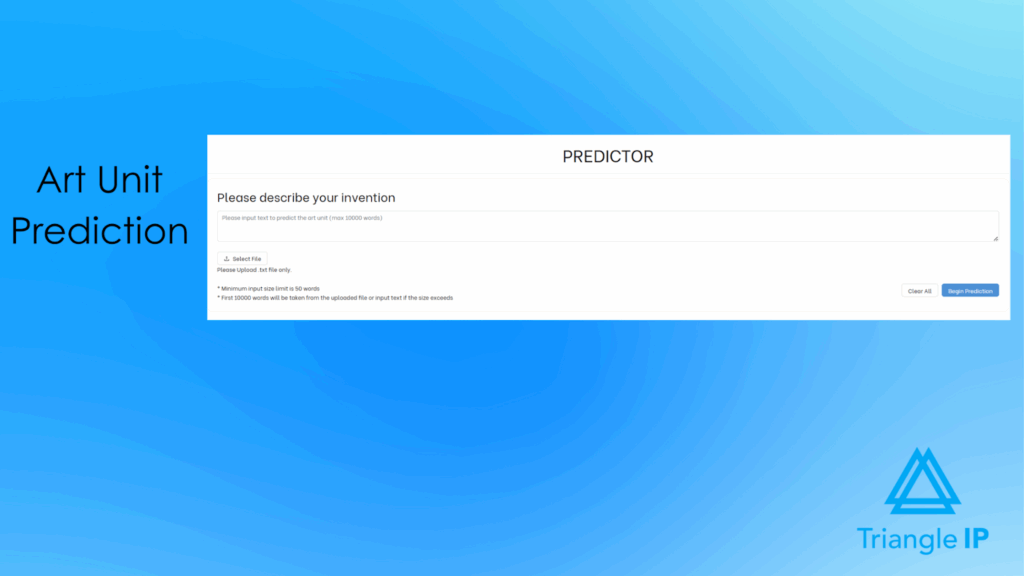
Where an application lands at the USPTO can significantly influence prosecution difficulty. The TIP Tool™ helps teams anticipate this by predicting the most likely art units from an application draft or a simple idea summary. It also highlights favorable and challenging technology domains and provides historical GAU metrics such as allowance rates and argument-round patterns.
For a practical reference on structuring early idea summaries, check out the Idea Summary Template below.
Since the predictor works with both early summaries and full drafts, teams can assess routing at any stage and make adjustments before filing. They can revise terminology or claim language to steer the application toward more favorable GAUs and away from historically difficult ones.
With this insight, teams can improve routing outcomes, reduce prosecution friction, and optimize the entire patent prosecution.
Check out the benefits of the patent art unit predictor here.
3. Reduce Uncertainty With Case-Level Outcome Predictions
Evaluating how difficult a case will be is often challenging. Predictive insights estimate the likelihood of allowance, the expected number of argument rounds, and the projected time to grant. These predictions update automatically as new USPTO events and data become available.
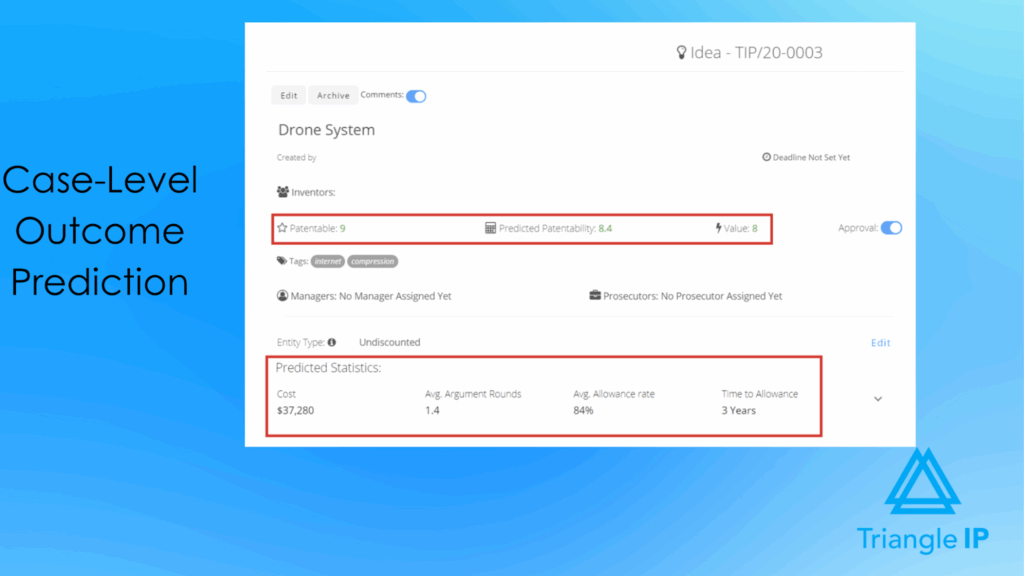
This helps teams prioritize filings more confidently, set realistic expectations, and allocate resources where they will have the greatest impact. While predictions reduce uncertainty, prioritization still requires a structured way to weigh patentability, effort, and business value. The Idea Evaluation Matrix below provides a consistent framework for making those trade-off decisions.
4. Stay Aligned With Real-Time Visibility Into Prosecution Progress
Patent prosecution involves a long sequence of events, including Office Actions, interviews, responses, amendments, and Notices of Allowance (NOAs). A clear, document-linked Application Timeline brings these events together in one place.
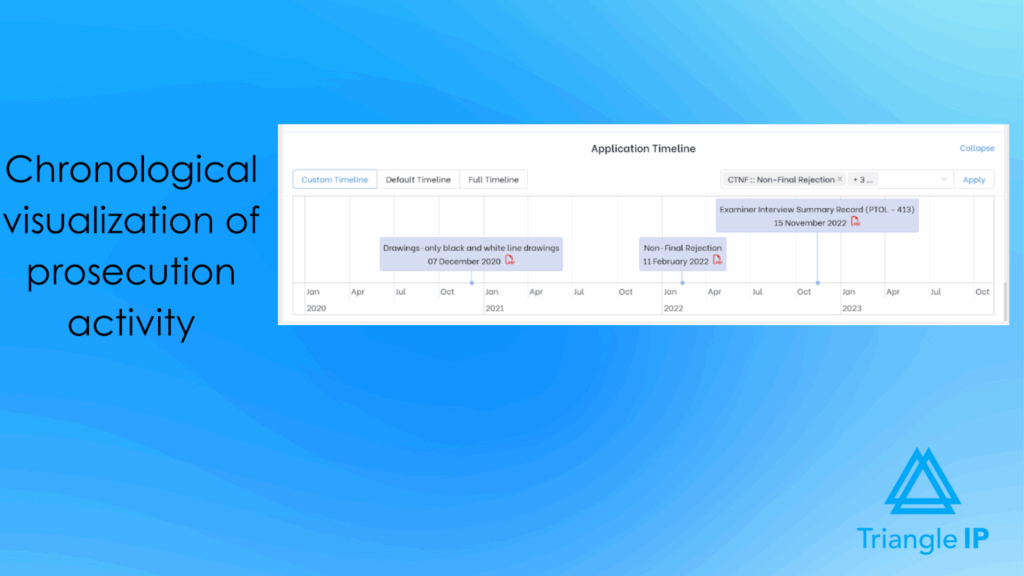
This gives teams immediate visibility into what has happened, what is coming next, and where delays may be forming. As a result, inventors, attorneys, and IP leaders remain aligned throughout the entire prosecution lifecycle.
5. Control Budget Risk Through Clear Prosecution Cost Forecasting
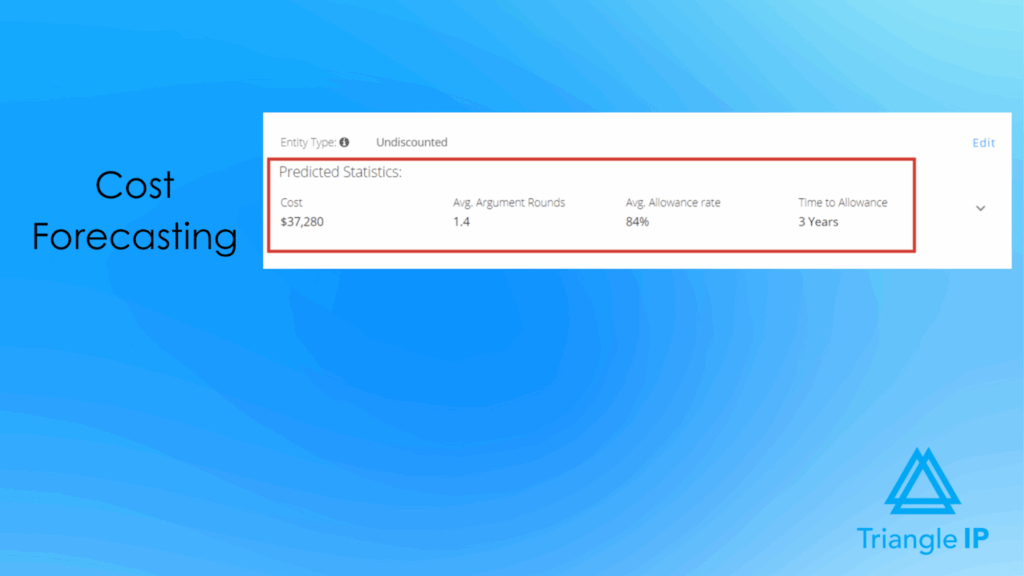
Prosecution costs can escalate quickly without the right insight. Cost forecasting shows total, remaining, and upcoming costs so teams understand budget impact before committing additional resources. Admins can adjust entity size and attorney-fee structures to ensure projections match actual billing arrangements and prevent unexpected financial surprises.
6. Maintain Clean, Up-to-Date Prosecution Data Automatically
Accurate data is essential for effective prosecution. Published U.S. applications stay current through automatic weekly syncing with USPTO Public PAIR for paid accounts. Users can also run a manual sync once per day to pull the latest status, examiner details, and publication information.
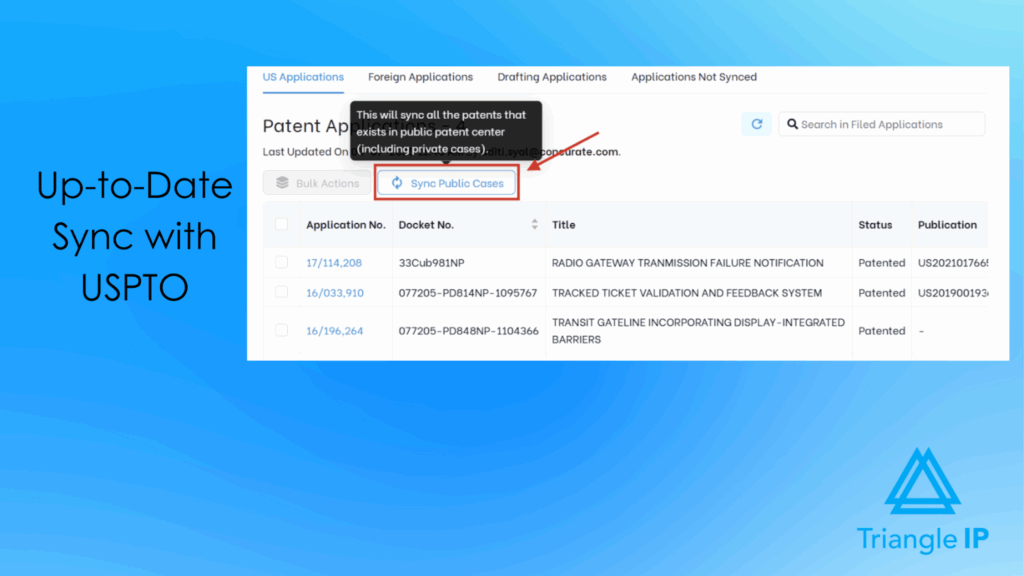
Unpublished applications remain under Applications Not Synced until Private PAIR credentials are provided. This setup ensures published cases always reflect the latest USPTO updates. At the same time, it gives teams control over updating unpublished and foreign filings through docketing or manual uploads.
Related: Patent Application Status: 8 Best Tools Worth Considering
7. Spot Stalled or High-Risk Cases Early With Portfolio-Level Insights
Filings do not always progress smoothly, and recognizing issues early can save substantial time and cost. Portfolio-level views use argument-round scatter plots, case-health indicators, and examiner-comparison charts to identify cases that may be stalled, abnormally expensive, or low-value.
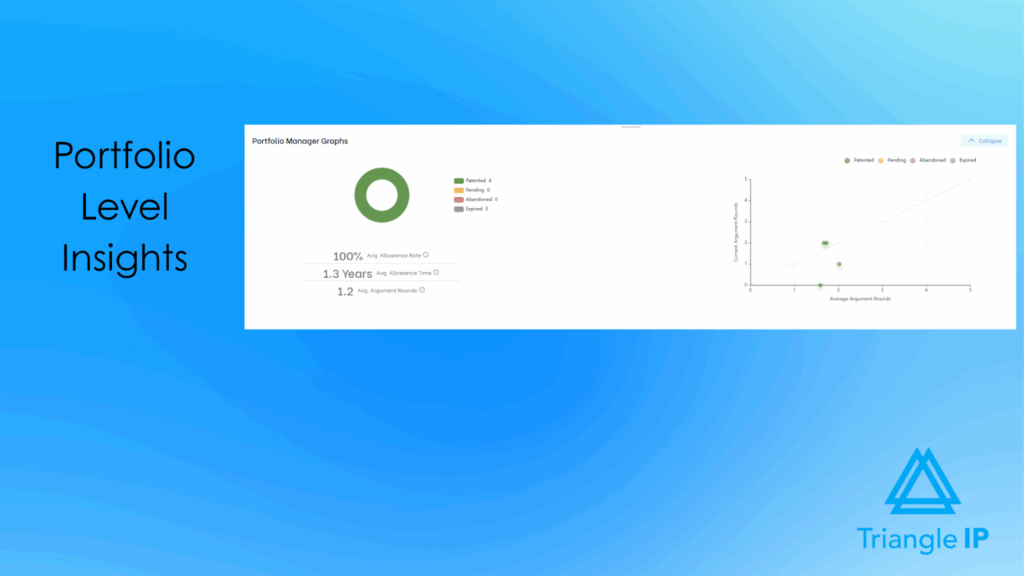
This insight helps teams decide when to take corrective action, escalate strategy, or prune cases from the portfolio before they consume additional resources. On the whole, it provides a clearer foundation for building a better patent prosecution strategy.
Best For
- The TIP Tool™ is built for any team involved in patent prosecution, from startups to global enterprises. It is especially useful for in-house IP teams, patent attorneys, and outside counsel. These users benefit from a clear, structured, and data-driven workflow to manage applications efficiently from drafting to allowance.
Integration capabilities
- Docketing System Sync enables automatic import of application data from major systems like AppColl, Foundation IP, and Patricia.
- Flexible field mapping allows Add-Only, Update-Only, or Add-&-Update modes using Excel/CSV files or data feeds.
- USPTO integration auto-updates U.S. application statuses, office actions, and prosecution events without manual tracking.
- Bulk import/export via Excel/CSV supports easy migration and maintenance of large portfolios, including non-U.S. filings.
- Role-based access and secure cloud setup ensure controlled collaboration across inventors, managers, attorneys, and external counsel.
User Review
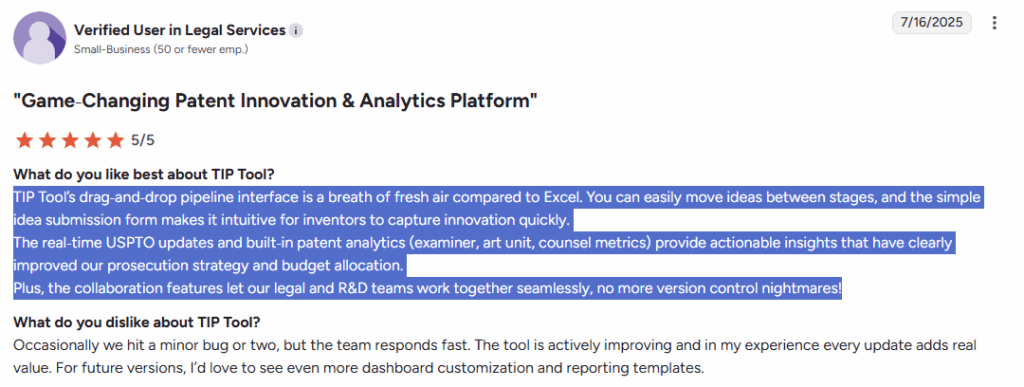
Source: G2
Pricing
The TIP Tool™ offers flexible pricing designed for teams of all sizes:
- Free Plan: Ideal for getting started with up to 10 users.
- Premium Plan: Affordable monthly pricing for growing teams that need more users and storage.
- Custom Plan: Tailored options for large enterprises with advanced requirements. Contact the team to create your plan.
You can also purchase stand-alone add-on tools like Examiner Analysis, Art Unit Predictor, or the Patent Family Tree Generator.
For complete details, visit our full pricing page.
If you’d like to explore more tools that help you manage and strengthen your patent portfolio, you can check them out in our blog on the best patent portfolio management software.
Anaqua
Anaqua is an enterprise-grade IP management platform used by global corporate teams and leading IP law firms. It supports the entire patent lifecycle—from invention capture to prosecution, portfolio strategy, and renewals. The AQX® suite, offered in Corporate and Law Firm editions, combines docketing automation, AI-driven document processing, IDS management, examiner analytics, and integrated patent intelligence.
By centralizing all patent data, documents, tasks, and analytics in one system, Anaqua reduces risk, streamlines prosecution workflows, and enables faster, more informed decision-making.
Source: Anaqua
Key Benefits and Supporting Features
- Faster, error-free prosecution: AI-driven document processing, PTO integrations, and automated docketing minimize manual work and deadline risk.
- Stronger Office Action responses: AcclaimIP analytics and examiner insights support more strategic, data-backed arguments.
- Accurate global deadline management: The Anaqua Law Engine auto-applies jurisdiction-specific rules for compliant timelines.
- Streamlined IDS & prior art handling: AI identifies references, links family art, and organizes IDS items for cleaner filings.
- Deeper portfolio intelligence: Access to 150M+ records, AI summaries, and benchmarking dashboards strengthens decision-making.
- Transparent collaboration & reporting: Centralized documents, dashboards, and client portals provide real-time prosecution visibility.
Best For
Anaqua is best for large corporations and IP law firms that need enterprise-grade patent management, analytics-driven prosecution insights, and automated global docketing tools.
Integration capabilities
- Integrates with major patent offices: USPTO, EPO, JPO, CNIPA
- Syncs with Microsoft Outlook for email and task management
- Leverages Microsoft Azure AI Document Intelligence for automated document processing
- Connects with renewal and foreign-filing services for global prosecution support
- Integrates with billing, time capture, and enterprise applications via Anaqua’s integration framework
User Review
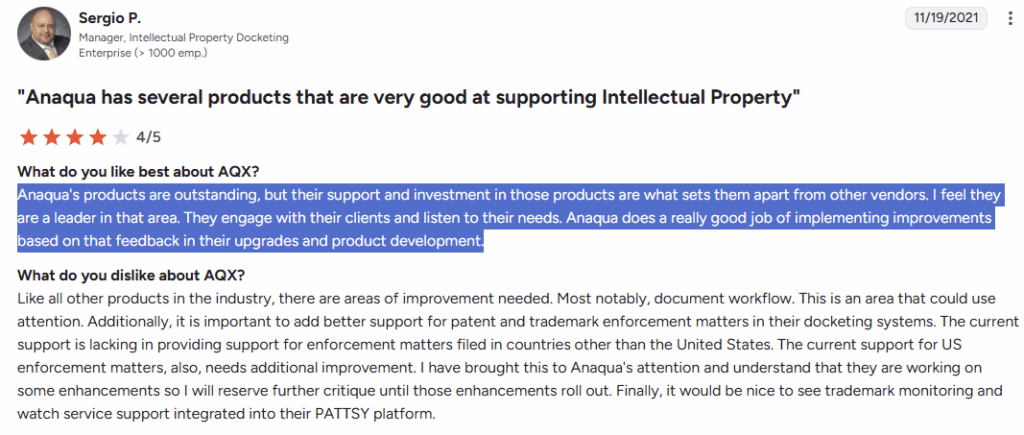
Source: G2
Pricing
Pricing is not disclosed on the website.
AppColl
AppColl® Prosecution Manager™ is a cloud-based IP management platform designed to help law firms and corporate teams manage patent and trademark prosecution efficiently. It centralizes portfolio information, streamlines prosecution workflows, and keeps critical deadlines and data organized in one secure system. AppColl focuses on making prosecution management easier, more accurate, and more collaborative for attorneys and their clients.

Source: AppColl
Key Benefits and Supporting Features
- Automated and Accurate Docketing: AppColl updates prosecution deadlines and statuses automatically.
- Streamlined Prosecution Workflow: Matter tracking, document management, and one-click PTO form generation simplify day-to-day prosecution tasks.
- Efficient IDS and Prior Art Management: Built-in IDS tools help organize references and ensure accurate, timely IDS filings.
- Clear Visibility Into Prosecution Status: Reporting and docket views provide transparency into pending actions, upcoming deadlines, and overall prosecution progress.
- Centralized Access to Prosecution Document: Cloud storage keeps office actions, amendments, IDS filings, and correspondence organized in one place.
- Improved Attorney–Client Transparency: AppColl Tandem gives corporate clients secure, real-time access to their prosecution data and reports.
Best For
- IP law firms that need organized, reliable prosecution management.
- Corporate IP teams that want clear visibility into their portfolios.
- Small legal teams looking for a simple, cloud-based system.
Integration capabilities
- USPTO Patent Center Integration
- USPTO TSDR Integration
- EPO Espacenet Integration
- Attorney-to-Corporate Sync (AppColl Tandem™)
User Review
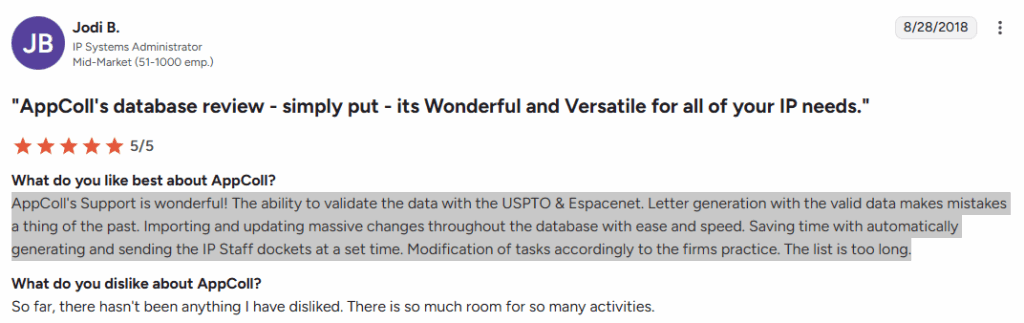
Source: G2
Pricing
Not disclosed on the website.
Recommended Read: AppColl Keeps Your Patents on Track — But Are Your Filing Decisions Optimized?
FoundationIP
FoundationIP is a cloud-based IP practice management platform built for law firms that want to streamline patent and trademark prosecution. It centralizes docketing, task management, reporting, and renewals while integrating Clarivate’s high-quality IP data for greater accuracy and lower risk. With strong automation, flexible configuration, and deep ecosystem integrations, FoundationIP helps firms manage growing prosecution workloads with better efficiency and stronger client value.
Source: Clarivate
Key Benefits and Supporting Features
- Streamlines prosecution workflows: Automates manual tasks with one-click docketing, task dashboards, reminders, and configurable workflows to speed up daily IP operations.
- Reduces risk with accurate, verified data: Uses Clarivate’s patent and trademark data—updated automatically across 300+ jurisdictions—to maintain clean, reliable prosecution records.
- Enhances client value with insights: Built-in dashboards, KPI reporting, and a flexible report builder help firms deliver portfolio insights and strengthen client relationships.
- Centralizes all IP assets in one platform: Manages patents, trademarks, designs, and copyrights in a unified system configured by client, attorney, office, or team.
- Improves collaboration across teams and clients: Offers seamless collaboration with clients and global agents, with tools like PatentScout for shared portfolio visibility.
- Automates prosecution intelligence: Automatically tracks priority lineage, terminal disclaimers, and displays relationships through a visual family tree.
- Integrates with Clarivate’s IP ecosystem: Connects with tools like Innography and PatentScout to enrich portfolio analysis, filing coordination, and renewal decisions.
Best For
Mid-to-large law firms specialising in intellectual property (patents, trademarks, designs) that need a scalable, cloud-based IP practice-management system.
Integration capabilities
- Integrates with Innography for deeper patent analytics during prosecution.
- Connects with PatentScout to support client and attorney search needs.
- Syncs Clarivate’s global IP data and law updates automatically for accurate, compliant prosecution records.
- Works with the Clarivate IP Collaboration Hub for smoother agent coordination in international prosecution.
- Integrates with internal document management and billing systems to streamline filings, Office Action workflows, and cost tracking.
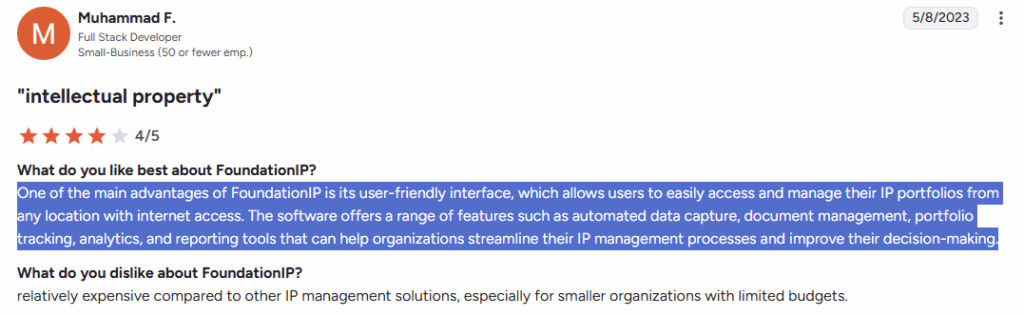
User Review
Source: G2
Pricing
Not publicly listed on the website
PatSnap
PatSnap is an AI-driven patent intelligence platform designed to help law firms accelerate prosecution, improve analysis quality, and collaborate more effectively with clients. It combines advanced search, claim comparison, file-wrapper summarization, and a broad global IP dataset to help attorneys and paralegals review prior art faster, understand prosecution histories quickly, and make more informed strategic decisions. While not a full docketing system, PatSnap strengthens the analytical and preparatory stages of patent prosecution, making IP teams significantly more efficient.
Source: Patsnap
Key Benefits and Supporting Features
- Accelerates prosecution: AI compares claims, highlights protection gaps, and summarizes file wrappers in minutes.
- Improves prior art analysis: Image, semantic, sequence, and structure search deliver high-precision results for drafting and OA responses.
- Enhances client collaboration: Shared Workspaces enable joint reviews, comments, and progress tracking.
- Provides rich global IP data: Broad coverage across patents, litigation, NPL, sequences, and structures supports deeper research.
- Keeps teams informed: Automated alerts track new filings, tech trends, and competitive movements.
- Enables workflow integrations: Secure API lets firms embed PatSnap data into internal systems.
- Offers expert search support: Former attorneys and examiners conduct professional prior art searches when needed.
Best For
- IP law firms needing faster prior art search and claim analysis.
- Attorneys handling complex or high-volume prosecution.
Integration capabilities
- Secure API access to pull PatSnap’s IP, technical literature, and sequence/structure data into internal firm systems.
- Integrates with internal document management and knowledge-base tools to centralize prior art, search reports, and prosecution analysis.
User Review

Source: G2
Pricing
PatSnap does not disclose pricing on its website. All plans and modules require contacting sales for a custom quote.
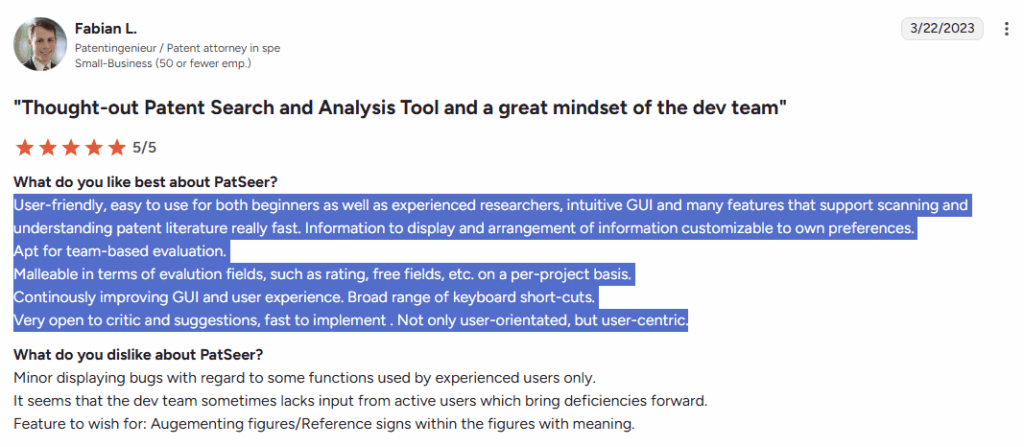
PatSeer
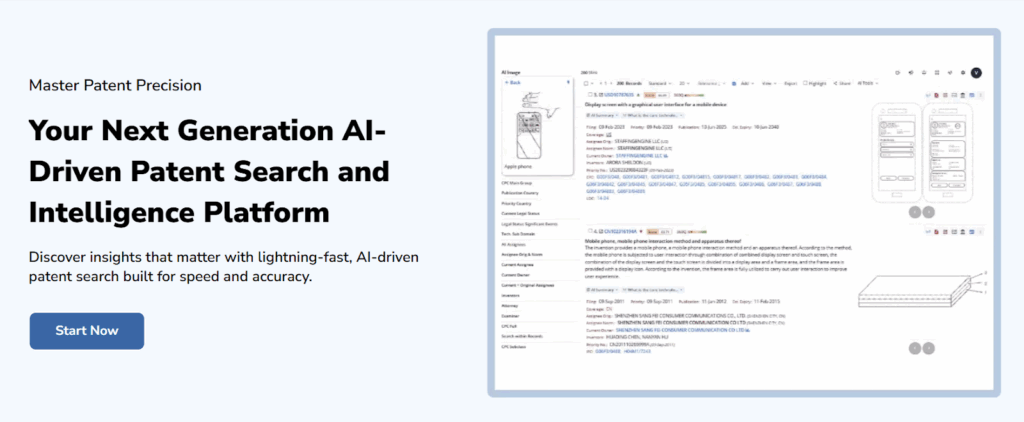
PatSeer is a global patent research and analysis platform that helps IP teams quickly uncover insights that support drafting, prior art evaluation, FTO decisions, and prosecution strategy. While not a full prosecution or docketing system, it strengthens the analytical groundwork that informs and improves prosecution outcomes.
Source: Patseer
Key Benefits and Supporting Features
- Fast, precise prior art search: Hybrid AI + Boolean search, semantic tools, and smart filters improve accuracy for drafting and prosecution work.
- Deep patent analytics: Dashboards, quadrant charts, co-occurrence matrices, and full-text automation help teams assess portfolios and risks quickly.
- Easy team collaboration: Shared results, comments, and dashboards keep attorneys, analysts, and clients aligned throughout prosecution.
- Clearer understanding with AI: AI summaries, semantic mapping, and classification simplify complex disclosures and histories.
- Extensive global coverage: 172M+ records, 108 authorities, and 70M+ translations support thorough, defensible research.
- Configurable alerts & workflows: Alerts track competitor activity, tech trends, and prosecution-impacting changes.
- Enterprise-grade security: ISO 27001, SOC 2 Type 2, GDPR compliance, strong encryption, and no-training policies protect sensitive data.
Best For
IP teams and law firms that rely heavily on patent search and analysis to support drafting, prior art review, and prosecution strategy.
Integration capabilities
PatSeer supports multi-format exports (Word, Excel, CSV, PDF, XML) for easy transfer into IP management and prosecution workflows, and allows importing external patent and literature data into its workspace for consolidated research.
User Review
Source: G2
Pricing
PatSeer does not list pricing on its website. All editions say “Contact us for pricing,” so it uses custom, quote-based pricing.
Octimine
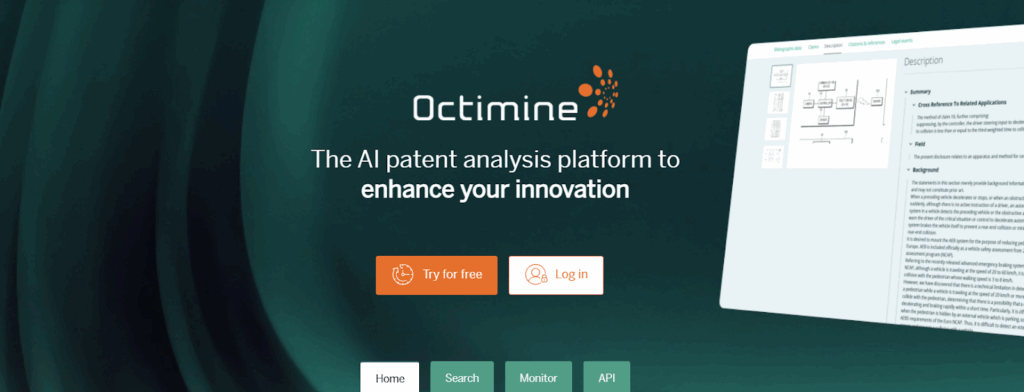
Octimine is an AI-powered patent search and analytics platform that helps IP teams find prior art, track technology trends, and collaborate more efficiently. Built by Dennemeyer, it combines semantic, deep-learning, and Boolean search with fast monitoring and visual analytics, giving users quick, accurate insights into global patent data. While not a full docketing or prosecution management system, Octimine strengthens research, competitive monitoring, and collaboration that support early-stage and prosecution-adjacent decision-making.
Source: Dennemeyer
Key Benefits and Supporting Features
- Fast, accurate patent search: Uses AI-powered semantic search, deep-learning models, and Boolean methods to find relevant prior art within seconds.
- Continuous monitoring of legal status & competitor activity: Automated alerts track new publications, legal-status changes, and technology-field updates in one place.
- Easy collaboration across IP teams: Allows users to assign tasks, share annotations, store documents, and work together without email chains or scattered PDFs.
- Actionable patent analytics: Interactive dashboards, visualizations, and analytics tools help users understand portfolios, trends, and landscapes quickly.
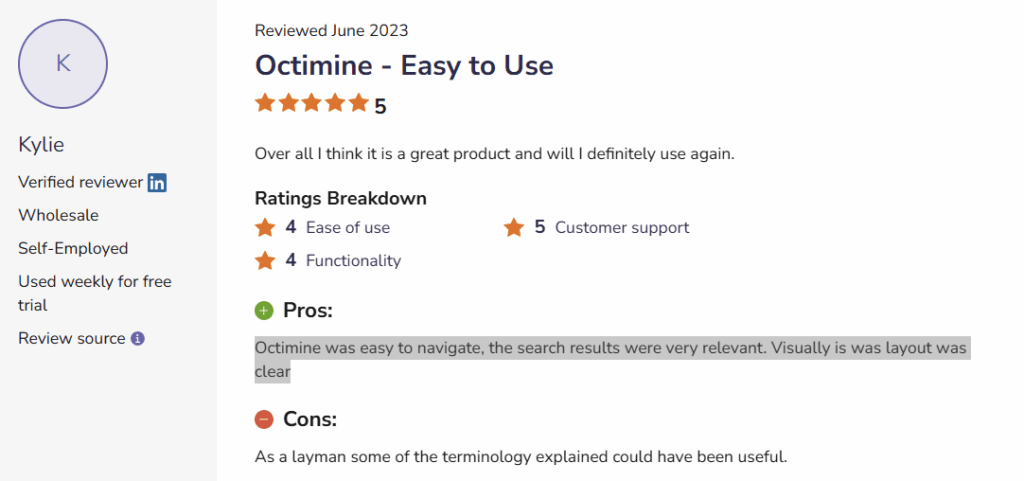
- Accessible for all skill levels: Intuitive interface designed so beginners, inventors, and experienced analysts can retrieve and analyze patent data with ease.
- Secure, enterprise-grade data protection: Uses SSL encryption, secure servers in Germany, restricted access controls, and client-side encrypted queries for strong data security.
- API for workflow integration: Offers an API that integrates Octimine’s search and analytics capabilities into internal systems and customized environments.
Best For
IP teams, patent researchers, and law firms that need fast prior art search, competitive monitoring, and collaborative analytics
Integration capabilities
Provides an API for integrating its search and analytics into internal systems, and supports multi-format exports and shared workspaces for easy transfer of research into IP workflows.
User Review
Source: Software Advice
Pricing
Octimine does not list pricing on its website. All access is quote-based.
ClaimMaster
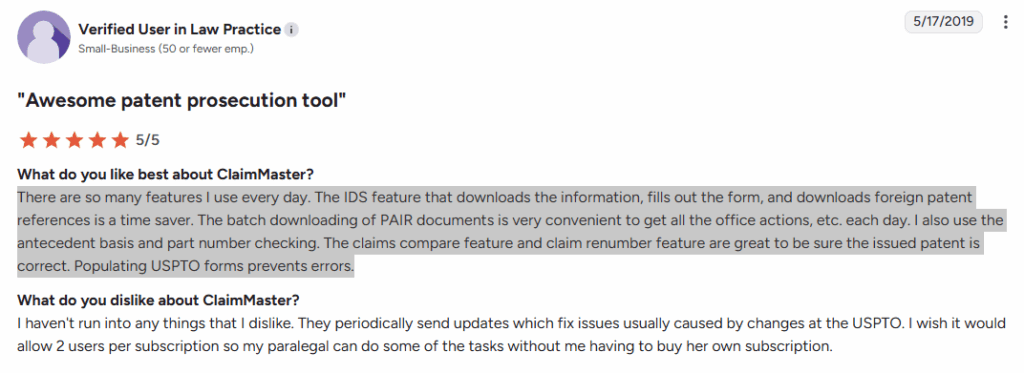
ClaimMaster is a Microsoft Word–integrated software suite that automates the most time-consuming drafting, proofreading, and response tasks in patent prosecution. It helps practitioners generate Office Action response shells, complete USPTO forms, draft application sections, analyze claims, and download patent data—reducing errors, improving quality, and speeding up the entire prosecution workflow.
Source: ClaimMaster
Key Benefits and Supporting Features
- Automates OA responses & USPTO forms: Generates response shells, fills forms (including IDS), pulls Patent Center/PAIR/EPO data, and reuses boilerplate for consistency.
- Enhances accuracy with deep proofreading: Flags antecedent basis issues, missing support, incorrect amendments, part-number errors, metadata issues, and formatting problems.
- Speeds drafting with templates & AI: Auto-creates sections, figures, flowcharts, claim transformations, and descriptions using NLP and customizable templates.
- Automates patent data retrieval: Downloads documents, IFWs, bibliographic data, and builds family trees directly in Word.
- Streamlines claim analysis: Compares claims, visualizes claim trees, manages amendments, calculates excess fees, and generates claim charts instantly.
- Secure and customizable: Runs locally in Word with customizable rules/templates and integrates with docketing systems for data import.
Best For
Patent attorneys, agents, and paralegals who need fast, accurate tools for drafting, proofreading, Office Action responses, and USPTO form generation.
Integration capabilities
Pulls bibliographic data directly from systems such as **USPTO Patent Center, Private PAIR, PEDs, and EPO. It also integrates with docketing systems to import application data, and supports multi-format exports for easy use across internal workflows.
User Review
Source: G2
Pricing
Pricing starts at $30/user/month (billed annually).
Full Pro+Draft+Shells version costs $75/user/month.
Multi-seat discounts available (5–15 seats: 5%, 16–40: 10%, 41+: 15%).
Patent Bots
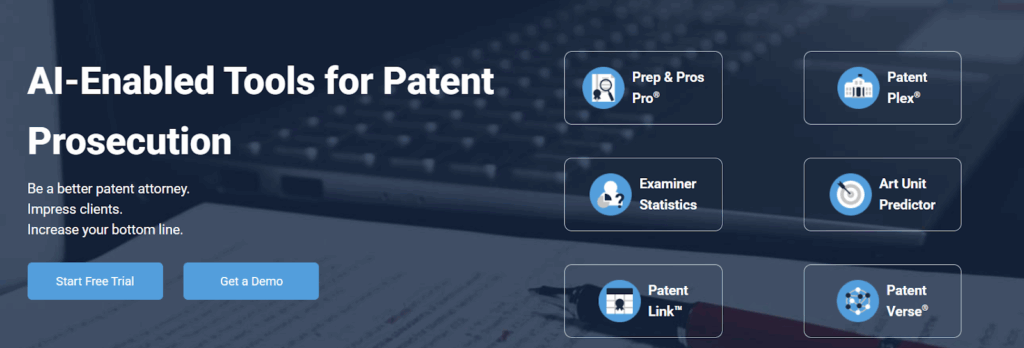
Patent Bots is an AI-enabled suite of prosecution tools that helps practitioners proofread claims, automate drafting tasks, predict art units, analyze examiner behavior, and review patent data. Its goal is to reduce errors, improve quality, and speed up prosecution work.
The platform enhances decision-making with USPTO data and delivers workflow efficiencies that support day-to-day patent preparation and prosecution.
Source: Patent Bots
Key Benefits and Supporting Features
- Improves drafting accuracy: Automated proofreading catches numbering errors, antecedent basis issues, missing support, and non-compliant amendments.
- Speeds up drafting: Prep & Pros Pro automates claim cleanup, section generation, and formatting for faster, polished applications.
- Strengthens prosecution strategy: Examiner Statistics provide grant rates, difficulty scores, appeal trends, and timeline insights.
- Guides art-unit routing: Art Unit Predictor analyzes claim language, flags risky terms, and forecasts likely assignments.
- Simplifies portfolio review: PatentPlex displays family trees, prosecution histories, timelines, and clean data snapshots.
- Boosts team efficiency: PatentLink supports portfolio oversight, competitive monitoring, and workload management.
Best For
Patent attorneys and law firms who want faster, error-free drafting and stronger prosecution outcomes using AI-powered automation.
Integration capabilities
Patent Bots pulls data directly from USPTO for examiner stats, art-unit insights, and patent records, and supports easy exports and links that fit smoothly into existing drafting and prosecution workflows.
User Review
No review is available publicly.
Pricing
Patent Bots pricing varies by firm size and product. Law-firm subscriptions list annual prices (e.g., Prep & Pros Pro at $12,540/year) with discounts for multi-product bundles. Individual practitioner plans start at $594/year, while company plans require contacting sales.
Solve Intelligence
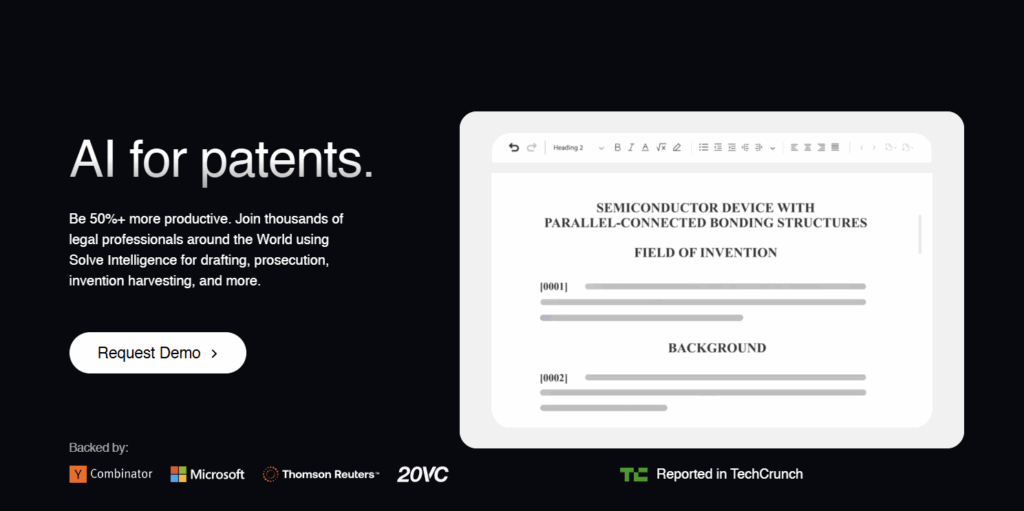
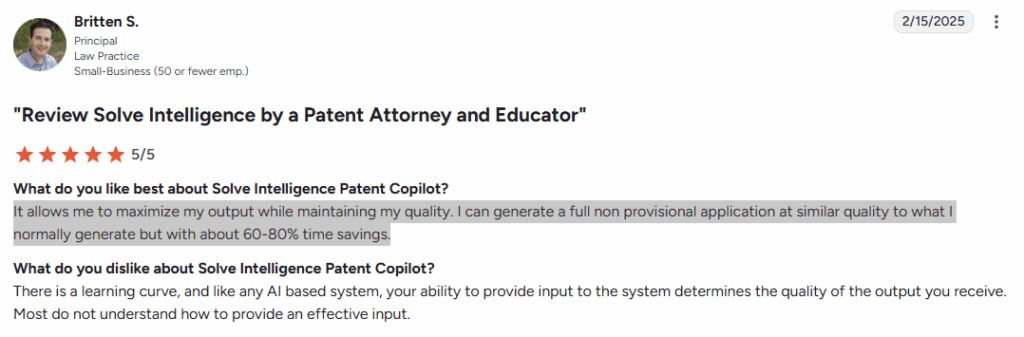
Solve Intelligence is an AI-powered patent drafting and prosecution platform that helps legal teams create invention disclosures, draft high-quality patent applications, and prepare Office Action responses with far greater speed and consistency. It is designed for law firms and in-house IP teams looking to streamline drafting, improve accuracy, and collaborate more effectively across the entire patent lifecycle.
Source: Solve Intelligence
Key Benefits and Supporting Features
- Streamlines invention disclosure drafting: AI-generated invention disclosure forms, customizable questionnaires, and centralized tracking for all inventor submissions.
- Accelerates patent application drafting: Interactive AI drafting for full or partial applications; customizable writing styles for jurisdictions, clients, or attorney preferences; supports figures, chemical structures, and biological sequences.
- Enhances Office Action response preparation: Collaborative drafting of responses with AI that generates arguments, claim amendments, and complete listings aligned with the attorney’s style.
- Provides smart prosecution analysis: AI checks the validity and accuracy of rejections, analyzes prior art, and suggests amendments or strategies to overcome objections.
- Enables powerful claim chart automation: Generates invalidity, FTO, infringement, claim construction, and SEP charts with multi-source citations and transparent reasoning.
- Ensures enterprise-grade security: No model training on user data, no third-party access, SOC 2 and ISO 42001 certifications, and full AES-256/TLS 1.3 encryption.
Best For
Law firms and in-house IP teams seeking faster patent drafting, more efficient Office Action responses, and scalable AI support across invention disclosure, drafting, and prosecution workflows.
Integration capabilities
Supports exporting AI-generated drafts, Office Action responses, claim charts, and invention disclosures into existing workflows, and links seamlessly with patent data from USPTO for citations, file-wrapper references, and case-law–based arguments.
User Review
Source: G2
Pricing
Pricing is not listed publicly.
BlackHills AI
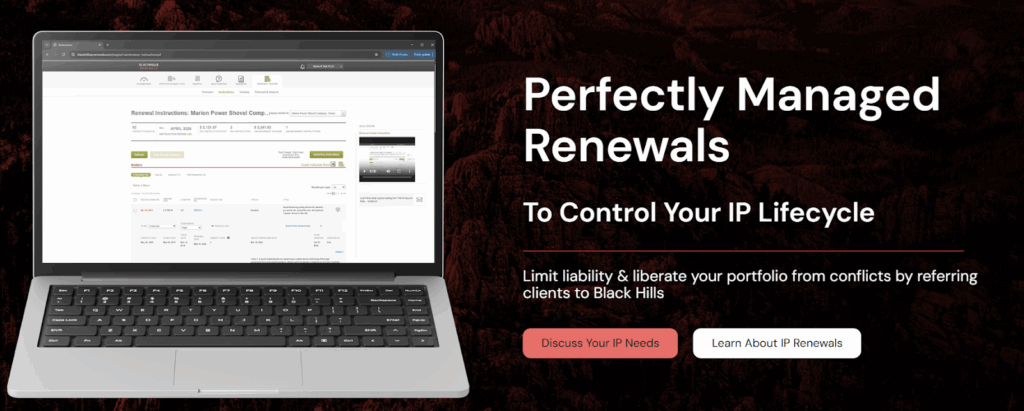
Black Hills AI’s Otto IP™ is an attorney-built generative AI platform that accelerates patent drafting and prosecution. It integrates directly with Patent Center and your IP management system to streamline Office Action work, automate routine prosecution tasks, and support attorneys with guided AI workflows—all while guaranteeing full data privacy and zero AI model training.
Source: BlackHills AI
Key Benefits and Supporting Features
- Boosts drafting efficiency: Guided AI workflows, customizable styles, automated claim amendments, figure handling, and instant section generation accelerate drafting.
- Speeds OA responses: AI interprets rejections, suggests amendments and arguments, and drafts complete response shells with proper citations.
- Reduces errors: The Word Add-In checks antecedent basis, pulls USPTO data, and auto-populates shells to prevent manual mistakes.
- Unifies workflows: Real-time Patent Center sync and IPMS integrations ensure accurate data across drafts, IDS forms, and reports.
- Improves team productivity: Automation handles repetitive paralegal tasks—drafting instructions, filings, and reports—freeing teams for strategic work.
Best For
Law Firms
- Solo/Boutique Law Firms
- Medium Practices
- Large Practices
Corporations
- Small to Mid-Size Companies
- Large Companies
Integration capabilities
Otto IP™ integrates directly with USPTO Patent Center to pull real-time bibliographic data for drafting, IDS prep, and Office Action responses. It also syncs with IP management systems to auto-fill prosecution documents, update case data, and streamline workflows inside the Otto IP™ Word Add-In.
User Review
No review is available publicly.
Pricing
Pricing is not publicly disclosed.
DeepIP
DeepIP is an AI-powered patent prosecution software built to speed up and strengthen Office Action work. It retrieves USPTO and EPO Office Action files instantly and summarizes examiner objections and cited prior art.
The platform also helps attorneys draft high-quality responses directly inside Microsoft Word. Designed for global prosecution and all technical domains, DeepIP lets practitioners focus on strategy rather than administrative tasks. This results in higher efficiency and better allowance outcomes.
Source: DeepIP
Key Benefits and Supporting Features
- Faster OA understanding: Auto-retrieves OA documents and uses AI to summarize inventions, examiner issues, and cited art—cutting review time significantly.
- Stronger OA responses: Highlights claim–prior art differences, ranks objections, and suggests targeted arguments for more effective responses.
- Works inside Word: Native Word integration enables review, analysis, and drafting without switching tools.
- Reduces errors: AI-driven issue extraction and automated document handling lead to more consistent, defensible submissions.
- Supports global workflows: Handles USPTO, EPO, PCT, and all major tech domains—from software to life sciences to mechanical and chemical.
Best For
Law Firms and In-house Counsels
Integration capabilities
DeepIP integrates directly into Microsoft Word, allowing users to retrieve Office Action files, analyze examiner issues, and draft responses within their existing workflow. It also connects with USPTO and EPO systems to automatically import OA documents, cited art, and examiner notes.
User Review
No review is available publicly.
Pricing
Pricing is not publicly disclosed.
At this point, you’ve seen how differently each platform approaches prosecution. Some are built for heavy-duty docketing, some for deep analytics, and others for high-speed AI drafting. To make the choice easier, here’s a one-view comparison that highlights strengths, limitations, and who each tool is best for.
Compare the Best Patent Prosecution Software Options of 2026 in One View
| Tools | Best For | Key Features | Potential Drawback | Free Trial/Demo | User Rating |
| The TIP ToolTM | Supports startups through global enterprises, serving in-house IP teams, patent attorneys. | Examiner analytics, art-unit prediction Real-time timeline, cost forecasting, auto-synced data | Occasional learning curve for structured IP workflows. | Demo & Free Trial available | 5/5 |
| Anaqua | Large corporations and enterprise IP law firms | Automated global docketing, IDS management Integrated analytics & AI-driven document processing | Steep learning curve and higher cost. | Need to contact sales | 4.4/5 |
| Apcoll | Small–mid IP law firms and corporate teams | Automated docketing & PTO form generation Clear prosecution views with client access | Dated UI and some features feel clunky to customize | Demo is available | 4.7/5 |
| FoundationIP | Mid-to-large IP law firms needing scalable prosecution management | Automated tasks with verified Clarivate data Configurable dashboards & collaborative tools | Reports are hard to customize; updates can be slow. | Demo is available | 4/5 |
| Patsnap | Firms needing faster prior-art review and file-wrapper understanding | AI claim comparison & file-wrapper summaries Advanced semantic, image & structure search | Report/download limits and hard-to-find filters. | Demo is available | 4.3/5 |
| Patseer | IP teams relying on deep search & analytics for prosecution strategy | Hybrid AI + Boolean search Interactive analytics & collaboration tools | Some data inconsistencies and limited coverage in parts | Free Trial is available | 4.7/5 |
| Octimine | Teams needing fast AI-driven prior art and monitoring | AI semantic search with visual analytics Alerts for legal status & competitor activity | Doesn’t analyze Office Actions or support OA-response drafting | Free Trial is available | Not Available |
| ClaimMaster | Patent attorneys preparing drafts & OA responses inside Word | Automated OA shells, USPTO forms Deep claim/spec proofreading & data retrieval | Slow on complex docs; customization is technical. | 30-day Free Trial | 4.6/5 |
| Patent Bots | Attorneys wanting automated proofreading & prosecution analytics | Claim proofreading & drafting automation Examiner stats & art-unit prediction | Demo & Free Trial available | Not Available | |
| Solve Intelligence | Firms seeking fast AI-assisted drafting & OA response support | Full-application AI drafting & strategy inputs OA argument generation & claim-chart automation | Notable learning curve; figures/mechanical support less mature. | Demo is Available | 4.9/5 |
| BlackHills AI | Firms wanting AI-powered drafting + tight Patent Center integration | Guided drafting & automated OA responses Real-time Patent Center sync & Word Add-In | Still new—features evolving; flexibility varies across tech domains. | Demo & Free Trial available | Not Available |
| DeepIP | Law Firms and In-house Counsels | Auto-retrieval & AI summary of OA issues Claim–prior-art comparison & in-Word drafting | AI drafts for mechanical inventions could be less accurate and might need extra attorney correction. | Free Trial is Available | Not Available |
Now, if you’re wondering why the TIP Tool™ keeps standing out across analytics, workflow clarity, and cost control, here’s the short answer—its entire design revolves around making prosecution predictable, data-driven, and easier to manage at scale.
Let’s break down why it consistently emerges as a top choice for modern IP teams.
Why is the TIP Tool™ the Preferred Patent Prosecution Software?
For most IP teams, the biggest challenge isn’t drafting responses but keeping prosecution organized when data, deadlines, and documents live in disconnected systems. A leading Silicon Valley tech company faced this exact problem before adopting the TIP Tool™. Their prosecution updates were inconsistent, examiner insights were buried, and critical events were easy to miss. But once they implemented the TIP Tool™, the impact was immediate: timelines became transparent, applications synced cleanly, and their allowance rate increased by 30%.
This mirrors what many high-performing IP teams experience with the TIP Tool™. It eliminates the chaos around prosecution tracking, but its deeper value lies in the efficiency and strategic clarity it unlocks next.
Once prosecution data becomes organized, the TIP Tool™ strengthens every decision with capabilities such as:
- Customizable Application Timelines for clear, document-linked visibility into each prosecution event.
- Advanced Search & Filters to surface any case, status, or bottleneck instantly.
- Patent Family Tree Visualization that clarifies continuity and strategic filing opportunities.
- Bulk Import/Export that simplifies onboarding and maintaining large portfolios.
- Docketing System Sync that automatically updates data from platforms like AppColl and FoundationIP.
- Role-Based Access that enables secure collaboration across R&D, counsel, and leadership.
- Entity Size & Fee Configuration that keeps cost projections accurate and aligned.
- Portfolio Dashboards that reveal patterns, delays, and performance across filings.
Together, these features create a connected prosecution ecosystem. The TIP Tool™ doesn’t just track filings. It brings structure to the process, adds intelligence to decisions, and supports every patent as it moves from draft to allowance.
If you’re looking for a cleaner, more predictable, and fully connected way to run your patent prosecution workflow, the TIP Tool™ is built for teams like yours.
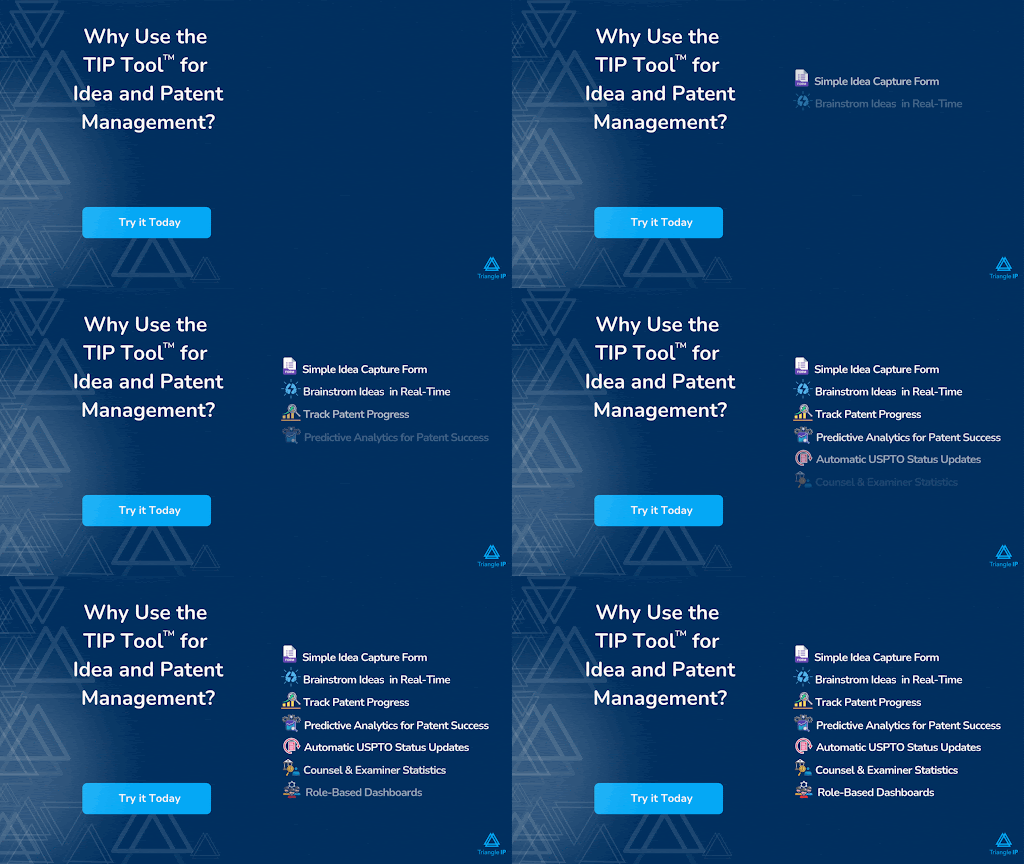
Get started with a free trial and explore the full workflow end-to-end.
Disclaimer:
The information in this article/review is sourced from the internet and may not be entirely accurate or up-to-date. We recommend visiting the respective software websites for the most current and reliable information. The opinions expressed here are those of the author and may not reflect the views of Triangle IP. We are not liable for any consequences that may arise from relying on the information provided in this article/review.
FAQs
1. How Do I Decide Whether My Team Actually Needs Patent Prosecution Software Or If Improving Internal Processes Is Enough?
This decision depends on scale, complexity, and workflow visibility.
Your team likely needs a platform if:
- You manage a growing pipeline of invention disclosures or filings
- Office Actions, drafts, and deadlines are scattered across emails or spreadsheets
- Tracking examiner behavior, prosecution history, or cost projections is difficult
- Collaboration between inventors, managers, and counsel is inconsistent
- USPTO updates or docketing information often get missed
Patent prosecution software centralizes data, enforces structure, and provides analytics that internal processes cannot replicate.
Improving internal processes may be enough if your team:
- Files only a small number of patents each year
- Works with a single attorney and does not require full portfolio oversight
- Has minimal cross-team collaboration needs
- Does not require examiner analytics, cost forecasting, or automated timelines
Most teams recognize the need for a platform once filing volume increases or updates begin slipping through the cracks.
2. How Do Patent Prosecution Tools Handle Confidential Or Highly Sensitive Invention Disclosures, Especially For Pre-Filing Work?
Modern patent prosecution platforms, including the TIP ToolTM, are built with strong confidentiality controls that protect early-stage invention content.
Common safeguards include:
- Unpublished Ideas Remain Private to the creator until explicitly shared
- Role-Based Access Permissions that ensure only authorized users can view or modify disclosures
- Domain Whitelisting that prevents sharing with unknown or untrusted collaborators
- Secure Document Storage for drafts, disclosures, and supporting attachments
- Activity Tracking and Audit Trails that record who accessed or edited information
These controls reduce the risk of premature disclosure while enabling safe collaboration across inventors, managers, and attorneys.
3. What Hidden Costs Should IP Teams Expect When Adopting Patent Prosecution Software Beyond The Licensing Fee?
While most platforms list a visible subscription price, teams should be aware of additional cost categories that may apply:
- Government Fees from the USPTO or other jurisdictions, which remain separate
- Attorney or Prosecutor Charges, which a tool may help estimate, but cannot eliminate
- Add-On Modules such as examiner analytics, art unit prediction, or family-tree visualization
- Storage Upgrades or Additional User Seats, depending on the vendor’s limits
- Portfolio Migration Time, especially when importing large historical datasets
- Optional Integrations, including docketing system synchronization
The TIP Tool typically maintains a straightforward model focused on subscription access and optional tool add-ons without hidden backend fees.
4. Do Patent Prosecution Tools Work Reliably For Non-US Filings Such As EPO, JPO, CNIPA, Or PCT Applications?
Yes, but with clear limitations. While most patent prosecution platforms, including the TIP Tool™, support management of foreign applications, automation capabilities differ across regions.
Supported For Non-US Filings:
- Manual entry or bulk import of foreign applications
- Tagging, filtering, summaries, and timeline visibility
- Docketing system imports that include non-US data
- Patent family relationships and linkages to US counterparts
Not Supported For Non-US Filings:
- Real-time data syncing from foreign patent offices such as EPO, JPO, CNIPA, or WIPO
- Foreign examiner statistics
- Automated prosecution updates from non-US jurisdictions
Teams typically keep foreign records current through their docketing system or by periodic manual updates.