
| TL;DR – If you are struggling with idea loss, it is usually not because your team lacks creativity, but because no one knows what happens to an idea after it is submitted. Many idea management tools help capture ideas, but they do not track the changes or make ownership, status, and decisions visible, so ideas stall. In this blog, we cover the best idea tracking software for different teams. For example, if you’re looking to patent your ideas, TIP Tool™ lets you track your ideas with complete details and ownership, aiding in patent filing. Whereas for product teams, we’ve included several idea tracking software tools that help in product roadmaps and product feature development. |
A great idea comes up in a meeting. Someone says, “This has actual business value and ROI”
Then the meeting ends, and the idea quietly disappears into Slack messages, email threads, or half-finished Excel sheets. The worst part is that 80% of such ideas are abandoned because there isn’t any standard documentation and proper tracking.
When teams can’t clearly track where ideas stand, who owns them, or what decisions were made, even strong ideas lose momentum. Over time, this lack of visibility adds up to missed opportunities and wasted effort.
That’s why many teams turn to idea tracking software. But choosing the right one is harder than it sounds. Tools differ widely in what they actually track, how ideas move, and how usable they remain at scale.
In this guide, we compare 10 idea tracking software tools, including the TIP ToolTM, for IP teams and show how to evaluate them without making an expensive mistake.
Before You Choose an Idea Tracking Software, Pause and Ask These Questions
The biggest gains from idea tracking come from visibility, not volume. McKinsey’s research on innovation performance backs this up at a broader level. Companies that consistently apply structured idea tracking practices deliver 2.4x higher economic profit than those that don’t.
Moreover, Centralized systems have also driven a 43% increase in cross-team collaboration because ideas are easier to follow, update, and act on.
But capturing ideas is not the same as tracking them. The questions below help you evaluate whether an idea tracking software actually moves ideas forward or simply gives them a place to sit.
1. Does It Proactively Tell People When Something Changes?
Capability to look for: Automated status notifications
Ask:
- Do submitters get notified when their idea moves stages, or do they have to check manually?
- Are reviewers alerted when it’s their turn to act?
- Is there a clear trigger point where “nobody knew” stops being a valid excuse?
Why this matters: Visibility that requires someone to go looking isn’t real visibility. Tools that close this loop keep submitters engaged instead of guessing.
2. Can Leaders See an Overview of All Ideas Without Chasing Updates?
Capability to look for: Dashboard-level idea visibility
Ask:
- Can leadership see how many ideas exist and where they stand without manual reporting?
- Is there a high-level view of idea activity across the whole pipeline?
Why this matters: Tracking implies oversight. If visibility is limited to contributors, the system isn’t serving the people making resourcing decisions.
3. Does the Software Show Where Every Idea Stands, Right Now?
Capability to look for: Workflow-based idea status tracking
Ask:
- Does each idea clearly show its current stage (e.g., capture, approved, pending, Implementation)?
- Can you tell new, active, and inactive ideas apart at a glance?
- Can someone understand progress without opening every idea individually?
Why this matters: Without status tracking, idea lists become stagnant. Visibility into movement is the core of idea tracking, not a bonus feature.
4. Is Ownership of Each Idea Always Clear?
Capability to look for: Explicit idea ownership and role visibility
Ask:
- Does every idea have a clear, named owner?
- Is responsibility visible to everyone involved, not just the reviewer?
- Does ownership transfer cleanly tracked as the idea moves forward?
Why this matters: Ideas without owners stall. Unclear ownership is the root cause behind most stalled reviews and missed follow-ups.
5. Can Ideas Move Through a Defined Workflow?
Capability to look for: Configurable idea workflow stages
Ask:
- Can ideas move from submission to review and beyond, along visible, defined stages?
- Can the organization standardize how ideas move forward, rather than each team improvising?
Why this matters: A tool that only stores ideas is not tracking them. Tracking requires structured movement over time.
6. Does the Tool Make It Clear Which Ideas Are Active And Which Have Quietly Stopped?
Capability to look for: Idea lifecycle clarity
Ask:
- Can inactive or deprioritized ideas be clearly identified?
- Is it obvious which ideas are no longer being considered?
- Does the system prevent old ideas from cluttering the active pipeline?
Why this matters: Idea tracking includes knowing when an idea has stopped moving, not just when it starts.
7. Does the Software Handle High Volumes of Ideas Without Becoming Unusable?
Capability to look for: Scalable idea tracking
Ask:
- Does the interface stay usable with hundreds or thousands of ideas?
- Can filters and search handle large, growing datasets without slowing down?
Why this matters: Idea tracking software has to handle accumulation. If it fails at scale, it fails at tracking.
In addition to tracking every idea, establishing a transparent way to rank or evaluate the ideas can make the entire idea workflow fair.
A Sneak Peek into the Top 10 Idea Tracking Software Comparison
This overview highlights who each tool is best suited for, how users rate them, what pricing transparency looks like, and whether a demo or trial is available.
| Tool | Best For | User Rating | Pricing | Demo / Trial |
| The TIP Tool™ | –Startups –Enterprises –Individual inventors –Patent practitioners | 5/5 on G2 | Free forever (up to 10 users); Premium from $50/mo; Custom for large teams – full pricing | Demo / Trial |
| Canny | Teams wanting public voting boards where status changes automatically notify voters | 4.6/5 on G2 | Free ($0, 25 tracked users); Core $19/mo; Pro $79/mo; Business custom – full pricing | Demo / Free trial on paid tiers |
| IdeaScale | Large organizations running high-volume, vote-driven idea programs across departments or the public | 4.5/5 on G2 | Custom enterprise pricing – full pricing | Demo / Free trial on signup |
| Qmarkets | Enterprises needing structured, criteria-based scoring rather than informal review | 4.5/5 on G2 | Custom, annual license-based – full pricing | Demo on request |
| Ideawake | Teams that need visible scorecards and ROI tracking behind every evaluation decision | 4.6/5 on G2 | Flex $500/mo; Business $300–$2,250/mo; Enterprise custom – full pricing | Demo (30-min) / Trial |
| Ideanote | Small to mid-sized teams wanting visible, stage-by-stage status changes with built-in duplicate detection | 4.7/5 on G2 | Free (up to 10 users); Scale from $6/user/mo; Ultimate from $899/mo – full pricing | Free trial (Free & Scale) / Demo |
| Aha! Roadmaps (Ideas) | Product teams tying idea intake directly to strategy and full-lifecycle roadmapping | 4.3/5 on G2 | Free Ideas portal with Roadmaps; Roadmaps from $59/user/mo; Enterprise from $99/user/mo – full pricing | Demo / 30-day trial |
| Jira Product Discovery | Teams already in Jira who want ideas linked directly to delivery tickets | 4.3/5 on G2 | Free (up to 3 creators); Standard $10/creator/mo; Premium $25/creator/mo – full pricing | Free tier / 14-day trial |
| Productboard | Product organizations centralizing customer feedback into a prioritized, visible roadmap | 4.3/5 on G2 | Free Starter plan; paid from ~$15 – 19/maker/mo; Enterprise custom – full pricing | Demo / 14-day trial |
| Brightidea | Mid-to-large orgs wanting stage-gate evaluation checkpoints before ideas advance | 4.3/5 on G2 | Not publicly listed – full pricing | Demo / 30-day trial (Idea Box) |
High-level comparisons are helpful, but real decisions require detail.
Let’s take a closer look at the top idea tracking software to consider in 2026.
Top 10 Idea Tracking Software to Consider in 2026
Idea tracking tools may look similar at first glance, but they behave very differently once ideas start piling up. Some platforms, like Canny and IdeaScale, are built around public voting and ranking, so the loudest signal for what to build next comes from the crowd, not a closed-door review.
Others, like Qmarkets and Ideawake, go further into structured scoring via custom criteria, scorecards, and ROI comparisons. A third group, including Aha!, Jira Product Discovery, and Productboard, is built for product teams, tying tracked ideas directly to roadmaps and delivery tickets.
And a smaller group, including the TIP Tool™, Ideanote, and BrightIdea, goes further still, showing where an idea stands right now, who owns it, and whether it’s still moving or has gone stale.
The tools below span that full range, from lightweight idea funnels to enterprise-grade innovation platforms. As you review them, look beyond surface features and ask whether the tool provides real visibility, accountability, and momentum after an idea is submitted.
Here’s the full lineup.
- The TIP Tool™
- Canny
- IdeaScale
- Qmarkets
- Ideawake
- Ideanote
- Aha! Roadmaps (Ideas)
- Jira Product Discovery
- Productboard
- Brightidea
We’ll start with the TIP Tool™, which is purpose-built to track invention ideas from initial capture through filing decisions.
1. The TIP Tool™
User Rating: 5/5
Best For
The TIP Tool™ is an idea tracking solution for startups, enterprises, individual inventors, and patent practitioners looking to manage invention ideas from capture to filing decision within a single, structured workflow.
Overview
The TIP Tool™ by Triangle IP is an idea tracking software purpose-built for innovation and IP management. Unlike generic idea boards or project tools, it focuses on tracking all the changes made in the idea, including who made those changes, to facilitate ownership and real-time collaboration.

From the moment an idea is submitted, the TIP Tool™ guides it through a defined workflow. It combines collaboration, scoring, tagging, analytics, and predictive insights. This helps teams move from raw ideas to filing decisions with clarity and confidence.
Key Features & Benefits
Below are the core features that enable the TIP Tool™ to track invention ideas from initial capture with a guided invention disclosure form. Inventors enter essential details such as title, summary, inventor information, and attachments. This ensures ideas are captured clearly and consistently from the beginning.
Role-Based Collaboration & Access Control
You can define and track who can view, edit, and review ideas at each stage. Inventors, managers, prosecutors, and admins have clearly assigned permissions. This enables secure and efficient collaboration as ideas progress.
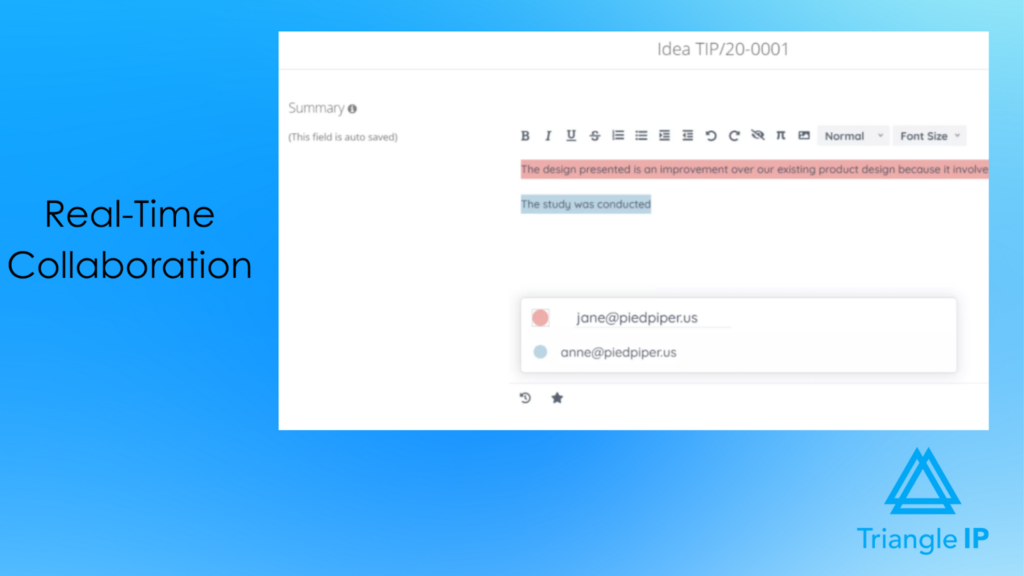
When role-relevant actions occur, such as publishing an idea, adding comments, or updating details, assigned collaborators are automatically notified, and the changes are automatically tracked. This ensures inventors and reviewers stay informed without manual follow-ups.
Authorized users can collaboratively refine the idea summary as discussions progress. Visual indicators highlight recent updates for easy tracking of the latest version of the idea. This ensures everyone stays aligned and works from the latest version of each idea.
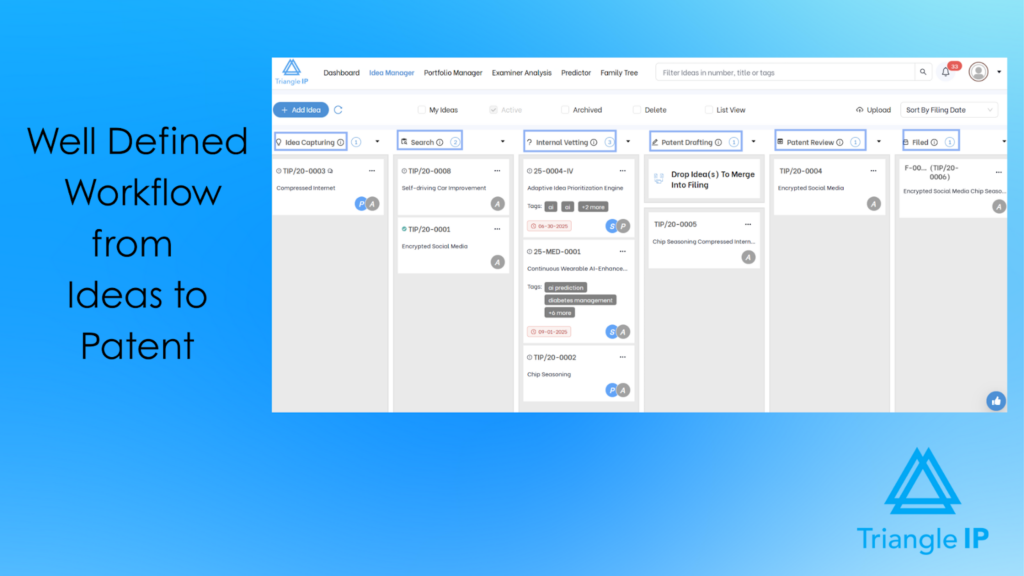
Stage-Based Idea Tracking Workflow
Tracks each idea through defined stages: Idea Capture → Search → Internal Vetting → Patent Drafting → Review. Teams get a clear view of progress, ownership, and decision status at every step.
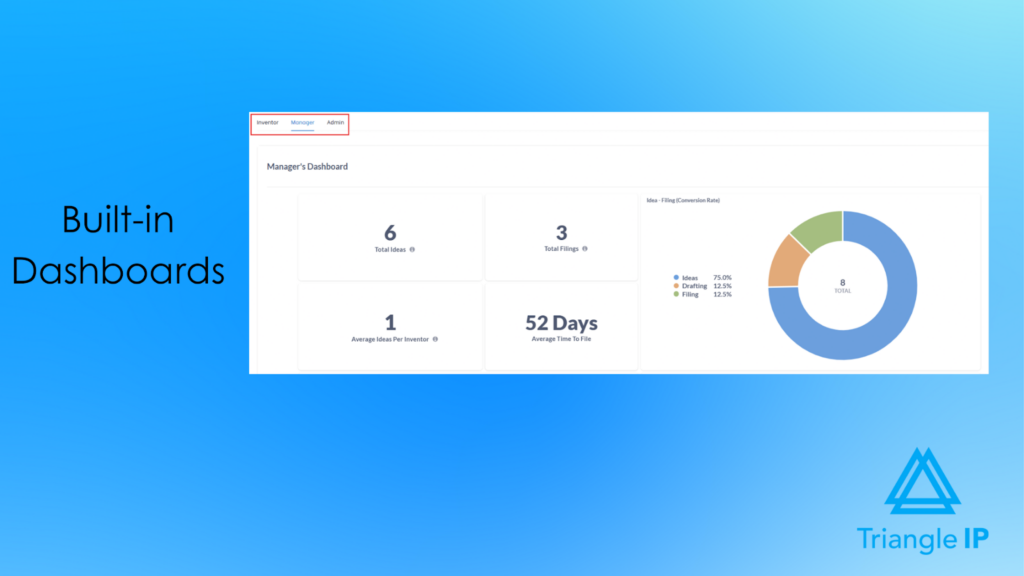
Idea Dashboards
Role-based idea dashboards provide a visual overview of idea activity and progress. Inventors can quickly see the status of their submissions, while managers and admins can track the idea volume, stage distribution, and review progress across portfolios.
These dashboards help teams identify bottlenecks, prioritize evaluations, and keep innovation efforts moving forward.
Draft & Publish Control
Allows inventors to save ideas as drafts while refining details. Ideas can be published only when ready. Draft ideas remain private. This way, only the completed ideas will enter the idea tracking pipeline.
Seamless Transition to Filing
Moves vetted ideas directly into patent drafting without re-entering data. Summaries, scores, tags, and documents carry forward. This ensures continuity from idea tracking to filing readiness. Moreover, you can keep all supporting materials attached directly to each idea. This includes disclosures, diagrams, presentations, and draft files. It preserves full context and prevents document loss during reviews.
Pricing
The TIP Tool™ offers flexible pricing designed for teams of all sizes:
- Free Plan: Ideal for getting started with up to 10 users.
- Premium Plan: $50/month for 100 users, 20 GB storage, and 50 MB file size.
- Custom Plan: Tailored options for large enterprises with advanced requirements. Contact the team to create your plan.
For complete details, visit our full pricing page.
Demo & Trial Availability
You can request an interactive demo of the TIP Tool™ and explore its features firsthand. A free trial is also available upon signup.
2. Canny
User Rating: 4.6/5 on G2
Best For
Product and SaaS teams that want public voting boards where status changes automatically notify the people who voted.
Overview
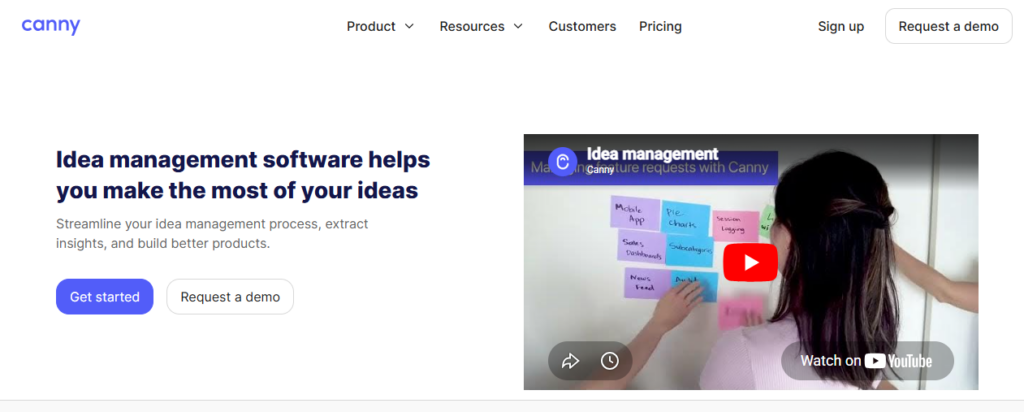
Canny centralizes customer and internal feedback into voting boards, then closes the loop with public roadmaps and status updates. It’s less about internal review workflows and more about making the submission → vote → shipped path visible to everyone who cares about an idea, without them needing to ask.
Source: Canny
Key Features & Benefits
Unified Boards
Displays ideas and requests from multiple channels into one board, tagged and segmented so ideas from multiple touchpoints are tracked efficiently.
Public Roadmaps & Status Updates
Every idea shows a visible status (Under Review, Planned, In Progress, Complete), automatically synced for anyone watching it.
Automated Voter Notifications
When status changes, everyone who voted is notified. This way, the exact “nobody told me” problem is solved by default.
Comment Threads & Contributor Roles
Discussion happens directly on the idea, with role-based permissions controlling who can post publicly versus internally.
Analytics on Idea Engagement
Vote counts and activity data are tracked automatically to help teams see which ideas are actually gaining traction versus sitting untouched.
PM Tool Integrations
Connects to Jira, Linear, and other trackers so a voted-up idea can move into delivery without re-entering it elsewhere.
Pricing
Free ($0, 25 tracked users); Core $19/mo; Pro $79/mo; Business custom pricing – full pricing
Demo & Trial Availability
Demo available; free trial offered on paid tiers.
3. IdeaScale
User Rating: 4.5/5
Best For
Large enterprises, governments, and organizations that are running high-volume idea collection and evaluation programs.
Overview
IdeaScale is an enterprise-grade idea tracking and innovation management platform built to track ideas from large, distributed communities and move them through structured review and selection workflows. It’s designed for organizations that need visibility, accountability, and scale when managing thousands of ideas across campaigns.

Source: IdeaScale Homepage
Key Features & Benefits
The following features show how IdeaScale supports large organizations in collecting, evaluating, and managing ideas at scale.
Idea Portfolio & Status Tracking
Tracks ideas across campaigns and stages, showing which ideas are moving forward, stalled, or rejected.
Idea Linking & Annotations
Helps teams connect related ideas and add context, tracking duplication and lost insights.
Ownership & Accountability Visibility
Makes it clear who owns an idea and where it stands in the review process.
Integrations (Slack, MS Teams, Yammer, Email)
Tracks ideas from tools teams already use, while still centralizing tracking in one system.
Pricing
IdeaScale uses custom subscription pricing based on the features, scale, and specific needs of each organization.
Demo & Trial Availability
Demo available; free trial not publicly listed.
4. Qmarkets
User Rating: 4.5/5
Best For
Large enterprises that need structured, AI-supported idea tracking to evaluate, prioritize, and surface high-impact, business-ready ideas.
Overview
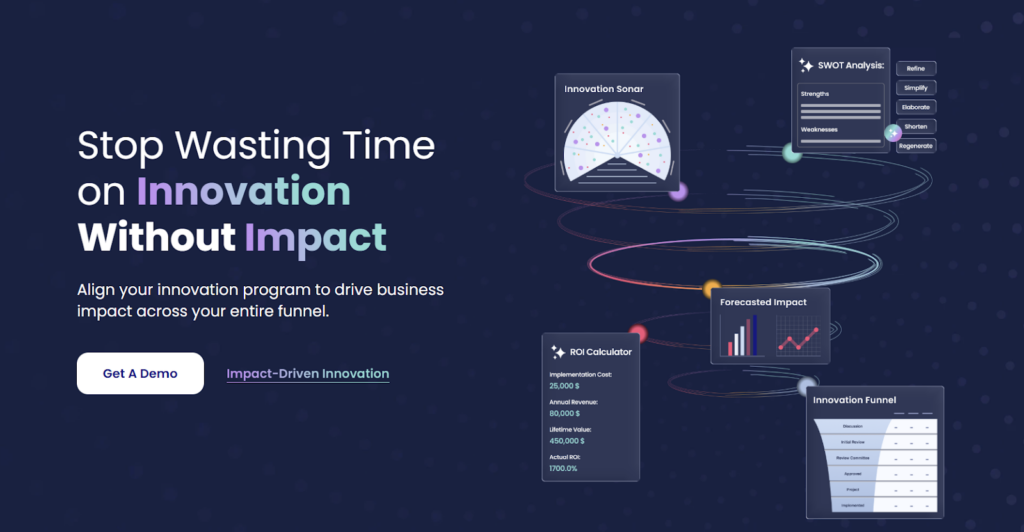
Qmarkets is an enterprise idea tracking and management platform designed to help organizations collect ideas through targeted challenges and systematically evaluate them using data-driven criteria.
With strong AI support and built-in prioritization workflows, it helps teams track the idea status, ownership, and value from submission through decision-making.
Source: Qmarkets Homepage
Key Features & Benefits
The following features illustrate how Qmarkets helps organizations evaluate, prioritize, and advance high-impact ideas using data-driven workflows.
Centralized Idea Submission & Repository
Captures and tracks ideas in one system so they don’t get lost across emails, chats, or documents.
AI-Assisted Idea Clustering & Deduplication
Automatically groups related ideas and flags overlap, reducing noise and duplication.
Ownership & Accountability Tracking
Makes it clear who owns each idea and where it stands in the evaluation process.
Idea Funnel & Status Visibility
Provides a clear view of ideas across stages, helping teams spot bottlenecks and stalled concepts.
Dashboards & Idea-Level Insights
Offers real-time tracking into idea volume, progress, and evaluation outcomes for informed decision-making.
Pricing
Qmarkets uses annual, license-based pricing with a setup fee at launch. Pricing depends on the selected product (Q-ideate for idea management), plan tier, number of users, integrations, and optional AI or enterprise add-ons.
Demo & Trial Availability
Demo available on request.
5. Ideawake
User Rating: 4.6/5
Best For
Mid-sized to large organizations that want a simple, highly engaging idea tracking system focused on participation, evaluation, and measurable ROI.
Overview
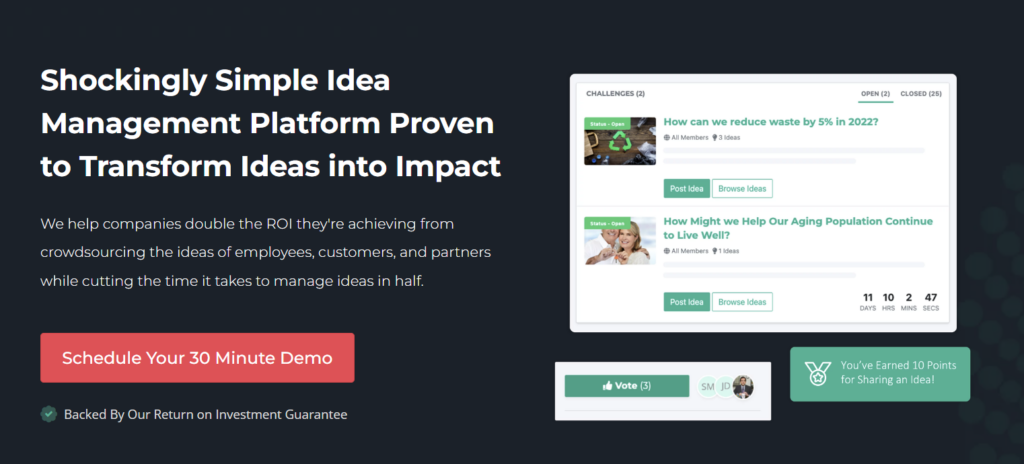
Ideawake is an idea tracking and crowdsourcing platform designed to help organizations capture ideas at scale and quickly identify the top-performing ones. With a strong emphasis on participation, evaluation clarity, and outcome tracking, it’s built for teams that want to reduce idea chaos while clearly surfacing the ideas most worth acting on.
Source: Ideawake Homepage
Key Features & Benefits
The following features show how Ideawake focuses on engagement, evaluation clarity, and ROI-driven idea tracking.
Centralized Idea Repository
Keeps ideas from employees, customers, and partners in one system instead of scattered tools.
Duplicate Idea Detection
Automatically tracks and flags similar ideas during submission to reduce redundancy and noise.
Custom Idea Tracking Workflows
Ideas are tracked through custom workflow stages that enable structured assessment based on organization-specific criteria instead of gut decisions.
Ownership, Stages & Status Tracking
Clearly shows who owns each idea and where it stands in the review process.
Idea-Level Analytics & Dashboards
Provides visibility into idea volume, engagement, and evaluation outcomes to support decision-making.
Pricing
Ideawake uses modular pricing with separate licensing and support tiers.
- Flex – $500/month (basic workflows, limited automations)
- Business – $300–$2,250/month (more admins, workflows, and automations)
- Enterprise – Custom pricing (unlimited usage and controls)
Demo & Trial Availability
Live demo available (30-minute session). A free trial is also available for Flex and Business plans.
6. Ideanote
User Rating: 4.7/5
Best For
Small to mid-sized teams and growing enterprises that want a simple, flexible way to capture, prioritize, and track ideas without heavy setup.
Overview
Ideanote is an easy-to-use idea tracking platform designed to give teams a central place to collect, review, and prioritize ideas. With customizable idea funnels, collaboration tools, and lightweight AI support, it helps organizations prevent ideas from getting lost while maintaining clear visibility into idea status and progress.

Source: Ideanote Homepage
Key Features & Benefits
Here are the features that make Ideanote a simple, flexible option for capturing and tracking ideas without heavy setup.
Flexible Idea Funnels & Kanban Boards
Tracks ideas through clear stages using drag-and-drop workflows, improving visibility and flow.
Ownership & Status Visibility
Makes it clear who owns each idea and where it stands in the funnel.
Integrations With Slack & Microsoft Teams
Helps teams capture, track and discuss ideas without leaving their daily tools.
Pricing
Ideanote offers transparent, tiered pricing, making it one of the more accessible idea tracking tools on this list.
Demo & Trial Availability
Free trial available. Demo available on request.
7. Aha! Roadmaps (Ideas)
User Rating: 4.3/5 on G2 (280+ reviews)
Best For
Product teams that need idea intake tied directly to strategy, so a tracked idea visibly becomes part of the actual roadmap, not a separate list.
Overview
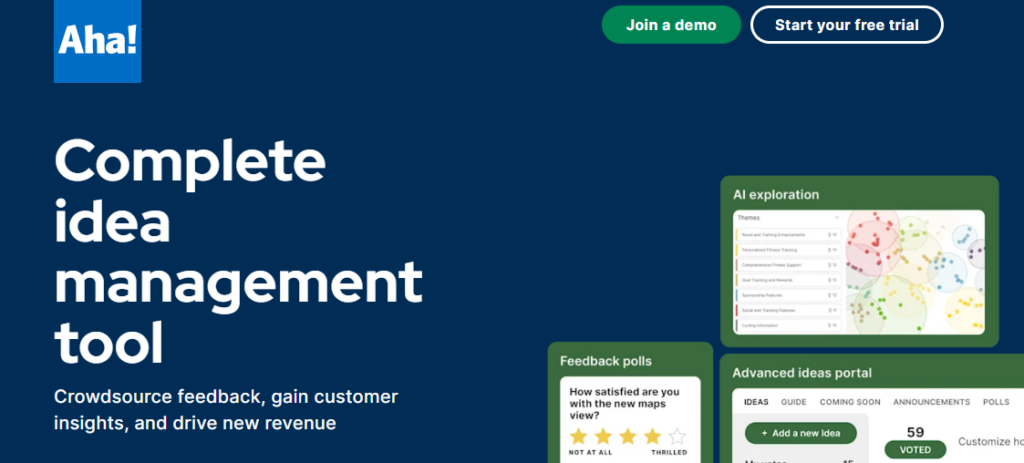
Aha! is a product development suite where the Ideas module feeds directly into Roadmaps. For tracking purposes, its strength is connecting evaluation to execution; an idea’s status isn’t just “approved,” it’s tied to a release date stakeholders can see.
Source: Aha! Homepage
Key Features & Benefits
Ideas Portal with Visible Status
External and internal ideas land in a shared portal where status (Under Consideration, Planned, Shipped) updates are tracked automatically.
Direct Roadmap Linking
A promoted idea attaches to a specific roadmap item, so its post-evaluation journey is visible, not abstracted away.
Automation Engine
Rules-based automation keeps stakeholders informed as an idea’s status changes, reducing manual update work.
Real-Time Progress Dashboards
Shows what’s coming in each release, with idea-to-feature lineage traceable end to end.
Two-Way Jira/Azure DevOps Sync
Once an idea moves to development, status stays synced with delivery tools instead of going dark.
Pricing
Free Ideas portal bundled with Roadmaps; Roadmaps Premium from $59/user/mo; Enterprise from $99/user/mo – full pricing.
Demo & Trial Availability
Demo available; 30-day free trial, no credit card required.
8. Jira Product Discovery
User Rating: 4.3/5 on G2
Best For
Teams already living in Jira who want idea status tied directly to delivery tickets, with zero tool-switching.
Overview
Jira Product Discovery is Atlassian’s dedicated idea-capture and prioritization app, built to sit upstream of Jira Software. Its tracking edge is direct: an idea can convert into a Jira epic or issue with one click, and its delivery progress stays visible from the same record.
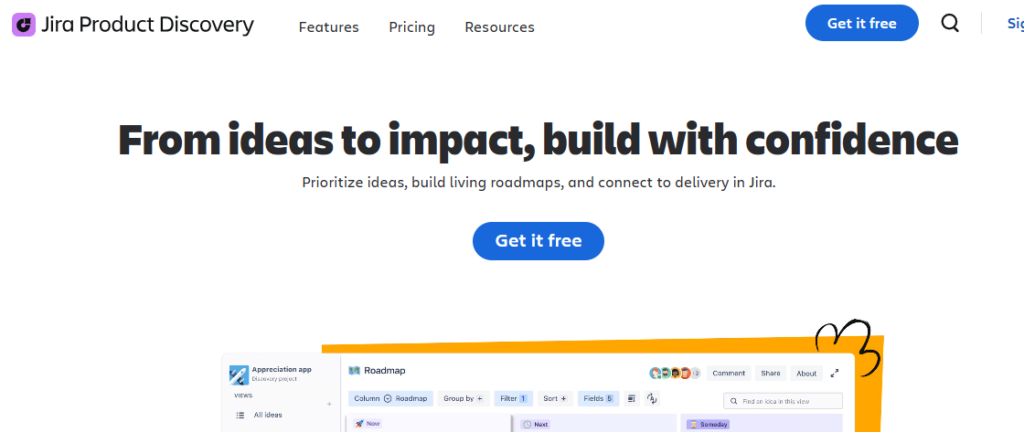
Source: Jira Product Discovery
Key Features & Benefits
Insight Attachment
Customer notes, research, and feedback attach directly to an idea, tracking the evaluation record and ideas in one place instead of scattered docs.
Direct-to-Delivery Linking
Ideas convert into Jira epics or issues without re-entry, so post-evaluation status stays tracked through actual development.
Custom Views & Roadmaps
Always-current roadmaps can be tailored per stakeholder, cutting down on manual status-update requests.
Portfolio-Level Roadmap Visibility
Aggregates roadmaps across teams into a single view for leadership, without needing separate tracking and reporting.
Pricing
Free (up to 3 creators, unlimited contributors); Standard $10/creator/mo; Premium $25/creator/mo — full pricing
Demo & Trial Availability
Free plan available immediately; 14-day free trial on Standard and Premium.
9. Productboard
User Rating: 4.3/5 on G2 (250+ reviews)
Best For
Product organizations centralizing customer feedback into a prioritized ideas, visibly tracked roadmap that stakeholders can follow without asking for updates.
Overview
Productboard centralizes feedback into an insights repository, then links it to prioritized features and public roadmaps. Its tracking strength is the through-line: a submitted idea’s evaluation status is visible in the same place its eventual roadmap placement is.
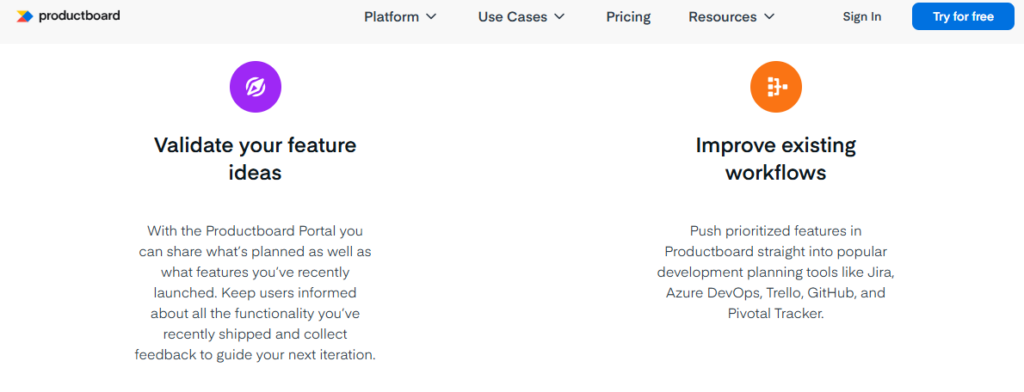
Source: Productboard Homepage
Key Features & Benefits
Visual, Always-Current Roadmaps
Roadmaps update automatically as priorities shift, so stakeholders can track the current status of an idea without a status meeting.
Customer Portal
External submitters can see status changes on their own ideas without contacting the product team directly. Moreover, you can create tailored roadmap views to track and reduce the need for one-off status updates to different audiences.
Pricing
Free Starter plan; Spark plan from ~$15/maker/mo (annual); Enterprise custom full pricing.
Demo & Trial Availability
Demo available; 14-day free trial.
10. Brightidea
User Rating: 4.3 / 5
Best For
Mid-to-large organizations that want a structured, scalable system to collect, evaluate, and route ideas across teams.
Overview
Brightidea is an enterprise idea tracking and management platform designed to centralize idea collection and move ideas through clear evaluation and prioritization workflows. Its Idea Box product focuses on helping teams capture ideas quickly, assess them consistently, and understand which ideas should move forward and why.
Source: Brightidea Homepage
Key Features & Benefits
Here are the key features that help Brightidea capture ideas consistently and route them through structured evaluation pipelines.
Idea Pipelines & Routing
Automatically routes ideas into different paths (strategic projects, backlog, quick wins), helping teams separate and track high-impact ideas from low-effort ones.
Drag-and-Drop Idea Tracking
Allows teams to move ideas through stages without manual tracking or spreadsheets.
Status Visibility Across Pipelines
Makes it clear which ideas are under review, parked, approved, or rejected, eliminating “what happened to that idea?” confusion.
Analytics Tied to Idea Outcomes
Helps teams track idea volume, progress, and impact to understand what’s working and what’s not.
Pricing
Pricing is not publicly listed.
Demo & Trial Availability
Brightidea offers a 30-day free trial for Idea Box and a live demo upon request.
After comparing these tools, a pattern emerges pretty quickly. Most idea tracking software is great at collecting ideas. However, some are decent at organizing ideas as well. Very few help teams decide which ideas are actually worth pursuing.
That gap shows up the moment an idea leaves the whiteboard and starts competing for time, budget, and ownership. To close that gap, you can view our list of idea management software.
Parting Thoughts
Most idea tracking software gives ideas a place to live after capture. The right tool depends on where those ideas need to go next.
For product and feature roadmaps, Aha!, Jira Product Discovery, and Productboard help teams move ideas into sprints, releases, and delivery pipelines.
For organization-wide innovation programs, IdeaScale, Qmarkets, Ideawake, Ideanote, Canny, and Brightidea support voting, scoring, review, and cross-department idea management.
For invention and patent workflows, the TIP Tool™ stands apart. It is built for IP teams and inventors deciding whether an idea should move toward a patent filing. If your process ends with “Should we file this?” rather than “Should we build this?”, try the TIP Tool™ for free to see it in action.
Personal tools like Notion and Obsidian fall outside these categories. They help store and connect ideas but lack structured workflows, ownership tracking, and pipeline visibility.
Before choosing a tool, map your idea lifecycle from capture to final decision. The best fit is the one that matches that workflow, not the one with the longest feature list.
Disclaimer: The information in this article/review is sourced from the internet and may not be entirely accurate or up-to-date. We recommend visiting the respective software websites for the most current and reliable information. The opinions expressed here are those of the author and may not reflect the views of Triangle IP. We are not liable for any consequences that may arise from relying on the information provided in this article/review.
Frequently Asked Questions
1. How Do I Choose the Right Idea Tracking Software for My Team?
Start by mapping your idea lifecycle. Identify where ideas come from, who reviews them, how decisions are made, and what happens afterward.
Product teams may prefer Aha!, Jira Product Discovery, or Productboard. Organization-wide innovation programs may need IdeaScale, Qmarkets, or Ideawake. For invention disclosures and patent decisions, the TIP Tool™ is designed specifically for that workflow.
2. What Is Idea Tracking Software?
Idea tracking software helps teams follow ideas from submission to a final decision.
Most teams can capture ideas through documents, Slack channels, or suggestion boxes. The problem is what happens next. Ideas lose ownership, stall in review, or get submitted again because no one can see their status.
Idea tracking software gives each idea a visible stage, a clear owner, and a defined path forward. Depending on the tool, that path may lead to a product roadmap, business approval, or patent filing.
3. Is There Free Idea Tracking Software?
Yes. Several tools offer free plans with limits on users or features.
The TIP Tool™ offers a free plan for up to 10 users with access to its core idea workflow. Ideanote also supports up to 10 users for free. Canny offers a free tier for up to 25 tracked users, while Jira Product Discovery allows up to three creators and unlimited contributors.
4. Who Should Ultimately Own Idea Tracking Inside an Organization?
Short answer: No single function should own idea tracking alone, but one team must be accountable.
In high-performing organizations, Innovation or Product teams typically own idea tracking operationally, while Legal/IP teams co-own evaluation decisions, and executives provide oversight—not day-to-day control.
- Innovation / Product teams should own the process: capturing ideas, maintaining momentum, and ensuring ideas move through defined stages.
- Legal / IP teams should co-own decision quality: patentability review, filing readiness, and IP risk assessment.
- Executives should consume insights, not manage workflows. Their role is prioritization and resourcing.
The TIP Tool™ supports this shared ownership model by combining role-based access, clear idea ownership, and stage-based workflows, so accountability is visible without bottlenecks.
Key principle: One team owns progress. Multiple teams inform decisions.
5. What Happens to Intentionally Rejected Ideas, and How Should They Be Handled?
Rejected ideas should never disappear. They should be intentionally closed, documented, and retrievable.
Best practice is to:
- Clearly mark ideas as rejected, deferred, or deprioritized
- Document why the decision was made (timing, cost, strategy, market fit)
- Preserve full context so ideas can be revisited later
In the TIP Tool™, rejected ideas remain part of the system with their history, tags, scores, and documents intact. This allows teams to:
- Reassess ideas when strategy changes
- Avoid re-evaluating the same idea repeatedly
- Spot patterns in why ideas are consistently rejected
Idea tracking maturity is measured by how well you manage “no,” not just “yes.”
Related Reading: Patentability Assessment of Ideas: 6 Must-Ask Questions to Filter the Best Ideas for Patents
6. What Metrics Actually Show Idea Tracking Is Working?
High idea volume alone is a vanity metric. Real improvement shows up in decision quality and speed.
Meaningful indicators include:
- Time from idea submission to decision (shorter = healthier tracking)
- Percentage of ideas that reach a clear outcome (approved, deferred, rejected)
- Reduction in stalled or ownerless ideas
- Idea-to-filing conversion rate (for IP-driven organizations)
- Reactivation rate of previously rejected ideas
- Cost spent per successful outcome, not per idea
The TIP Tool™ enables these insights by tracking idea stages, ownership, scoring, and outcomes over time, so teams can see whether tracking is actually improving innovation—not just collecting more ideas.