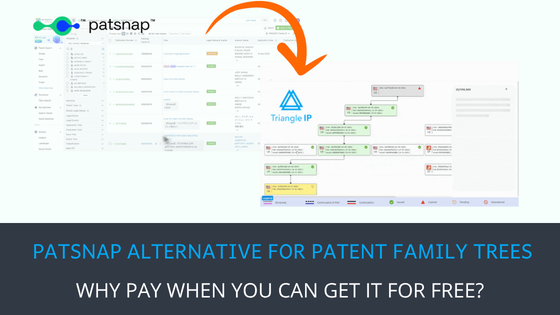
| TL;DR – PatSnap lets you visualize patent families, including continuations, divisionals, and related applications. However, its Family Tree feature is part of a broader, paid patent analytics platform. That may be more than you need if family mapping is your only requirement. Triangle IP’s Patent Family Tree Generator offers a focused, free alternative. Enter a public US patent application number to generate a family tree and explore relationships in Classic and Modern views. It offers a free plan for one month, while organizations can also purchase the tool for extended use at just $1/user/month, with a 10-seat minimum. Existing TIP Tool™ users with an eligible paid subscription or those who purchase any other standalone tool get access to the Family Tree Generator at no additional cost. |
PatSnap Analytics offers comprehensive patent research capabilities, including family tree visualization to trace continuations, divisionals, and related patent applications.
But what if generating patent family trees is all you need? Paying for an entire analytics suite just to access one feature may be difficult to justify.
That’s where Triangle IP’s Patent Family Tree Generator comes in. It lets you generate and explore patent family trees for free for a month, along with the entire TIP Tool™ suite. Now, it’s up to you whether you want to use the entire suite or just the family tree generator.
In this article, we’ll examine what PatSnap offers for patent family mapping, how Triangle IP compares, and whether you really need to purchase a full analytics platform for the job.
Let’s begin!
What Does PatSnap Analytics Offer for Patent Family Tree Generation
PatSnap Analytics lets users find related patent applications, trace their filing relationships, and visualize how a patent family has developed over time. According to its official documentation, its family-related capabilities include:
- Patent Family Search: Search across entire patent families rather than individual patent publications. PatSnap also supports grouping results by Simple, INPADOC, or PatSnap Family definitions.
- Family Tree Visualization: View parent-child relationships, priority links, continuations, divisionals, and related filings in a tree map organized by application year and jurisdiction.
- Multiple Viewing Options: Explore family members through List, Thumbnail, Geography, and Tree Map views, depending on whether you want application details, geographic coverage, or filing relationships.
- Family Tree Customization: Filter the tree by jurisdiction, application year, or legal status. You can also zoom in, adjust displayed relationships, and save the visualization as an image.
- Patent Family Details: Review application numbers, filing dates, priority information, assignees, legal status, and estimated expiration dates. Individual patent documents can also be downloaded as PDFs.
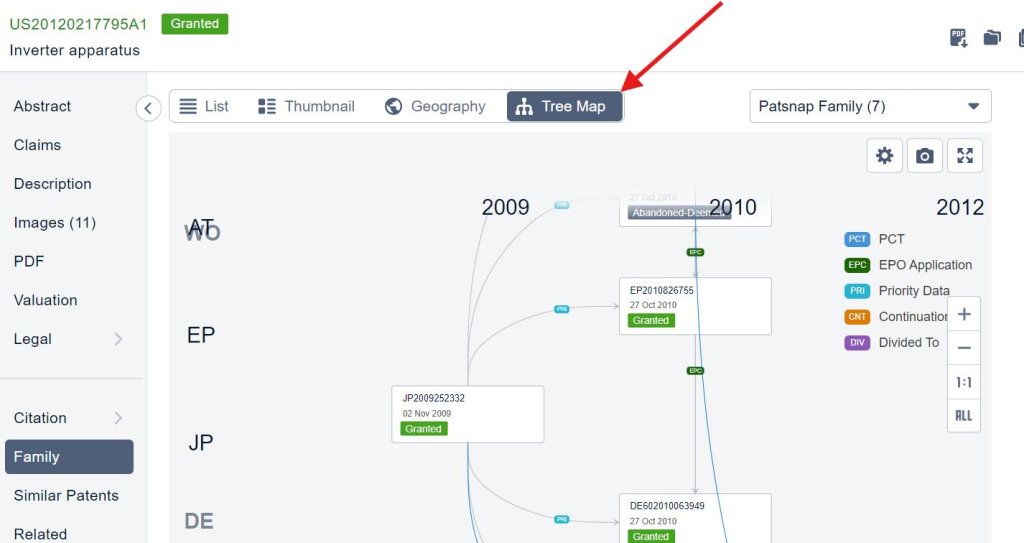
Source: help.patsnap.com/tree-map
These features make PatSnap useful for professionals who need patent family mapping alongside broader patent research and analysis.
However, if family tree generation is your only requirement, paying for an entire analytics suite may be difficult to justify. That’s where a free alternative becomes worth considering when you simply want to visualize, download, and move on.
Triangle IP’s Family Tree: A PatSnap Alternative for Free Patent Family Mapping
Triangle IP offers the Patent Family Tree Generator as part of its broader ideas and patent management platform, the TIP Tool™. Unlike PatSnap Analytics, which bundles family mapping with extensive patent research capabilities, Triangle IP also offers the Family Tree Generator as a standalone option.
It has a free trial version for 1 month. Organizations seeking extended access can purchase Family Tree separately for $1 per user per month, with a 10-seat minimum. See it in action down below:
Read through what you can do with it:
Generate Patent Family Trees Using Just an Application Number
Enter any public US patent application number in TIP Tool™’s Family Tree tab. The generator automatically retrieves related applications and maps their relationships, including continuations, divisionals, and parent-child connections.
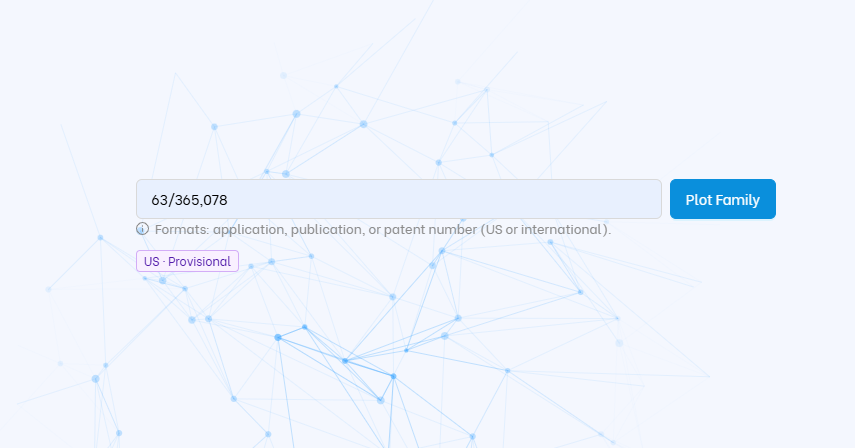
For example, you can check whether a patent you’re evaluating has continuation applications without searching for each filing separately or first adding it to your portfolio.
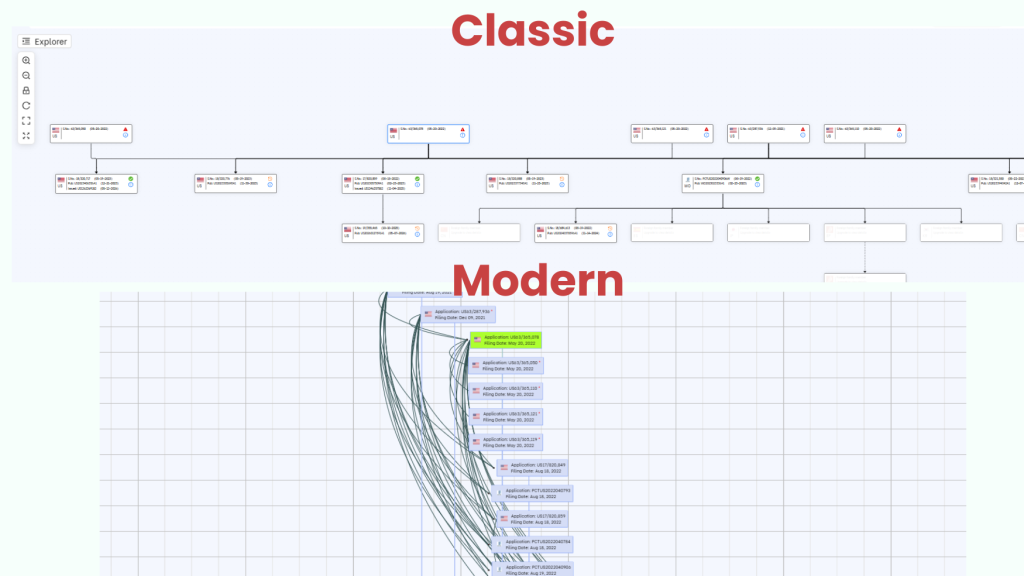
Visualize Patent Families in Classic, Modern, and Gantt Views
Triangle IP provides three views, each serving a different purpose:
- Classic View: Follow parent-child arrows and line styles distinguishing continuations, divisionals, and CIPs. Check which applications descend from an original filing and which remain pending when reviewing potential continuation strategies.
- Modern View: Examine filing years, country flags, and relationships between applications. For example, review a competitor’s family to see when and where it pursued related filings, helping you investigate its technology and geographic priorities.
Trace International Filings and Explore Individual Family Members
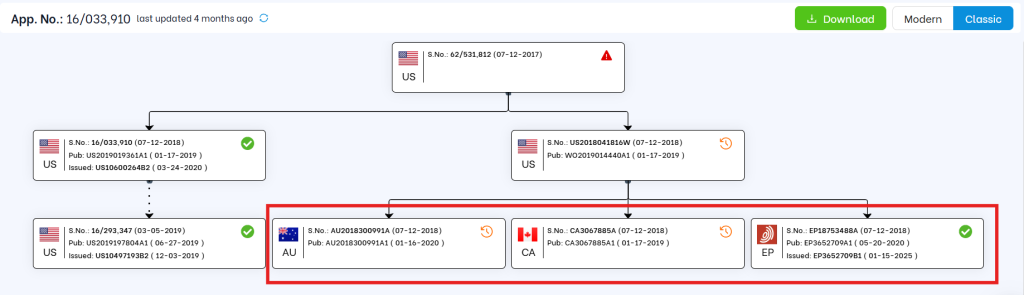
The generator displays available US and international family members together, using country flags to identify filing jurisdictions. This helps you check where an invention has related patent applications.
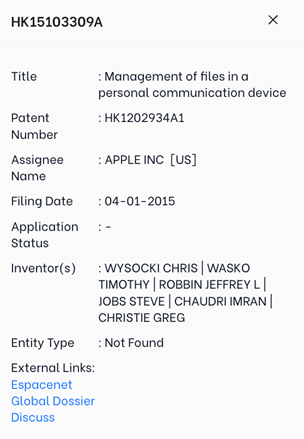
Select a family member to view its filing details and access available patent documents or links to databases such as Espacenet and Global Dossier, without searching for each record separately.
Study Large Patent Families With Ease
Tree Explorer lets you manage large patent family trees directly in your browser. You can:
- Search for applications: Enter an application number to locate it in the tree without manually scanning every branch.
- Control what you see: Expand or collapse branches, show or hide individual applications, and use the minimap to navigate the tree.
- Customize the layout: Zoom in or out, drag nodes to reposition them, and use the legend to identify application statuses and relationships.
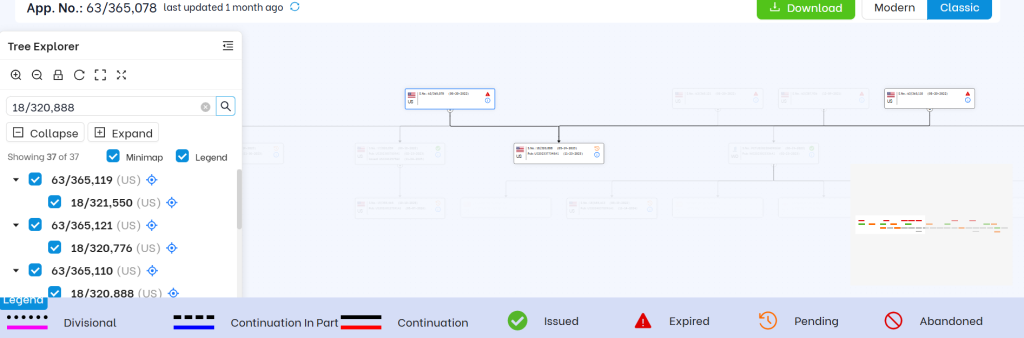
For example, a patent attorney reviewing a complex continuation family can locate a specific application, hide unrelated branches, and focus on its connections without losing the overall family context.
Now PatSnap offers many of the same family-mapping capabilities, but cost and access are worth considering. On G2, some PatSnap users have raised concerns about the subscription cost and restrictions on reports and downloads under the Standard plan.
Note: While PatSnap Analytics doesn’t publicly disclose its pricing, third-party estimates put entry-level subscriptions at 15,000–30,000 annually for a few users, with higher costs for additional modules.
For IP teams that primarily need patent family mapping, the question is whether a free alternative can meet their needs without sacrificing essential functionality.
That said, next, let’s compare PatSnap and Triangle IP’s family tree tool side-by-side.
PatSnap vs. Triangle IP: A Patent Family Tree Feature Comparison
The comparison below focuses on the practical needs of IP managers and patent law firms, from tracing patent relationships to accessing and paying for the tools.
| What You Need | PatSnap | Triangle IP’s Family Tree |
| Find related applications | Automated | Automated |
| Trace continuations | Tree Map | Classic and Modern views |
| Review filing timelines | Filing dates and history | Modern and Gantt views |
| Check foreign filings | Geographic family view | Available |
| Review family members | Patent records and documents | Clickable application details and document links |
| Export family trees | Image download | SVG download |
| Standalone access | Not offered separately | Available |
| Public pricing | Custom quote (Third-party estimates put entry-level subscriptions at 15,000–30,000) | Starts with a free plan; upgrade to extended capabilities for $10/month. |
The comparison shows that both tools can handle core patent family mapping tasks. The real question is how much you need to invest to get the functionality you want, and whether you can expand into other IP management tools as your needs grow.
See How Triangle IP’s Family Tree Fits Your IP Workflow
Whether you’re an IP manager reviewing portfolio coverage or a patent attorney tracing continuation chains, the best way to evaluate the generator is to test it with an actual patent family.
Try Triangle IP’s free Patent Family Tree Generator with a public US application number and see how it maps the relationships you’re investigating.
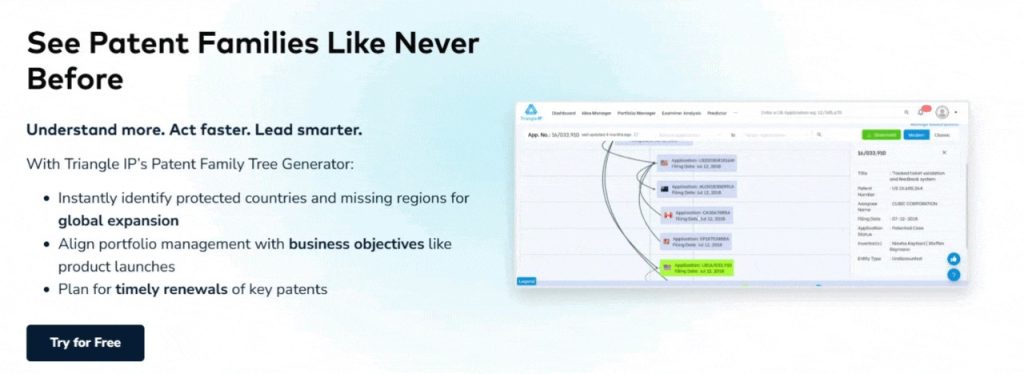
Want a walkthrough of the generator or to explore how it works alongside the TIP Tool™’s other patent management tools? Book a Demo.
Frequently Asked Questions
1. What Are Practical Use Cases of Patent Family Tree Visualization for IP Managers in Enterprises and Patent Attorneys at Law Firms?
Both groups use patent family trees, but their responsibilities and decisions differ.
| In-House IP Managers at Enterprises | Patent Attorneys at Law Firms |
| Portfolio coverage: Identify countries where related applications have been filed and potential protection gaps. | Continuation planning: Trace parent-child relationships and identify applications worth reviewing for further filings. |
| Competitor monitoring: Examine when and where competitors pursue related applications. | Prosecution strategy: Review filing relationships and pending applications before advising clients. |
| Portfolio reviews: Identify complex families, overlapping applications, and upcoming expirations. | Client counseling: Explain complex patent families and filing histories using visual trees. |
| IP budget planning: Identify patent families and jurisdictions requiring further investment review. | Due diligence: Examine related applications, legal statuses, and family coverage during transactions. |
For example, an IP manager can compare international family coverage against the company’s target markets. A patent attorney can use Classic View to trace continuation relationships and Gantt View to examine filing and prosecution timelines before advising a client.
2. What Are the Top PatSnap Alternatives for Patent Family Tree Generation Besides Triangle IP’s Family Tree?
Other options include:
- Questel Orbit: Offers interactive patent family relationships and geographic coverage within a broader IP analytics and management environment.
- Espacenet: The European Patent Office’s free patent search platform, which lets users explore related applications and patent family information.
- Google Patents: Provides free access to patent family records, priority information, and related filings.
However, these tools serve somewhat different needs. Google Patents and Espacenet are useful for looking up family records, while Questel provides broader patent research capabilities.
For users who specifically want to generate visual patent family trees without paying for a full analytics platform, Triangle IP’s Patent Family Tree Generator is worth considering. Its free version supports family mapping, with Classic and Modern views and browser-based navigation through Tree Explorer.
3. What Should I Check Before Switching From PatSnap to Another Patent Family Tree Generator?
Before switching, check whether the alternative can handle the patent family mapping tasks you rely on:
- Family coverage: Does it identify continuations, divisionals, and international family members? Are any details restricted?
- Data accuracy: Are filing relationships, application statuses, and priority dates reliable and up to date?
- Visualization and navigation: Can you trace complex family relationships, locate specific applications, and focus on relevant branches?
- Export options: Can you download and share family trees for portfolio reviews or discussions with clients?
- Cost and access: What can you do for free, and which capabilities require payment?
Ideally, test both tools using the same complex patent family before deciding. This helps you identify differences in family coverage, usability, and the information available for your IP workflows.