
| TL;DR: Trello is a good starting point for capturing ideas, organizing them, and sorting out which ones must be patented. But as the number of ideas grows, managing the innovation pipeline becomes more complex. Trello is good at what it does, but it may not be enough for the broader needs of corporate IP teams in innovation-driven enterprises. That is where a patent-lifecycle focused alternative like Triangle IP’s TIP ToolTM can help. This blog explains all of it. |
A founder we spoke with last year ran her entire patent pipeline on a Trello board.
She had a list for every stage: Inbox, Research, Draft, Review, Filed. Each invention had its own card. She tagged them by jurisdiction and priority. Custom fields tracked filing dates and idea owners. Engineers added sketches and prior art notes. When an idea moved to Review, an automation notified the right people.
It worked.
And that is worth saying upfront.
For a startup with a handful of patentable ideas, Trello can be enough. It is simple, flexible, and easy to shape around your process. You can build the workflow you need without investing in another tool.
The problem starts when the pipeline grows.
Because Trello can tell you where an idea is in your process. But there are important questions about the innovations that a board alone cannot answer for IP teams.
Recommended read on when IP teams should move from Jira or Salesforce to a purpose-built IP management tool like the TIP Tool™.
Where Trello Starts to Fall Short for Corporate IP Teams Managing Patentable Ideas
Keeping ideas organized is only one part of the job.
Inventors need an easy way to contribute ideas and stay involved. IP managers have to decide what is worth pursuing, keep the right people informed, control patent spend, and build a portfolio that supports the business.
Let’s take those needs one by one. We’ll look at where Trello gets the job done, and where IP teams may need more than it offers.
Tracking the Journey from Ideas to Patents
For this job, Trello gives you most of the building blocks.
Lists can represent each stage of the journey, from Submitted and Under Review to Approved, Drafting, and Filed. Each idea can be dragged across the board as its status changes.
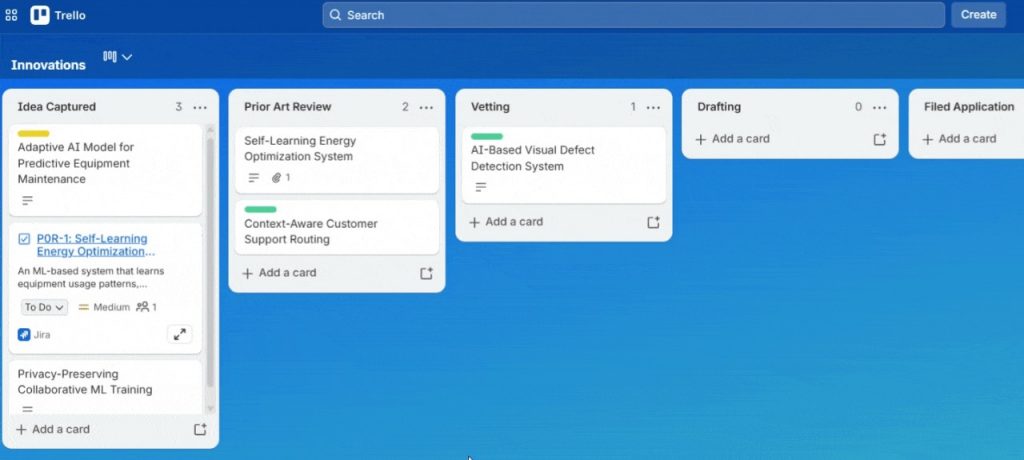
Source: Trello.com
Labels, dates, and Custom Fields can add another layer of detail.
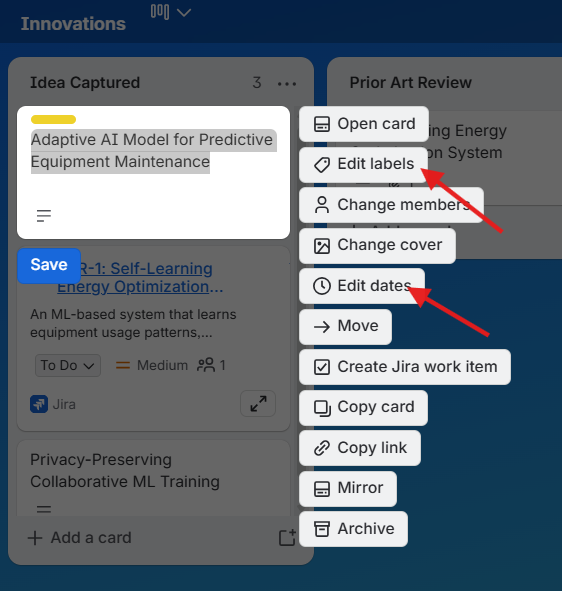
Source: Trello.com
Then there is automation, which can take some of the upkeep off your plate. You can set rules for almost anything you want handled automatically. Like more filters for sorting ideas, notifications when something changes, and so on.
Setting these up is fairly straightforward. You define the trigger and tell Trello what should happen next.
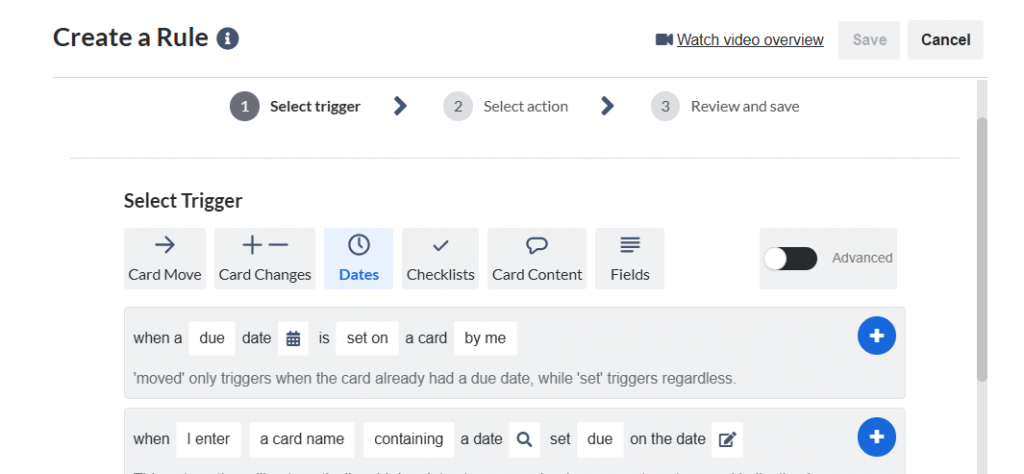
Source: Trello.com
If the workflow needs more, Trello can also be extended through Power-Ups. Invention Hub, for example, is designed to move inventive material from a Trello board into a separate platform that guides it toward a patent application or trade secret.
So yes, Trello can track the journey from idea to patent. But the simplicity you see on the board depends on complexity behind the scenes. Someone has to design the stages, rules, automations, and integrations so the workflow behaves the way your team expects.
Vetting Ideas for Patenting
Not every idea on the board will be worth pursuing. You need a quick way to separate the promising ones from the rest.
Labels can help with basic prioritization. You could tag ideas as High Priority, Needs Review, Saved, Public, or anything else.
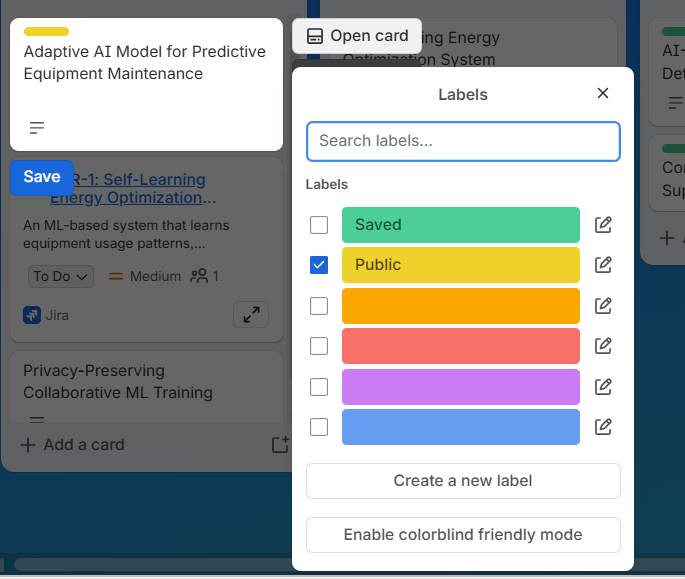
For a more structured review, Custom Fields are more useful. They let you add fields for things like a numeric score, business value, or review status directly to each card. But Custom Fields are not available on Trello’s free version. They come with a paid plan.
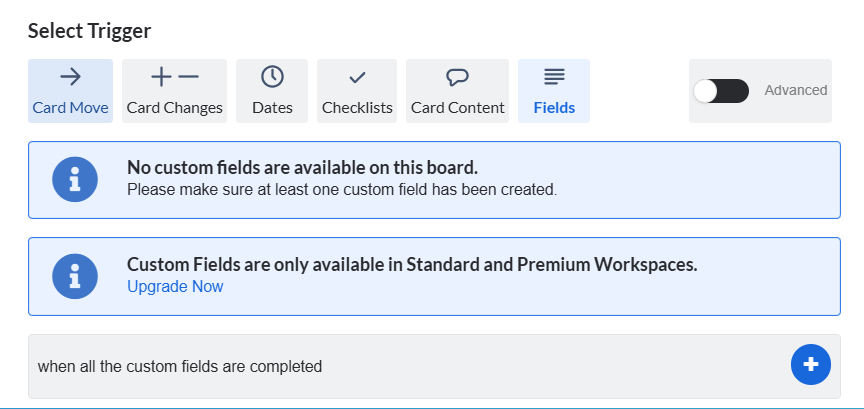
Source: Trello.com
There is another gap too. Trello does not provide patent-specific signals such as estimated prosecution cost or allowance-related analytics. Without that context, it is harder to decide which ideas are worth pursuing and which ones to abandon.
Keeping Inventors, Managers, and Counsel Informed
Trello gives teams a simple way to keep discussion attached to the idea itself. Comments stay on the card, and @mentions pull in the right person in the conversation.
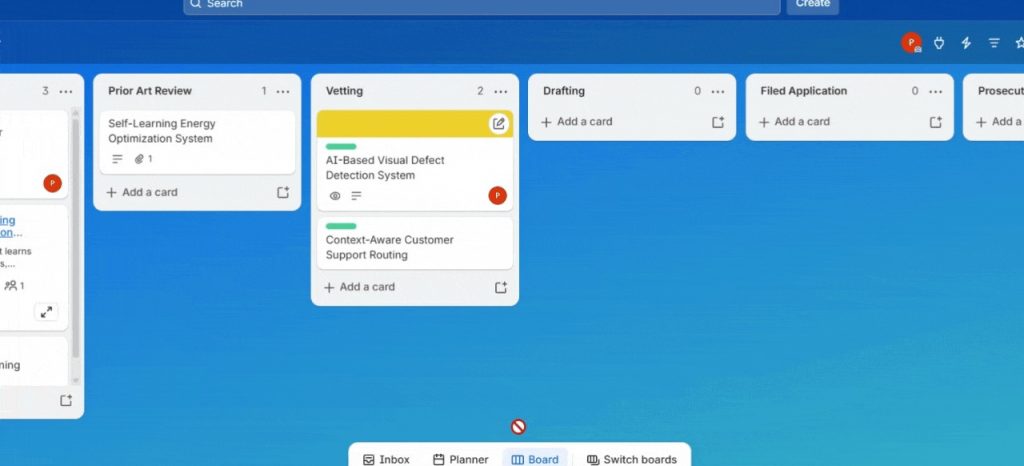
But Trello’s free version caps a Workspace at 10 collaborators. For an IP workflow, that can fill up quickly once inventors, IP managers, business reviewers, and outside counsel all need access.
Planning IP budgets wisely
An IP manager may have ten promising ideas and budget to file only five. At that point, cost is part of the decision.
Trello can hold a number you add to the card. It cannot estimate what taking that idea through the patent process may cost.
So before the team can decide what moves forward, someone still has to get that number elsewhere, whether from outside counsel or a patent cost estimation tool.
Reducing Legal Expenses
Not every interaction with outside counsel needs to involve legal advice. Sometimes an IP manager simply needs to know: Where does this application stand?
Trello can record that status. But someone still has to bring the update into Trello.
If that information is coming through outside counsel, even routine status checks can add to the legal bill. Trello does not remove that dependency. It gives you a place to record the answer once you have it.
Use a dedicated patent status tracking tool. You can pick one from our guide to the 8 best patent application status tracking tools.
Creating a Strong Patent Portfolio
Portfolio managers need a one-click view of patent portfolios for quick decision-making.
An IP manager should be able to see how many applications are pending, how many patents have been granted, what needs attention, and where the portfolio is concentrated across technologies or filing stages.
Trello Free does not provide that kind of dashboard or reporting layer. Its Dashboard view and broader Workspace views sit behind paid plans.
There is another gap too. Patent portfolios are not just a collection of separate applications. Some applications are continuations, divisionals, or otherwise related to a parent application. Seeing those parent-child relationships matters when you are trying to understand the portfolio as a whole.
That relationship can’t be seen on a Trello board.
You can try these Three Free Ways to Generate Patent Family Tree Visualizations.
Considering all these needs, the limitation becomes clear. You can keep stretching Trello to do more, or move to a tool built specifically for the job.
Once these needs start to matter, you need more than another workaround. You need a tool built for these jobs from the start.
That is where Triangle IP’s TIP Tool™ fits in.
Let’s take a quick look at how the two compare.
Trello vs. The TIP Tool™: A Quick Comparison
| What Corporate IP teams need | Trello | The TIP Tool™ |
| Track ideas from submission to patent | Build your workflow Learn more | Idea Manager with built-in workflow Learn more |
| Vet ideas for patenting | Labels only Learn more | Value & Patentability Scores Learn more |
| Keep inventors, managers, and counsel informed | Comments & notifications Learn more | Real-time collaboration Learn more |
| Plan IP budgets | Manual cost entry | Patent Cost Prediction Learn more |
| Reduce dependence on counsel for routine updates | Manual status updates | USPTO Sync & Status Tracking Learn more |
| Support prosecution decisions | No patent-specific intelligence | Prosecution Intelligence Learn more |
| Create a strong patent portfolio | No portfolio view | Portfolio Manager Learn more |
| Low tool expense | Freemium (Paid plans start at $5/user/month, with general-purpose features) Learn more | Freemium (Paid plans start at $50/month with patent-specific features) Learn more |
On capability alone, the TIP Tool™ is the clearer fit for managing patentable ideas. But that leaves an obvious question: why do IP teams still start with Trello?
Cost Is Always a Question When You Pick Tools
There is a perception that patent management software costs a fortune. And that perception did not come from nowhere. Comprehensive IP management systems can cost tens of thousands of dollars to implement, with complex implementations reaching $250,000 or more.
If that is the market you have seen, sticking with a free Trello board makes sense.
But that is not the whole market.
Some tools like the TIP Tool™ were built with affordability in mind. It starts with a free plan, while the Premium plan costs about $495 a year. Now put that number next to outside counsel. The average U.S. intellectual-property lawyer billed about $400 an hour. It can be more.
So one hour with counsel can come close to what you would spend on the TIP Tool™ for an entire year.
And some of the things you may otherwise go back and forth with counsel to check, such as patent status updates, are already available inside the TIP Tool™ through its USPTO sync.
You also do not have to buy the complete suite if you do not need it. Standalone tools are available for specific needs, so you can pay for the capability you need now and add more later.
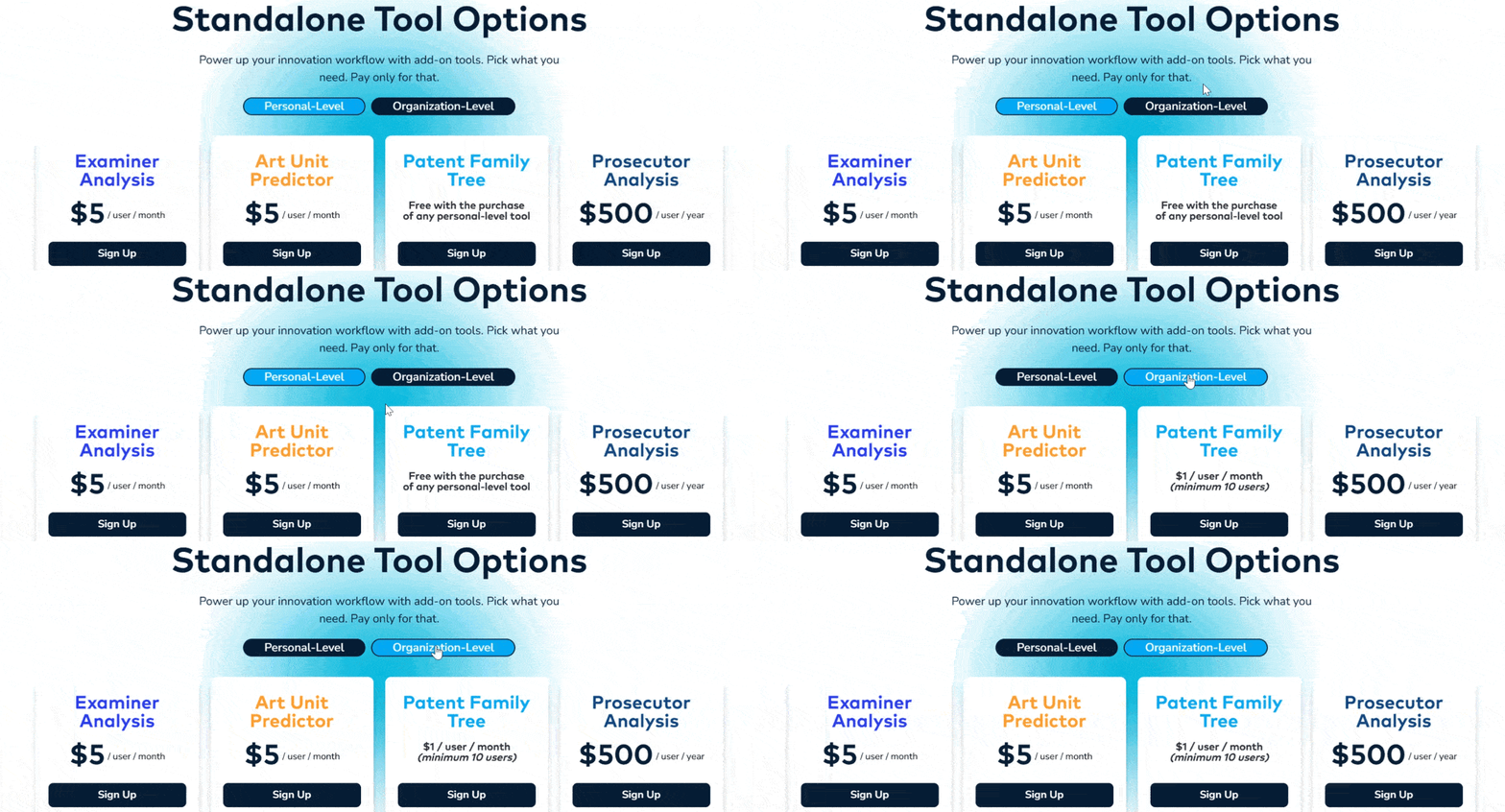
So yes, cost is one place where the TIP Tool™ can already make sense.
But it is not the only reason to switch.
There is a bigger one: the patent intelligence that Trello can not give you.
The Missing Layer in Trello for Patentable Idea Management: Patent Intelligence
Knowing where an idea sits is useful. Knowing what you may be walking into with that idea is different.
That’s patent intelligence you need.
Like: before filing, the Art Unit Predictor can estimate which USPTO art unit your application may land in. It can also surface actionable insights that may help you draft the application with a more favorable art unit in mind.
Check Out: How to use the Art Unit Predictor in the TIP Tool™.
Then there is the examiner analysis.
It can show allowance rates, average prosecution rounds, RCE patterns, and all prosecution patterns of your examiners. That gives you a better sense of what prosecution efforts with a particular examiner may work.
It can also signal what that path could mean for your budget. If an examiner historically takes more rounds to reach an outcome, that can mean more responses, more attorney time, and more spend. For a lower-priority application, that information could change the decision: keep investing in the case, or put that budget somewhere else?
That is the point of patent intelligence. Not more numbers to look at. But better information when those numbers can still change a decision.
Once Ideas Are on the Board, How Safe Are They?
Security is non-negotiable when invention data is involved.
The TIP Tool™ encrypts portfolio data, and even Triangle IP developers cannot access it. Data is stored in encrypted format on AWS servers in the U.S.
You also control access. Role-based permissions determine what inventors, managers, and prosecutors can see and do. Enterprise access can be limited to approved domains.
So the people who need access can get it, while sensitive invention data stays protected.
We’ve done enough talking about what the TIP Tool™ can do. The next step is to see it for yourself.
Book a demo. Walk through the tool with your own IP process in mind. Then decide whether it is the right fit for your team.
Frequently Asked Questions
1. Would It Be Difficult to Move From Trello to the TIP Tool™?
Not really. If your existing ideas are already organized in a spreadsheet, you can use the TIP Tool™’s bulk upload option instead of adding them one by one. If they currently live in Trello, get the idea data into the required Excel format first and upload it together. This makes moving a larger idea pipeline much easier than rebuilding it manually.
2. I Saw a Review Saying the TIP Tool™ Has a Steep Learning Curve. How Do I Get Past That?
You do not need to learn everything at once. Start with the workflow you actually need and use the TIP Tool™ Help Center as you go. Many of its feature guides include both step-by-step instructions and short walkthrough videos, so you can watch the process or follow it on screen.
3. What Does the TIP Tool™ Do to Help Me Identify the Most Promising Patentable Ideas?
Start with Triangle IP’s Idea Evaluation Matrix. It evaluates ideas across six factors, including market value, importance to the business, commercialization plans, observability, patentability likelihood, and enforceability. You can rank ideas on a 1–100 scale and use that score to decide which ones are worth patenting, refining, or dropping.
4. Can I Get a Custom Pricing Quote for the TIP Tool™?
Yes. If the standard plan does not match your team size or requirements, the TIP Tool™ offers custom plans for larger organizations. You can share what you need with the Triangle IP team and get a plan built around those requirements.