Best Patent Management Software in 2026: Compare 7 Tools for Smarter IP Strategy
| TL;DR – Spreadsheets and generic tools can’t keep up with growing innovation demands. Patent management software gives you real-time visibility from idea capture to global filings, helping you cut costs, improve patent approval rates, and build a portfolio that defends your market position. In this guide, we break down 7 best tools in 2026 so you can pick the one that aligns with your patent goals and innovation strategy. |
Patent management has a way of spreading out. Ideas get shared in meetings. Disclosures arrive as Word docs over email. Approvals sit in threads, filing dates in a spreadsheet, status with outside counsel.
This works fine until a question like “did we ever approve that idea from March?” costs you half a day of digging and waiting on replies.
The cost is not only time. Good ideas get lost. Deadlines slip. Moreover, decisions about patent strategy get made on incomplete data and gut feeling.
Patent management software pulls it into one place, from the first invention disclosure through prosecution and portfolio management to the final renewal fee.
We looked at seven tools that do this well. First, the questions worth asking before you commit.
Questions You Should Ask Before Investing in a Patent Management Software
According to Capterra’s Tech Trends Report, 59% of businesses regret at least one software purchase made in 18 months. Regretful buyers say the biggest thing they would change is being clearer about what they needed from the start.
So ask your vendor these questions before you commit.
Getting Inventions Into The Patent Management System
1. How easy is it for my organization to submit ideas?
A patent management software only works if there is enterprise-wide participation. Check how easy it is to fill out their invention disclosure form to identify any friction points in getting the idea submission from your team. You should be able to add, hide, or customize the fields so it matches how your teams describe their work.
2. Can my team score and compare disclosures in one place?
The software should let you score each disclosure on patentability and on business value, using criteria you set. R&D, legal, and business stakeholders should be able to comment on the same record, and every edit should be tracked so you know who changed what.
3. Does it offer a proper workflow to move inventions through to filing?
Ask how the tool represents your process, from disclosure through internal vetting and drafting to filed, and whether those stages can be renamed to match how you work. When something sits untouched for weeks, the software should show you that it is stuck and who owns the next action.
Managing Your Patents And Filings
4. Can I get a bird’s-eye view of everything we own?
You should be able to see what is filed, granted, pending, and abandoned in one place, with related applications grouped as patent families rather than scattered records. If you file abroad, ask how international applications are handled.
5. How quickly can I find a specific patent?
The software should let you search and filter by status, jurisdiction, filing date, application number, inventor, and family.
6. Can it track the status of each application?
You should be able to open any case and see where it stands right now, whether that is filed, awaiting examination, under office action response, allowed, granted, or abandoned. Along with the status, ask to see the full prosecution history for a case to make decisions about the prosecution strategy.
7. Can it track my prosecution deadlines?
Missing a deadline can cost you the application. The software should track the due date for every office action response, and the extended date if you need more time. Extensions are not free, so you should see what a delay will cost before you take it. All of this belongs on a calendar you can work from, not buried inside individual records.
8. Can I predict how difficult a patent application will be to prosecute?
The software should show you the allowance rate of your art unit and how your examiner usually behaves, including how many rounds of argument a case typically takes. Together, these tell you how difficult prosecution is likely to be, how long the patent will take to grant, and what it will cost to get there.
9. Can I set role-based permissions?
Different people work on the same patent for different reasons. An inventor needs to see their own disclosure, whereas an IP manager needs the whole portfolio. The software should give each of them a view that matches their role.
Managing Patent Budget, Fees, And Renewals
10. Can I see my renewal fees before they come due?
Renewal fees are where portfolios quietly bleed money. The software should show renewal dates and current fees by country, so you can decide which patents are still worth keeping alive. Some handle this natively, some through a partner service, and some not at all.
11. Can I see and forecast what a patent will cost over its life?
Ask for cost across the full life of an application, covering prosecution, government fees, and maintenance. You should also be able to enter your own firm’s rates instead of relying on an industry average.
12. Can the patent management software handle annuities and renewal payments?
Ask whether the vendor pays renewals or only reminds you about them. Some handle payments in-house. Some work with a partner service, so ask who that partner is and how the handoff works. Others only track dates, which means the payment stays your job.
Switching From Your Existing Software
13. Will it sync with my docketing system and the USPTO?
Portfolio data has to stay current. The software should connect to the docketing systems your outside counsel already uses and the USPTO, so nothing gets re-entered by hand.
14. Can I bulk import and export my portfolio?
Migrating from spreadsheets or a legacy system should not require manual cleanup. Ask who does the import work, how long it takes, and whether you can export the same way.
15. Will it scale with my portfolio and team?
Ask what changes at the next tier: user limits, storage, number of portfolios, and which features sit behind an upgrade.
16. Is my data safe?
You are handing over unpublished inventions. Ask for their SOC 2 and ISO 27001 status, and where the data is hosted.
Here is our quick video explaining how to choose a best patent management software.
7 Best Patent Management Software Solutions To Accomplish Patent Goals
Here is a curated list of the 7 top patent management tools to help you find one that fits how your enterprise innovates.
- The TIP Tool™ by Triangle IP
- Appcoll’s Invention Manager And PM Corporate Module
- IPfolio by Clarivate
- AQX Corporate by Anaqua
- Equinox by Questel
- Evolve by Wellspring (formerly Sophia)
- CPI by Computer Packages Inc
The TIP ToolTM by TriangleIP
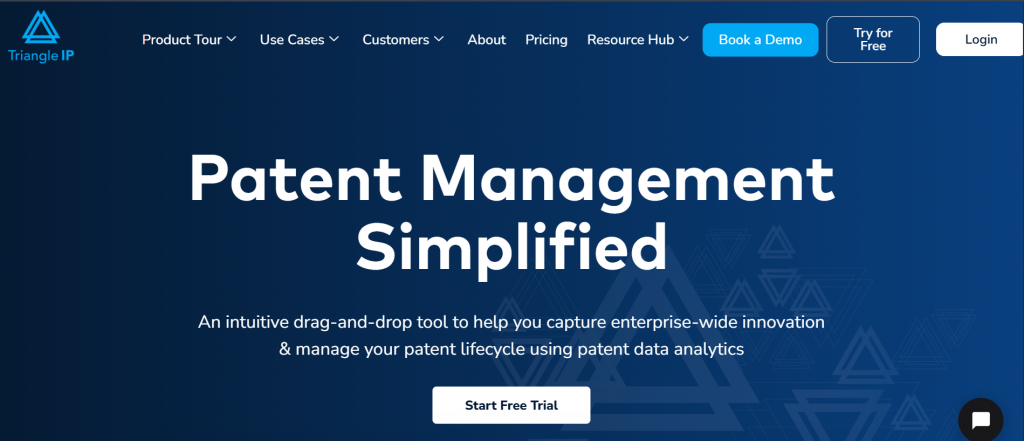
The TIP Tool™ by TriangleIP is an end-to-end patent management software that helps IP teams capture enterprise-wide innovations, prioritize high-value patents, and streamline prosecution with real-time tracking, collaboration, and data-driven decision-making.
Key Features For Patent Management:
Idea Capture Form
The invention disclosure form allows anyone within the organization to contribute without much friction. It’s a short form, but you can adjust it to fit how your team works. Add, remove, or hide fields based on what’s actually needed at each stage.
The tagging option makes sorting easy. Whether by technology, product, or team, you can filter ideas quickly when it’s time to prioritize.
Here is how the TIP ToolTM’s IDF looks:
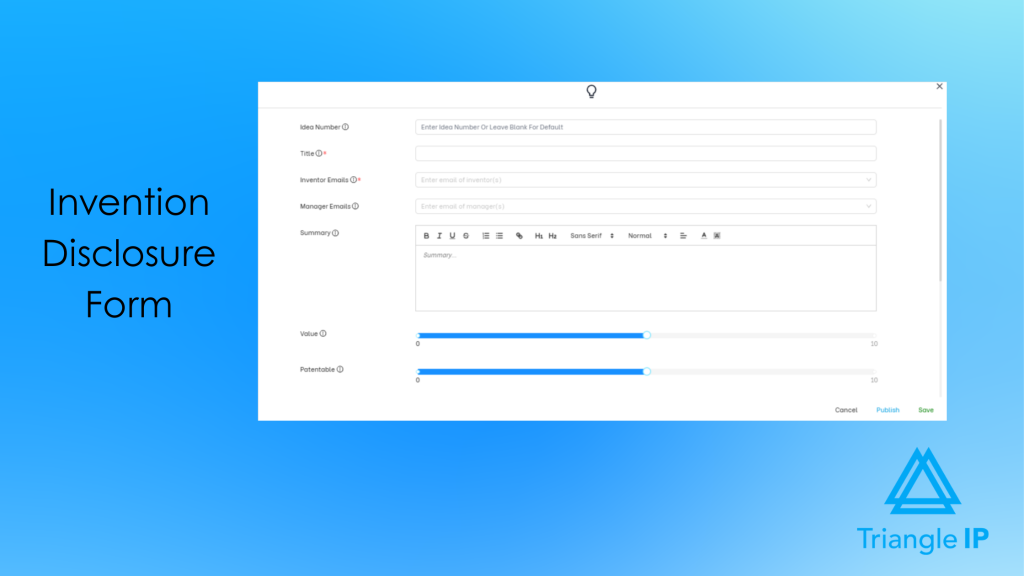
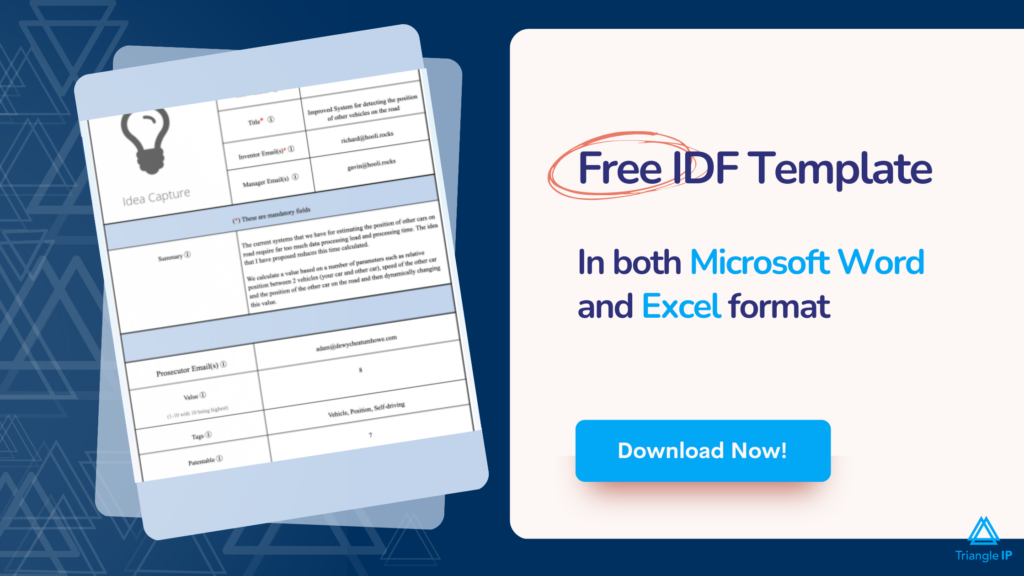
You can download this IDF in both Microsoft Word and Excel format by simply filling out the form below. Moreover, you can upload the filled forms back into the TIP ToolTM to have all your ideas within the tool.
Explore the top idea management software to supercharge your innovation pipeline here.
| What do Experts Say? Specialized invention disclosure software is simpler and more standardized, ensuring a more uniform set of data and reducing errors. This saves time and resources and leads to more informed patents that are solid. It also allows better follow-up and control over inventions in their life cycle to create a more effective patenting pipeline. Live data and analytics enable businesses to make wise choices on the invention to invest in that will enable them to be more successful in obtaining valuable patents. Jonathan Carcone, Principal, 4 Brothers Buy Houses |
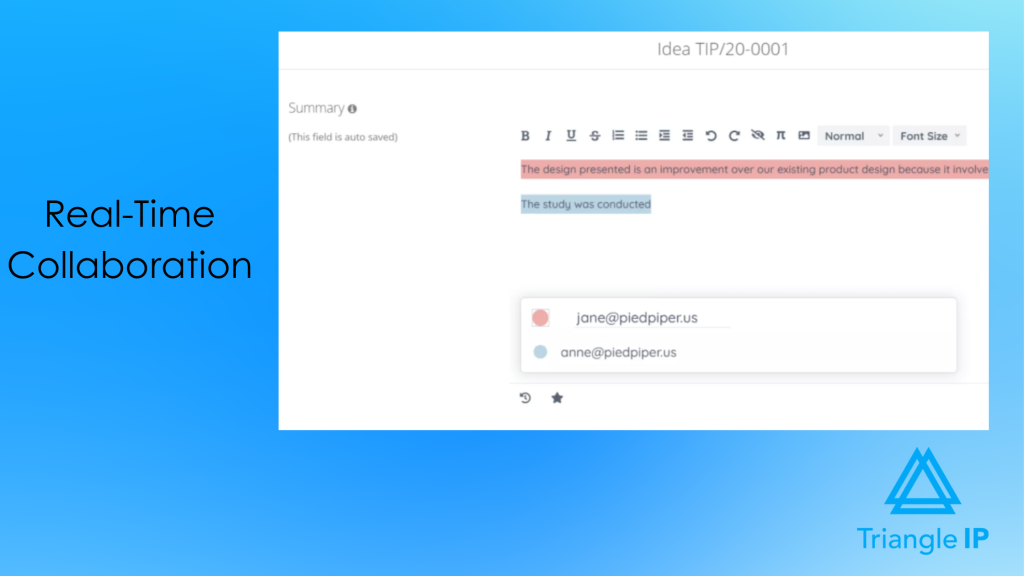
Real-Time Collaboration
This feature makes it easy for teams to refine ideas together, no matter where they are. Everyone can edit the text, leave comments, and tag others when input is needed.
Every change is tracked. You’ll always know what was updated and by whom, so nothing gets lost in the process.
Dashboard
The dashboard gives you a clear view of your entire IP pipeline. You can see submitted ideas and filed patents and track what each team member is working on.
Role-specific access helps inventors and managers stay focused on their IP goals. It’s also easier to spot where things are stuck and step in before momentum is lost.
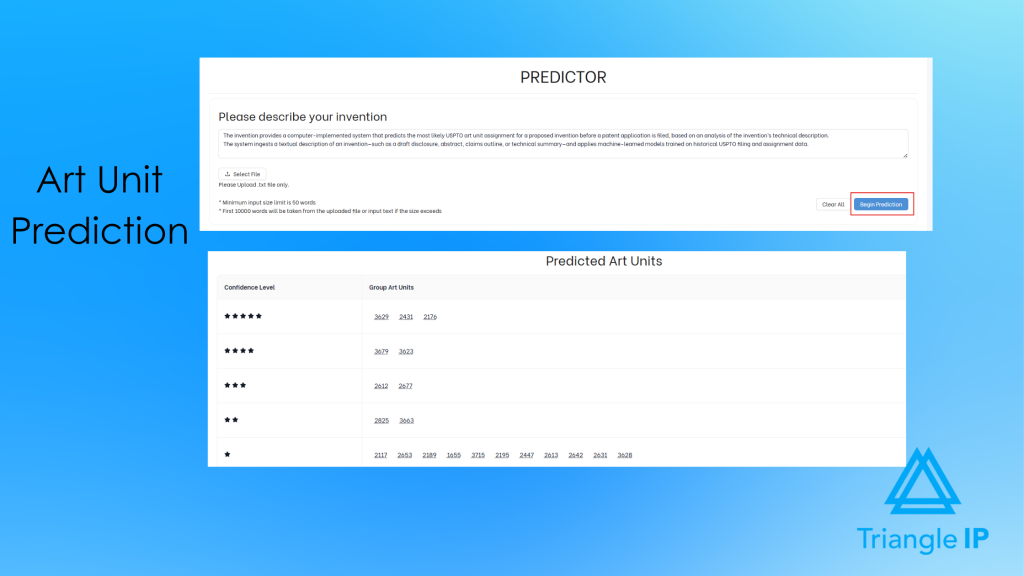
Predictor Tool
Some art units have lower approval rates. The Predictor tool helps predict where your application might land and suggests keywords to steer it away from tough art units.
You get insights on allowance rates of art units and CPC Codes upfront so you can tailor your strategy, avoid unnecessary delays, and use your resources more wisely.
Cost Prediction
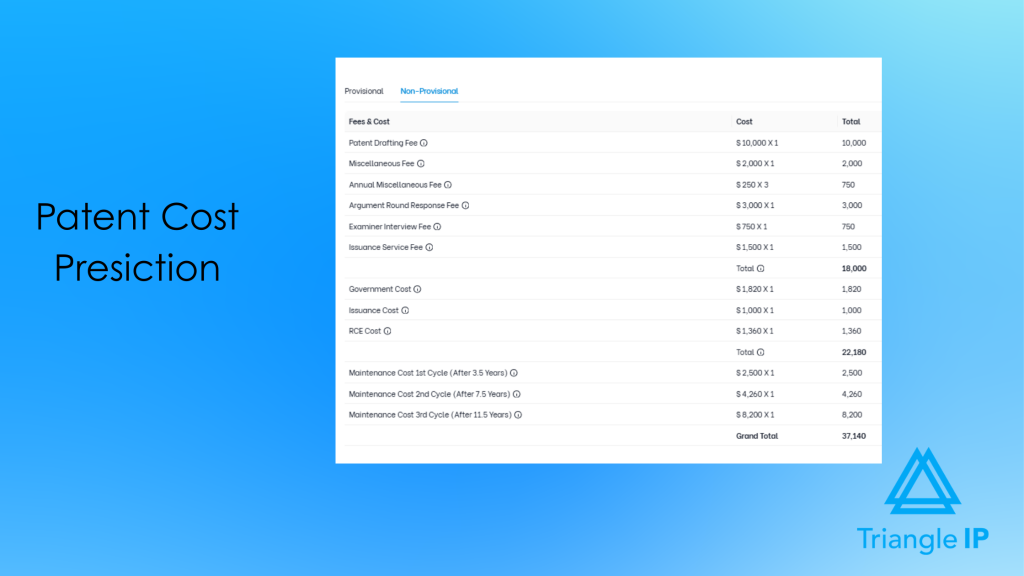
This feature helps you optimize your IP budget where it matters most. It estimates end-to-end, remaining, and next costs for each patent and patent application, including filing, legal, and maintenance fees, so you’re not caught off guard later.
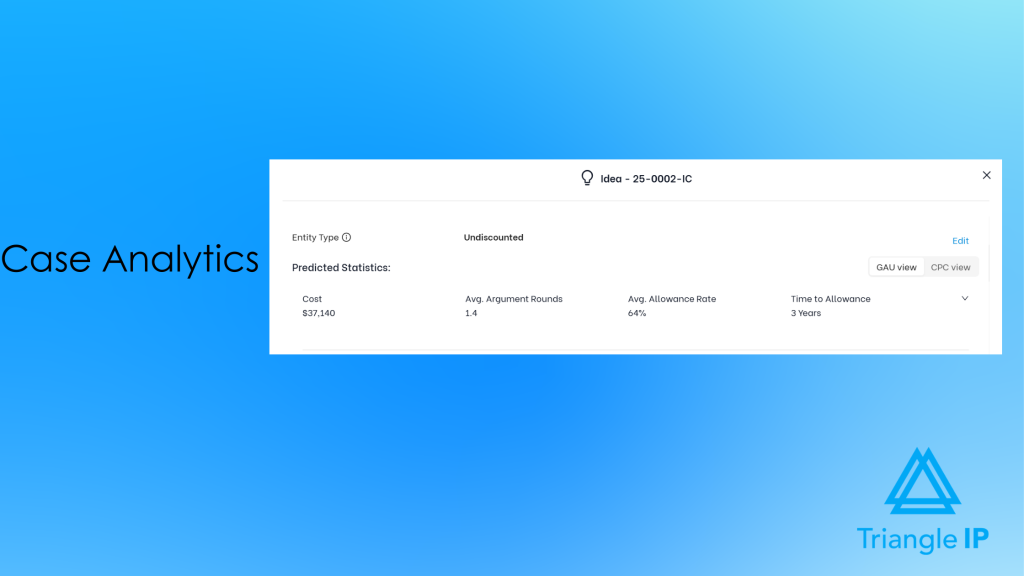
Case Analytics
It also uses data from millions of applications to predict approval likelihood. It makes it easier to focus on inventions with strong potential and avoid investing in ideas that won’t hold up.
Patent Pipeline
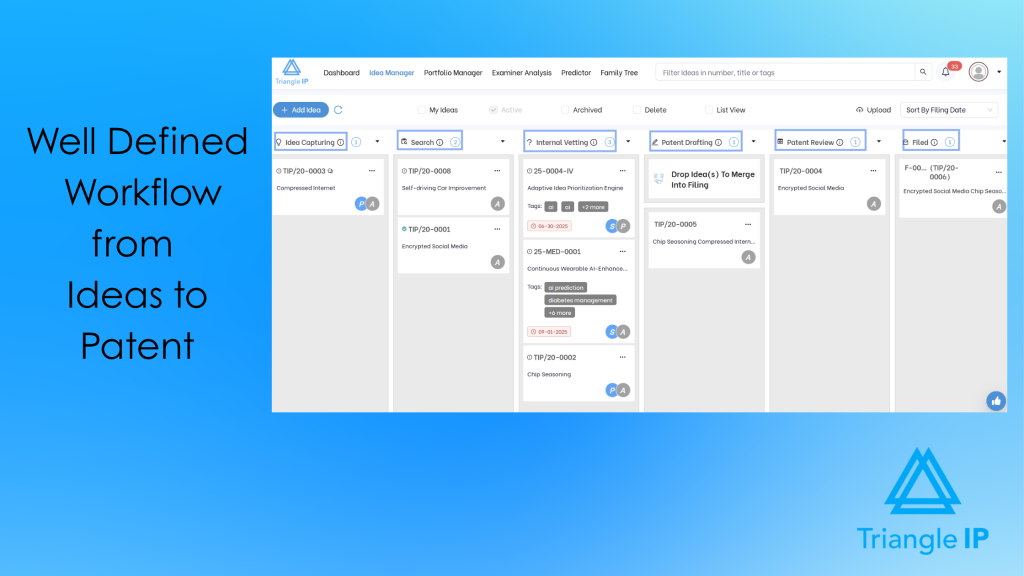
With this, you can track every idea as it moves from capture to filing. Whether it’s under review or already with a patent attorney, you’ll always know where things stand.
The drag-and-drop workflow makes it easy to update stages and keep momentum. Plus, real-time notifications help teams stay aligned and respond without delays.
Recommended Read: Nine Top Patent Tracking Software Picks to Prevent Missed Deadlines and Portfolio Blind Spots
Value-Based-Scoring
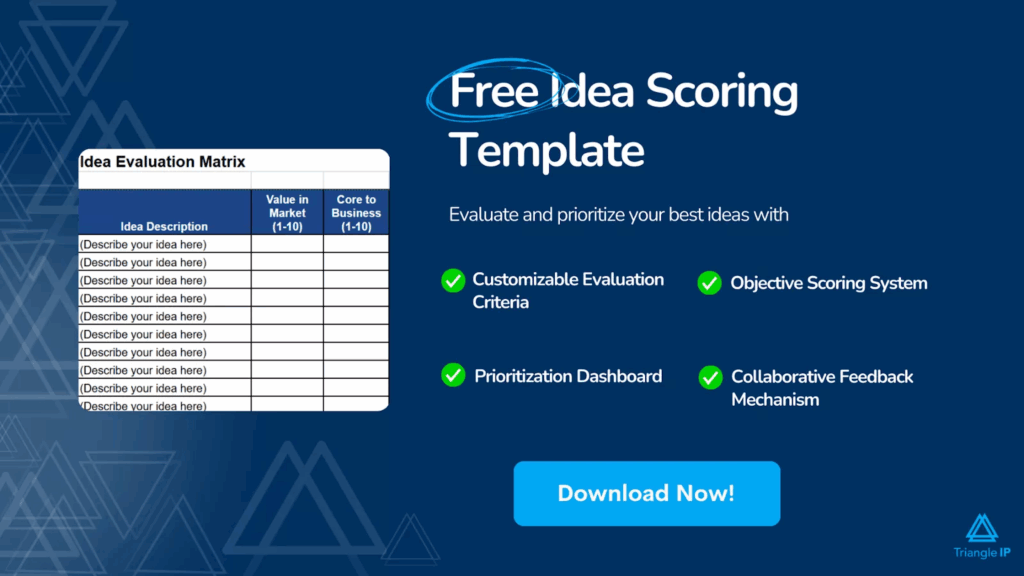
When resources are limited, you need a way to focus on what matters. You can assign a value score to each patent idea based on a collaborative opinion, helping you spot the ones with the most potential.
It’s a simple way to prioritize high-impact innovation while putting lower-value ideas on hold for later.
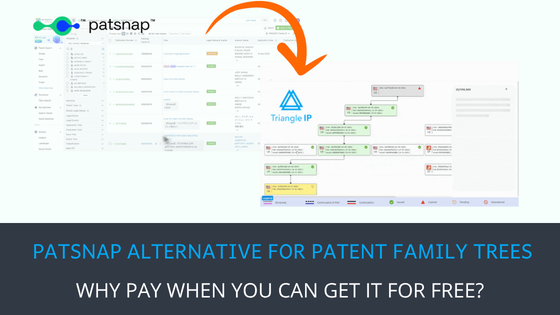
Patent Family Tree
Patent family trees help you see how filings connect over time. You’ll find them under the Portfolio Manager in the dashboard, where you can add applications and view their relationships.
The tool offers three views: a timeline-based Modern view and a Classic view showing parent-child links and a Gantt chart.
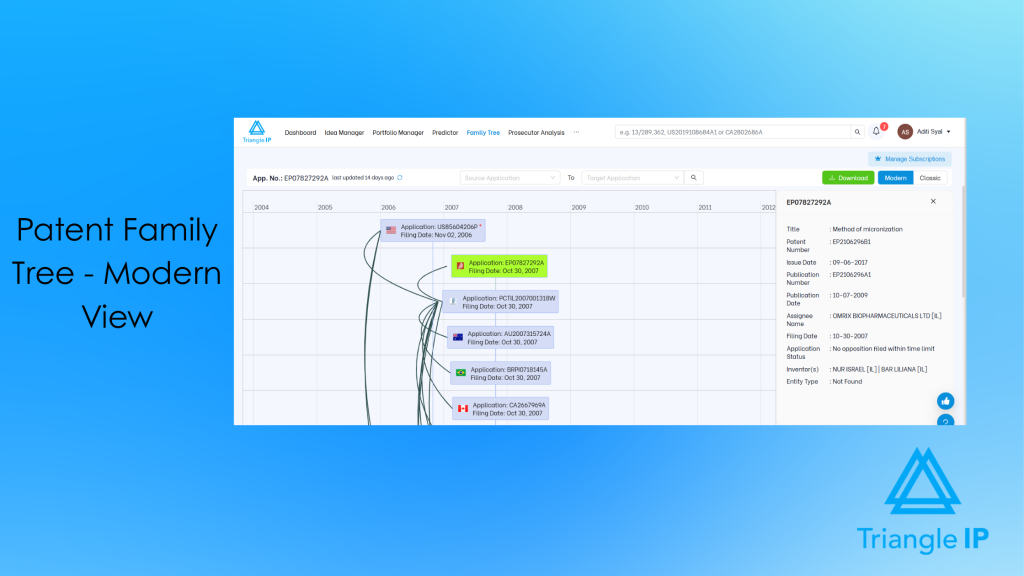
These different views make it easier to analyze your portfolio and ensure you cover what matters.
Patent Lookup
Patent Lookup lets you search for patent applications beyond your own portfolio using an application number. View key application details, prosecution history, documents, continuity, fees, and other patent records in one place.
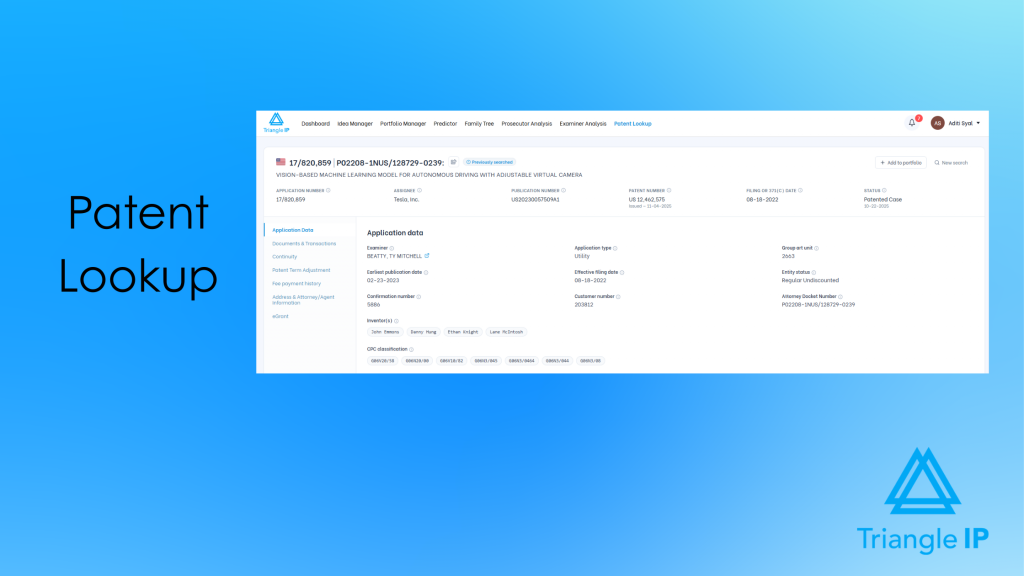
Moreover, if a patent is relevant, add it directly to your portfolio for further tracking and analysis.
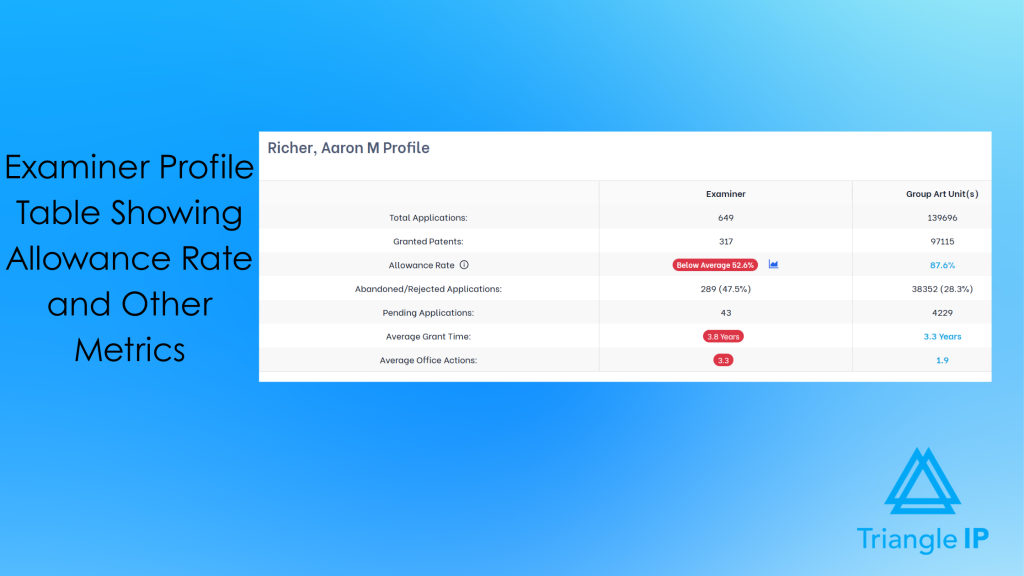
Examiner Analytics
Understanding how your examiner operates can save time and cost. The tool provides examiner analytics on allowance rates, grant time, and average office actions that are typically required. This insight helps you adjust your strategy and have more productive conversations with your legal team.
Prosecutor Analysis
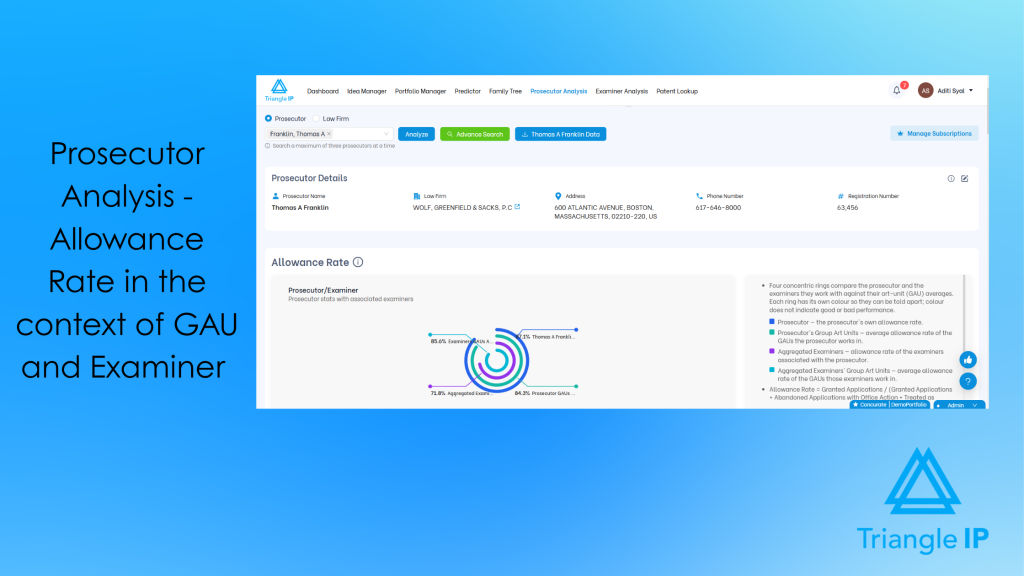
Choosing outside counsel usually comes down to reputation or a referral. With the Prosecutor Analysis, you can decide based on the performance data. It shows attorneys’ allowance rates, timelines, and office action patterns against the examiners and art units they actually worked in.
Moreover, you can also compare up to three prosecutors side by side before you commit.
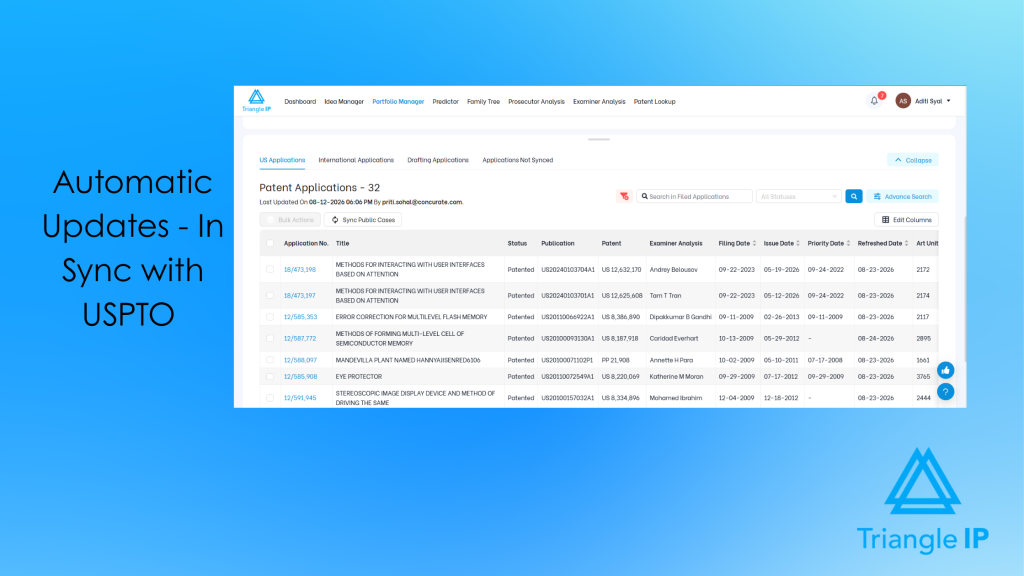
Automatic USPTO Updates
It pulls status changes directly from the USPTO, so your team doesn’t have to rely on outside counsel to stay informed.
You get instant notifications when something changes, saving attorney hours and helping everyone stay focused on what’s next.
Why Users Like the TIP ToolTM
The TIP ToolTM can help innovation managers to effectively and efficiently mine patents and create strong patent portfolios by streamlining processes, optimizing IP budgets, and improving the patent allowance rate. For instance, it has improved the patent allowance rate by 30% for a global technology company. Here are a few more things users like about this patent management tool.
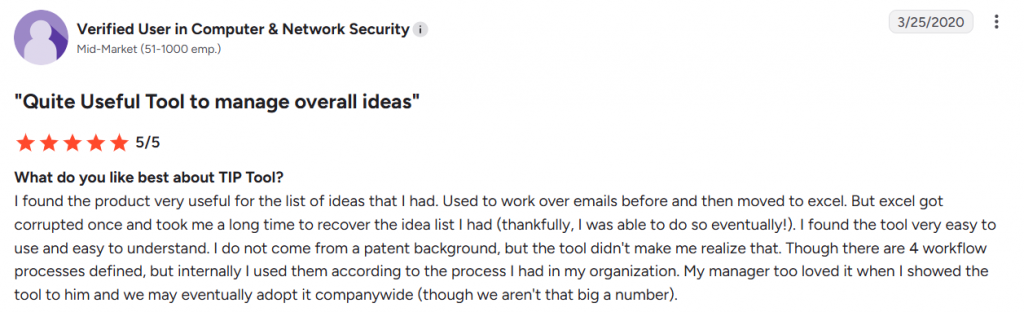
- The TIP ToolTM is known for its intuitive User Interface (UI). Users say it can get them started in almost no time.
- Some reviewers say they found this tool to be flexible and very easy for company-wide adaptation.
Who Is It For
The TIP Tool™ is best for innovation-driven enterprises that want an intuitive, cost-effective patent management solution. It works well for startups as well as both SMEs and large corporations that need enterprise-wide idea capture, portfolio management, and prosecution intelligence to optimise IP budgets without overwhelming users.
Pricing
The TIP ToolTM has three pricing models:
- Free Plan: $0 forever. Ideal for small teams with up to 10 users, 5 GB storage, and one portfolio.
- Premium Plan: $50/month. Supports up to 100 users, 20 GB storage, and advanced features like Private PAIR access, case analytics, family trees, real-time collaboration, and multiple portfolios.
- Custom plan: For custom or enterprise needs, Triangle IP offers custom pricing.
Standalone Tools from the TIP ToolTM by Triangle IP:
- Examiner Analysis to know your examiner statistics and behaviour: $5/user/month
- Predictor Tool for predicting the CPC Code and Art Unit of your patent: $5/user/month
- Patent Family Tree to generate the related patents in a single view. It is free with the purchase of any personal-level tool.
- Prosecutor Analysis to understand the performance of your patent attorney: $500/user/year
Any user can purchase personal-level tools for themselves, and these tools can be used across every organization or portfolio the user is part of.
Appcoll’s Invention Manager And PM Corporate Module
AppColl sells its corporate offering as two products. Invention Manager handles the front end. Inventors submit disclosures, attach documents, and track them through review. The patent committee sees every disclosure and its next step in one place.
Prosecution Manager Corporate, or PM Corporate, handles everything after that: matters, docketing, tasks, prior art, files, and finances.
You can buy either one on its own based on your requirements. However, for end-to-end patent management, you need both. Together, they cover a disclosure through filing, prosecution, and the budget behind it.
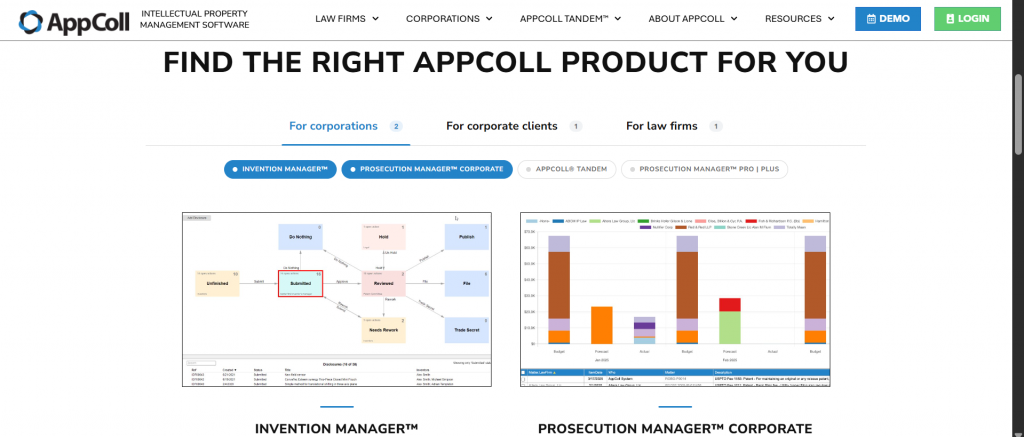
Source: Appcoll Home Page
Key Features For Patent Management:
- Ability to combine similar ideas, edit disclosures, and customize approval workflows.
- Built-in scoring system and automated award management programs.
- Customizable tags for organizing by product lines, technologies, and keywords
- Automated docketing workflows with template-driven emails that keep your team and clients updated.
- A finances module for setting budgets, tracking legal spend, reviewing invoices through approval flows, and forecasting future costs.
- Import and export by spreadsheet in every module, which makes migration and reporting straightforward
Who Is It For
AppColl suits corporate IP teams and mid-to-large enterprises looking for strong invention disclosure management. It’s especially valuable for companies with structured award programs and those needing customizable approval workflows.
Pros
- The platform is flexible enough to fit your workflows instead of forcing you to adapt.
- Support is responsive, and the training materials make onboarding easier for everyone involved.
Cons
- The accounting side could use more flexibility, especially when things change mid-process.
- Users note that advanced customization can be challenging for non-technical users.
Pricing
PM Corporate starts at $130 per user per month, billed monthly, with an extra $100 for each law firm you connect. Invention Manager is $350 per month for 100 users, billed annually. For a detailed breakdown, visit the pricing page.
IPfolio by Clarivate
IPfolio is Clarivate’s cloud IP management platform, built on Salesforce. It manages your portfolio from invention disclosure through prosecution and renewal. Its strongest feature is deadline management.
Source: IPfolio Home Page
Key Features For Patent Management:
- Automated workflows that eliminate manual tasks for reports and assignments
- Integration with Clarivate patent data sources, including Derwent and Innography, for automated data verification.
- Built-in analytics for strategic decision-making with customizable reports and dashboards
- A country laws engine that monitors and calculates dates and deadlines across jurisdictions automatically
Who Is It For
IPfolio is ideal for large enterprises that already use Salesforce. It’s built for innovation managers and legal teams that need deep analytics, reporting, and integrations to manage global patent portfolios.
Pros
- Exceptional reporting capabilities with user-friendly access to data analytics
- Outstanding customer support with knowledgeable representatives who respond quickly
Cons
- The breadth of features can be overwhelming. Based on G2, several users describe the system as complicated to learn fully.
- Getting it to fit your process takes work. Users report needing significant custom enhancements, with implementation averaging around three months.
- Higher price point compared to some alternative solutions
Pricing
Its default plan starts at $20,000/company/year.
AQX Corporate by Anaqua
AQX Corporate is Anaqua’s enterprise IP management platform that covers the full patent lifecycle, from invention capture through global prosecution and renewal.
Its notable strength is that it uses country-specific rules for every jurisdiction and triggers workflow prompts when a deadline condition is met.

Source: AQX Corporate – Patent Management
Key Features For Patent Management:
- Direct integration with the USPTO, JPO, EPO, and CNIPA, which cuts docketing time.
- Automatic identification and docketing of Information Disclosure Statements from your examiner.
- AcclaimIP patent analytics is built in, covering 150 million patent documents from over 100 countries.
- Annuity Decision Reports that compare data and patent scores to guide renewal decisions.
- Secure access for outside counsel, limited to their assigned cases.
Who Is It For
AQX Corporate is best suited for large corporations with global patent portfolios and dedicated IP operations teams. It is best for teams that file across multiple jurisdictions and want docketing and analytics, with renewals in one platform.
Pros
- Patent office integrations across the US, Japan, Europe, and China, which few competitors match
- Deep prosecution analytics, including examiner and art unit behavior, integrated directly into the workflow
Cons
- Complex to learn. One G2 reviewer said they were still learning after a year, and another described the interface as difficult for a new user without training.
- A few Reddit users described Anaqua as complicated software to use.
Pricing
Quote-based pricing. Anaqua does not publish pricing, so cost depends on your portfolio size, modules, and user count.
Equinox by Questel
Equinox is Questel’s IP management suite. Corporations get two products. Equinox Corporate handles docketing and portfolio management. Equinox Invention handles disclosure capture and the path to filing.
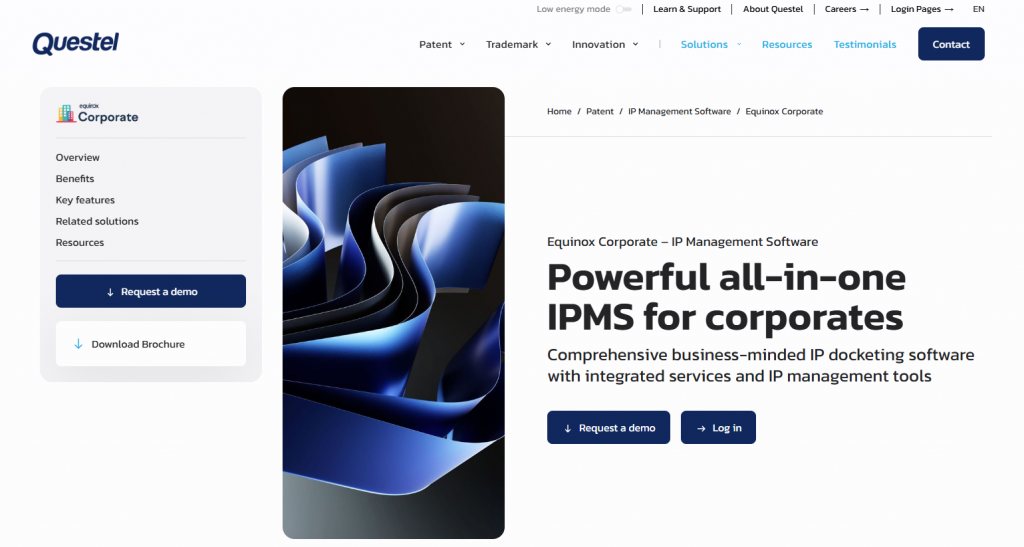
Source: Equinox Corporate Landing page
Key Features For Patent Management:
- A law engine that creates accurate prosecution due dates and reminders across jurisdictions.
- Direct links to national patent office records, which verify your data automatically
- Automated renewal process, so annuity deadlines sit alongside prosecution deadlines.
- KPI-driven dashboards and reports, including a world map view of patent coverage by country.
- Cost forecasting using up-to-date market rates, plus budget management.
Who Is It For
Corporate IP teams filing across multiple countries who want docketing and renewals in one system. A good fit if deadline accuracy across jurisdictions is your main concern.
Pros
- Deadline calculation is automated end-to-end, from prosecution dates through renewals.
- Foreign filing support and translation services come from the same vendor
- You can choose from two corporate editions. Equinox Corporate stands alone, while Equinox Corporate+ runs on Salesforce for teams already using it.
Cons:
- If you want full patent lifecycle coverage from idea capture to patents, you need to buy both Equinox Corporate and Equinox Invention.
- Migration can be rough. One firm described a bumpy implementation caused by exporting data from their previous system.
Pricing:
The pricing for Equinox Invention as well as Equinox Corporate is not available on their website.
Evolve by Wellspring
Evolve (formerly Sophia) is Wellspring’s corporate IP management platform. It manages disclosures, patents, and agreements in one place. Renewals run through Astria, a companion product that syncs with Evolve every day.
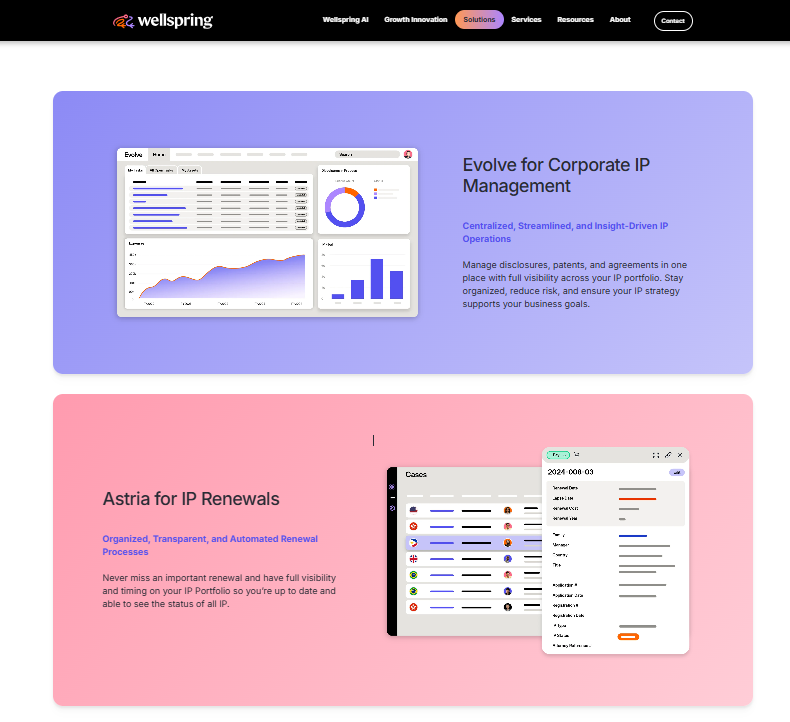
Source: WellSpring Home Page
Key Features For Patent Management:
- Centralized tracking of disclosures, patents, and agreements, with historical data and reporting
- Daily sync of renewal deadlines and instruction status between Evolve and Astria, which removes double docketing
- Live renewal pricing by country, with online instruction handled in one system
- Real-time dashboards with forecasting and budgeting across divisions
- Invoices and expenses flow into Evolve automatically, with no manual data entry.
Pros
- Renewal management is unusually deep. Wellspring reports customers saving 27% on average with Astria.
Cons
- Full patent management coverage means paying for two products, Evolve for management and Astria for renewals.
Pricing
Quote-based. Wellspring does not publish pricing for Evolve or Astria.
CPI by Computer Packages Inc
CPI has been building IP software since 1968 and is one of the few remaining independent vendors in this category. Three parts matter for complete patent management. The Real-Time Patent Management System handles prosecution and portfolio. The Disclosure Management System handles invention capture. The Patent Annuity Service handles renewals.
Source: CPI Home Page
Key Features For Patent Management:
- Real-time data pulled directly from patent offices, so records update without manual entry
- Global data validated by country-specialist analysts across 100+ countries
- A separate Disclosure Management System for capturing, evaluating, and routing inventions
- Patent annuity service covering 100+ jurisdictions, with itemized invoicing and no setup fees
- In 2026, Task Manager was launched for automating task creation and deadline visibility.
- Annuity APIs that work with your existing docketing system, or as a standalone service
- Patent audit service for data cleanups and acquisitions.
Who Is It For
Corporate IP departments and law firms that want docketing and annuities from one vendor. Also a good fit if you don’t want to migrate everything, since the disclosure system and annuity service can be bought separately and run alongside your existing tools.
Pros
- CPI handles renewal payments itself instead of routing them through a third party. This means your payments are secured and handled by the vendor.
Cons
- Full coverage means combining three products rather than buying one.
- No published pricing, and very little independent review presence.
These are the seven best patent management software solutions for enterprise innovation managers’ and IP teams’ unique needs. However, in our opinion, the TIP ToolTM really stands out.
What Makes The TIP ToolTM a Potential Choice For Patent Management Software
It’s an effective yet lean and fairly priced solution suitable for most enterprises. It massively simplifies existing patent management processes. It makes idea generation easier, gives a holistic view of the process, keeps innovation managers updated, and signals if there is a potential blockade ahead. We see many instances where teams struggle to bring all the components of patent management together with their make-do tools and inefficient processes. The TIP ToolTM can radically transform their workflows.
Some of its key features include:
- A centralized view of your idea and patent pipeline to help identify bottlenecks and adjust your prosecution strategy accordingly
- Invention disclosure forms that are simple to use and easy to customize, making it easier for teams across the company to contribute
- Real-time collaboration that works like Google Docs, so inventors, attorneys, and business teams can work together without friction
- Prosecutor Analysis to check any attorney or firm against their examiner and art unit benchmarks before you hire them, or compare three side by side.
- Patent Lookup to pull up any US or international patent, application, or publication by number.
- Case analytics that show how likely a filing is to get approved, based on examiner and art unit data
- Automatic updates from the USPTO that keep you informed without relying on outside counsel for basic status checks
You can try out the TIP ToolTM here for free. The tool also has a sample patent portfolio to help you check its usability.
Disclaimer: The information in this article/review is sourced from the internet and may not be entirely accurate or up-to-date. We recommend visiting the respective software websites for the most current and reliable information. The opinions expressed here are those of the author and may not reflect the views of Triangle IP. We are not liable for any consequences that may arise from relying on the information provided in this article/review.
Frequently Asked Questions
1. How To Manage Patents?
Patent management involves tracking the entire lifecycle of your IP- from idea submission and evaluation to filing, prosecution, and maintenance. A well-structured system should give you visibility into your pipeline, help coordinate with legal teams, and provide insights on costs, deadlines, and approval progress.
2. Is There Any Free Patent Management Software?
Yes, the TIP Tool™ has a forever free plan. It covers up to 10 users, one portfolio, and 5 GB of storage. Other free options are more limited. Simple IP by Dennemeyer is free, but it only shows your portfolio. There is no disclosure intake, docketing, or renewals. AppColl Tandem is also free, but you cannot buy it yourself. Your law firm sends the invite, and it gives you a view into what they manage rather than a system of your own.
3. How Can I Reduce Patent Management Costs?
There are a few ways to wisely spend patent management costs. Focus on high-value filings, consider trade secrets or defensive publications when appropriate, and use provisional applications to delay major expenses. Also, limit foreign filings to key markets.