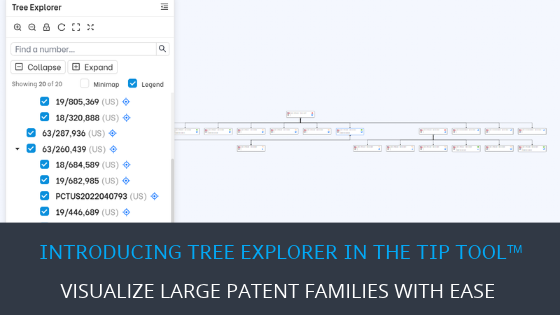
| TL;DR – Large patent family trees can be difficult to view when applications are spread across the screen. With the new Tree Explorer feature in the TIP Tool™, you can expand or collapse branches, show or hide applications, rearrange nodes, and focus on specific parts of the family tree. This makes it easier to explore complex patent families without constantly scrolling and zooming. |
Patent family trees help you understand how different patent applications are connected. But as a patent family grows, its family tree can become complex and difficult to follow.
Applications and branches may spread across the screen, making it hard to see the complete picture. You may need to scroll back and forth, zoom in and out, or adjust the view repeatedly just to understand how different applications are related.
And when you only want to focus on one part of the tree, navigating through all the other branches can make things even more confusing.
What if exploring a complex patent family tree could be much simpler? That’s exactly what the latest TIP Tool™ update aims to do.
Introducing Tree Explorer: Making Complex Patent Family Trees Easy to Explore
The new Tree Explorer feature brings more control and flexibility to the existing Family Tree visualization in the TIP Tool™.
Instead of struggling with branches spread across the screen, you can now customize the tree, focus on specific applications, and navigate complex family relationships more easily.
If you’re new to the Family Tree feature, check out our Family Tree walkthrough to learn how it works.
Key Capabilities of Tree Explorer
Depending on what you’re looking for, Tree Explorer gives you several ways to make sense of a complex family tree. Here’s what each capability helps you do.
Expand or Collapse Branches
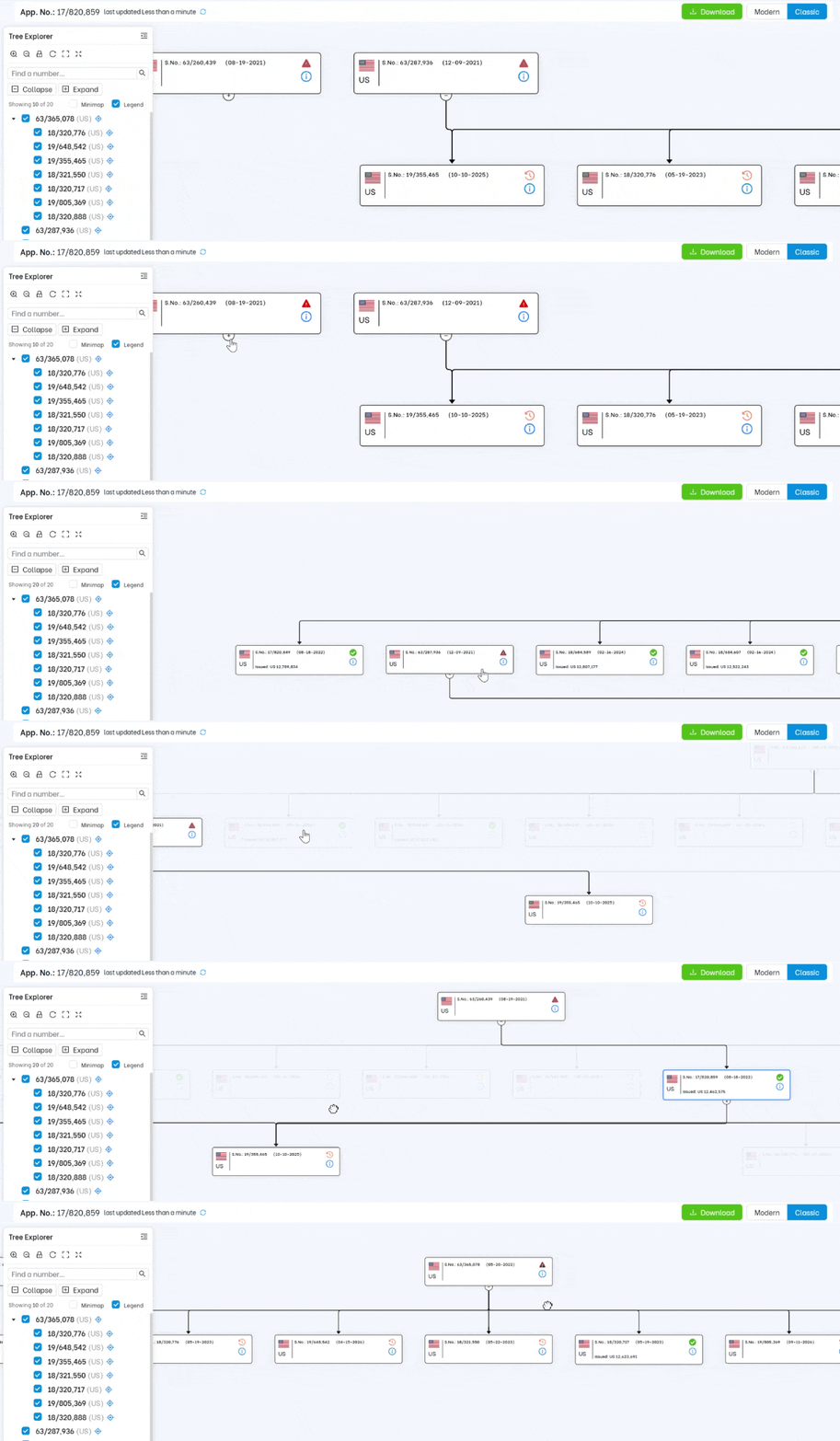
When a family tree has too many branches open at once, it’s easy to lose track of what you’re looking at. You can collapse branches you don’t need right now and expand them again whenever you want to see more.
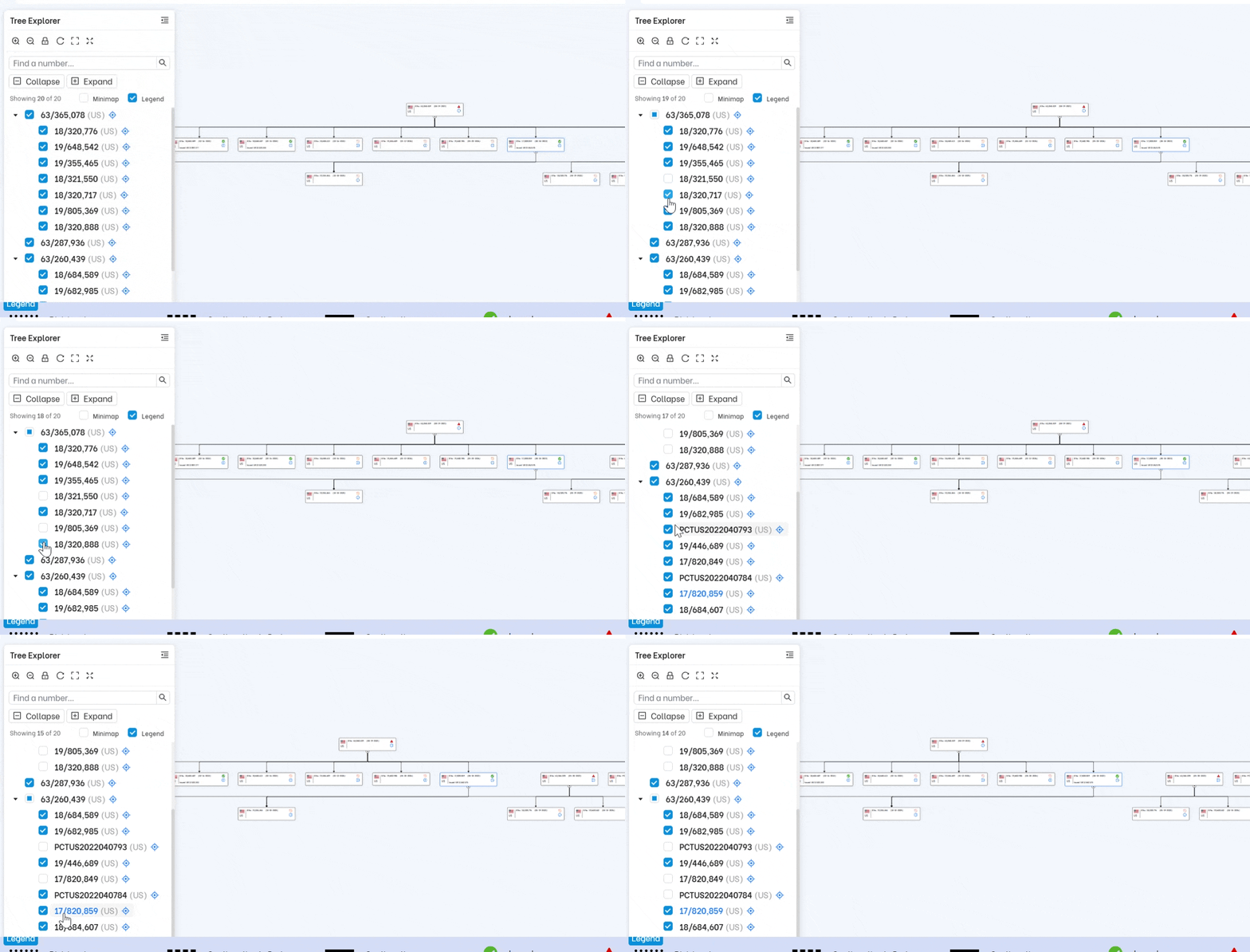
Show or Hide Applications
You don’t always need every application on the screen. Choose which U.S. and foreign applications to display, and hide the ones you aren’t reviewing at the moment.
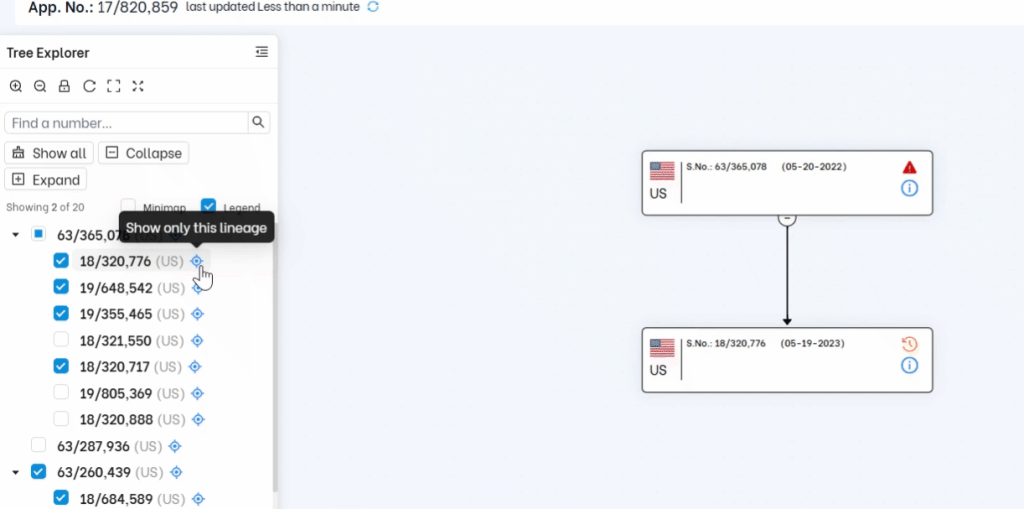
Focus on One Application’s Lineage
Want to see how a particular application fits into the family? Use Show Only This Lineage to focus on its connected lineage without the other branches getting in the way.
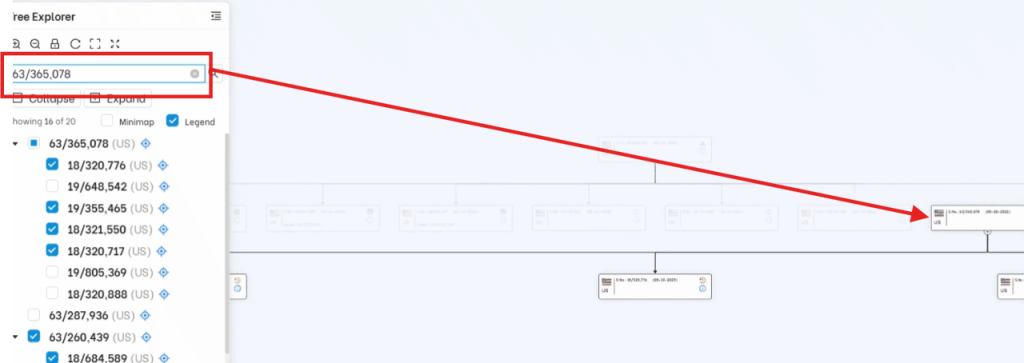
Find an Application by Number
Looking for one application among dozens? The Find a number field helps you locate it without having to scan the entire tree yourself.
Move and Rearrange Nodes
Sometimes, connected applications are spread too far apart to view comfortably. Unlock dragging and move the nodes into positions that make the relationships easier to follow.
Once you’ve arranged the nodes, you can lock dragging so they don’t move by accident while you’re exploring the tree. Unlock it whenever you want to change their positions again.
Use the Mini Map to Find Your Position
It’s easy to lose your place when only a small part of a large tree fits on the screen. The Mini Map, shown in the bottom-right corner, gives you an overview of the full tree.
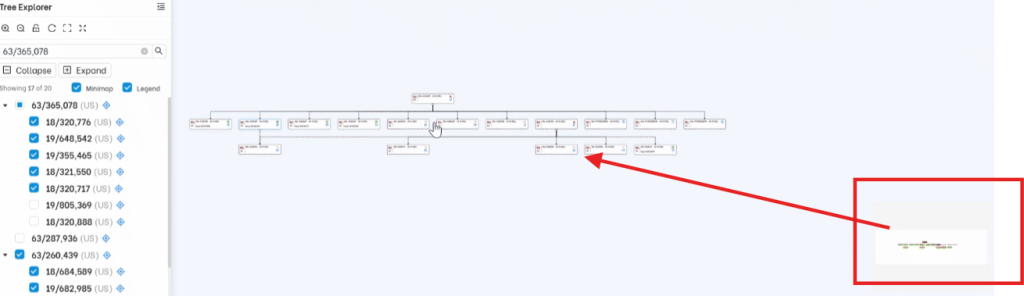
The part you’re currently viewing appears brighter on the Mini Map, so you can tell where you are without guessing.
Fit the Tree to Your Screen
Need to see the bigger picture? Fit to Screen adjusts the view to bring the tree into the available screen space. You can then zoom in when you want to look more closely at particular applications.
Reset the Layout
Moved a few nodes and preferred how things looked before? Reset Layout restores the original arrangement, so you don’t have to move everything back yourself.
Once you’ve customized your family tree with the above mentioned capabilities, you can download a clean version and use it whenever you need. That’s just one of the ways we’re making everyday patent management tasks simpler with the TIP Tool™.
More Updates in the TIP Tool™ Are on the Way!
At Triangle IP, user feedback plays an important role in how we improve the TIP Tool™. We focus on solving the challenges patent professionals face in their day-to-day work, making the platform easier and more efficient to use.
Tree Explorer is one such improvement, and more enhancements are on the way.
To stay informed about upcoming features and improvements, follow the Triangle IP TIP Tool™ page on LinkedIn and visit our blog for the latest announcements